Requirements
↑ Back to topBefore starting, check that you have the minimum characteristics to ensure the correct functioning of DWH Wishify.
- WordPress: version 6.0 or above
- WooCommerce: version 8.0 or above
- PHP: version 7.4 or above
Installation
↑ Back to topTo start using a product from WooCommerce.com, you can use the “Add to store” functionality on the order confirmation page or the My subscriptions section in your account.
- Navigate to My subscriptions.
- Find the Add to store button next to the product you’re planning to install.
- Follow the instructions on the screen, and the product will be automatically added to your store.
Alternative options and more information at:
Managing WooCommerce.com subscriptions.

Setup and Configuration
↑ Back to top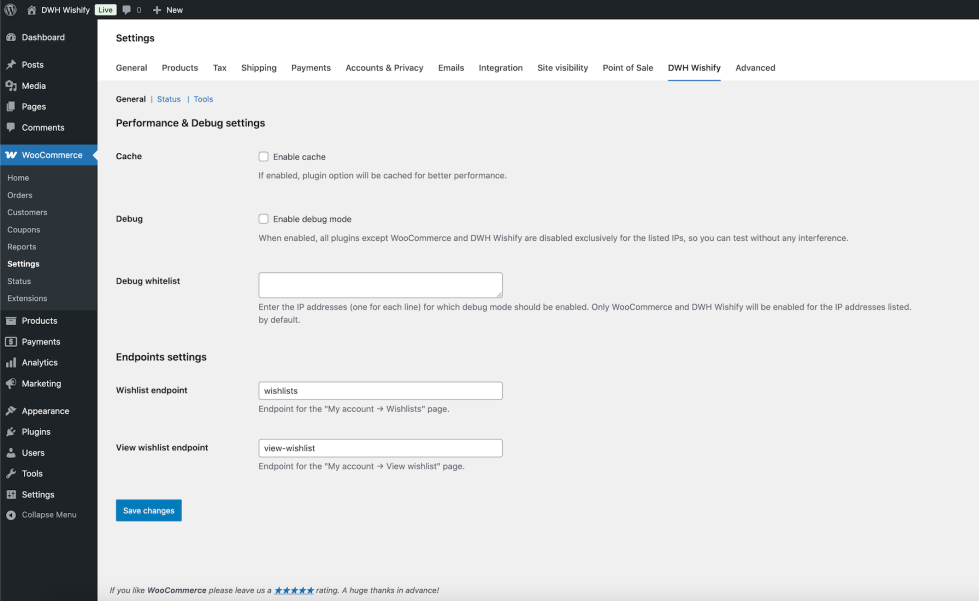
Getting started
↑ Back to topTo set up your store with DWH Wishify:
- Go to: WooCommerce > Settings > DWH WISHIFY.
- Optionally enable the cache for better performance.
- Set the endpoint for MyAccount wishlists list.
- Set the endpoint for MyAccount wishlist details.
- Save changes.
Usage
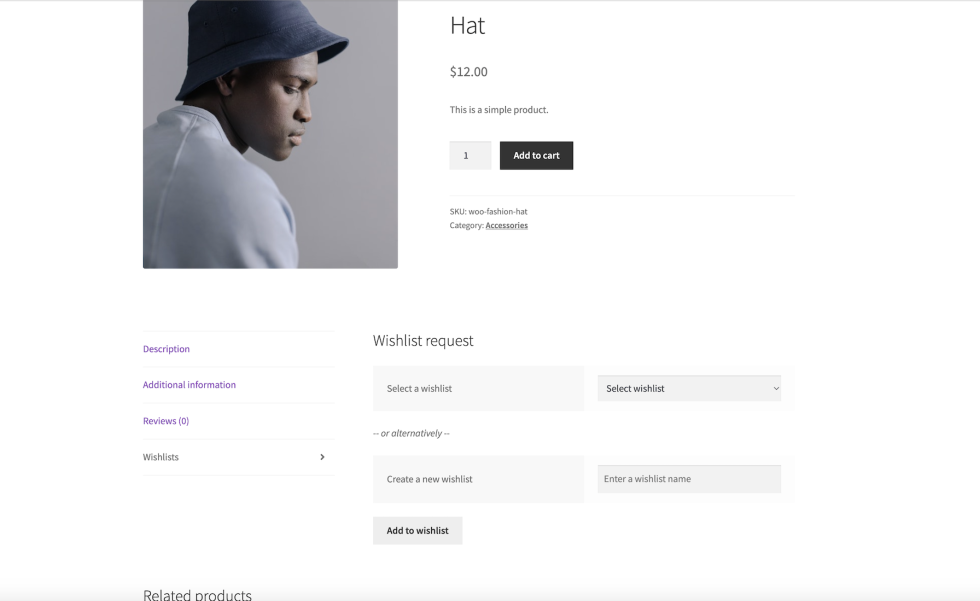
↑ Back to topCustomers can add products to an existing wishlist or to a new one.
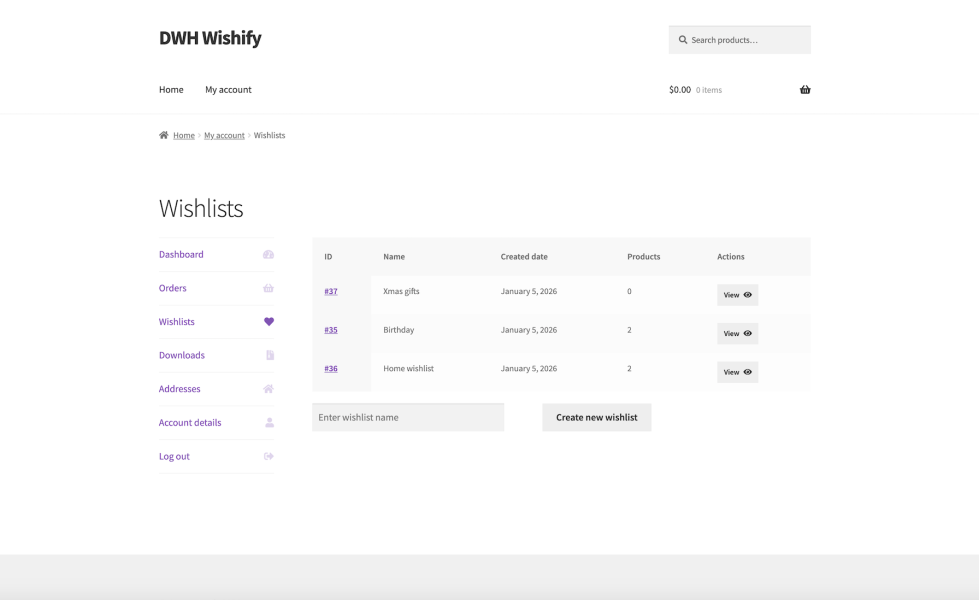
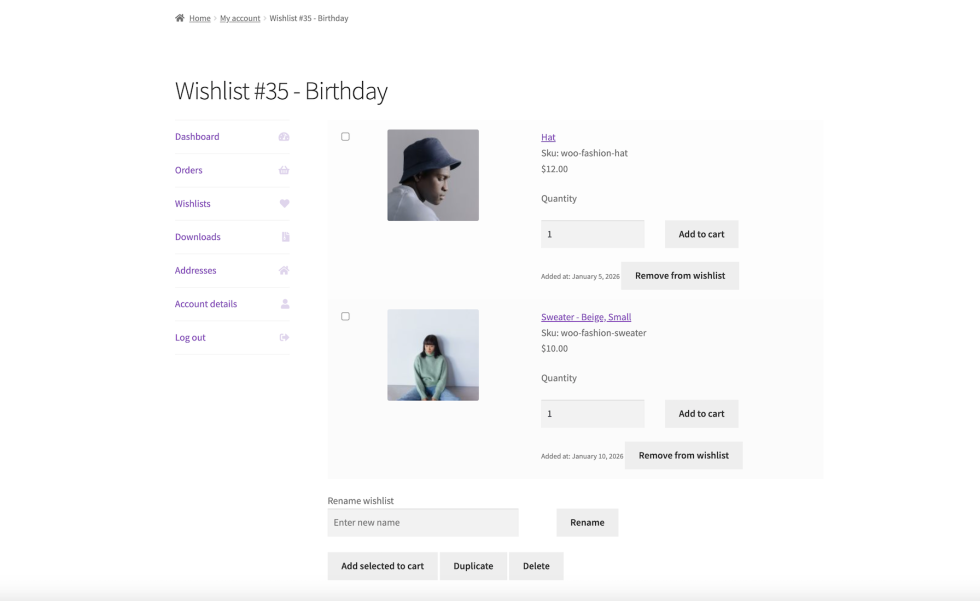
Customers can view and manage their wishlists in their MyAccount page.