
Dynamic Product allows your WooCommerce store to offer endless ways to customize products and gives you the ability to configure any pricing logic imaginable.
Installation
↑ Back to topTo start using a product from WooCommerce.com, you can use the “Add to store” functionality on the order confirmation page or the My subscriptions section in your account.
- Navigate to My subscriptions.
- Find the Add to store button next to the product you’re planning to install.
- Follow the instructions on the screen, and the product will be automatically added to your store.
Alternative options and more information at:
Managing WooCommerce.com subscriptions.

Setup and Configuration
↑ Back to top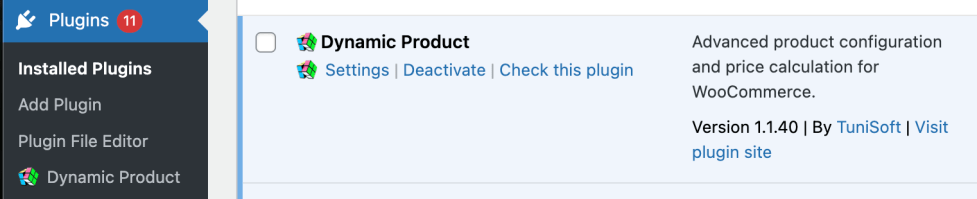
Getting started
↑ Back to topTo set up your store with Dynamic Product:
- Go to: Products > Edit any product of your choice > Edit Fields.
- Enable the module for the current product.
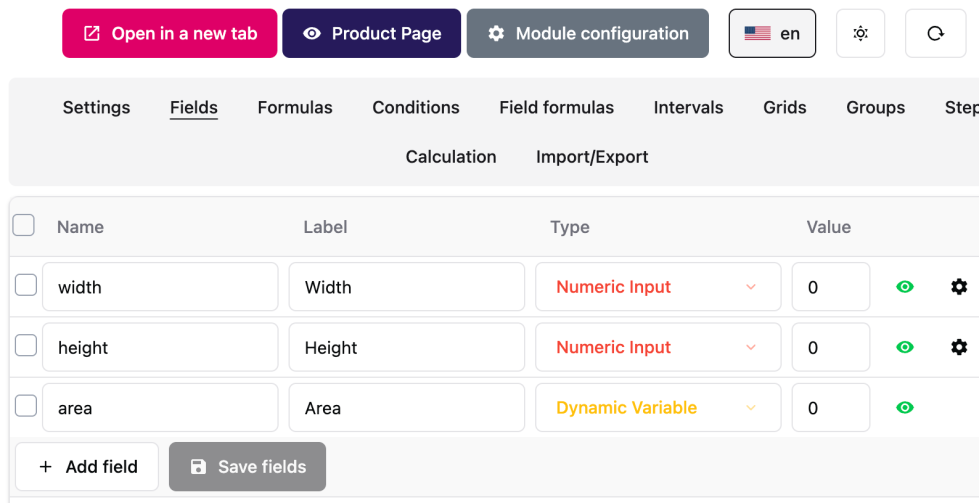
- Add your custom fields in the Fields tab.
- Configure your pricing formula.
Here’s how your fields may look like in the admin Fields tab.
Advanced configuration
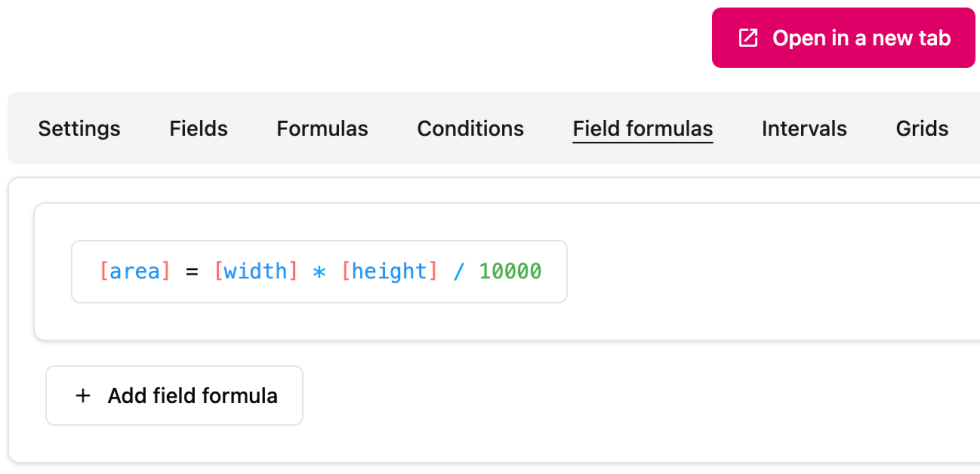
↑ Back to topYou can create variables inside the module to make your calculations more organized and easier to reason about. In this cas, we can get the area in m².
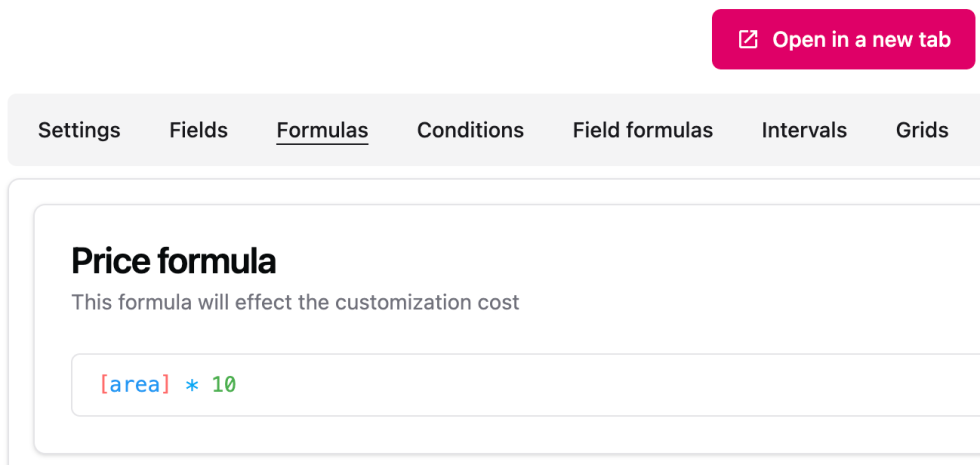
Then, in your price formula, you can use the area field directly. In this example, we’ll charge $10/m². (In general, the module will use the current product currency).
Usage
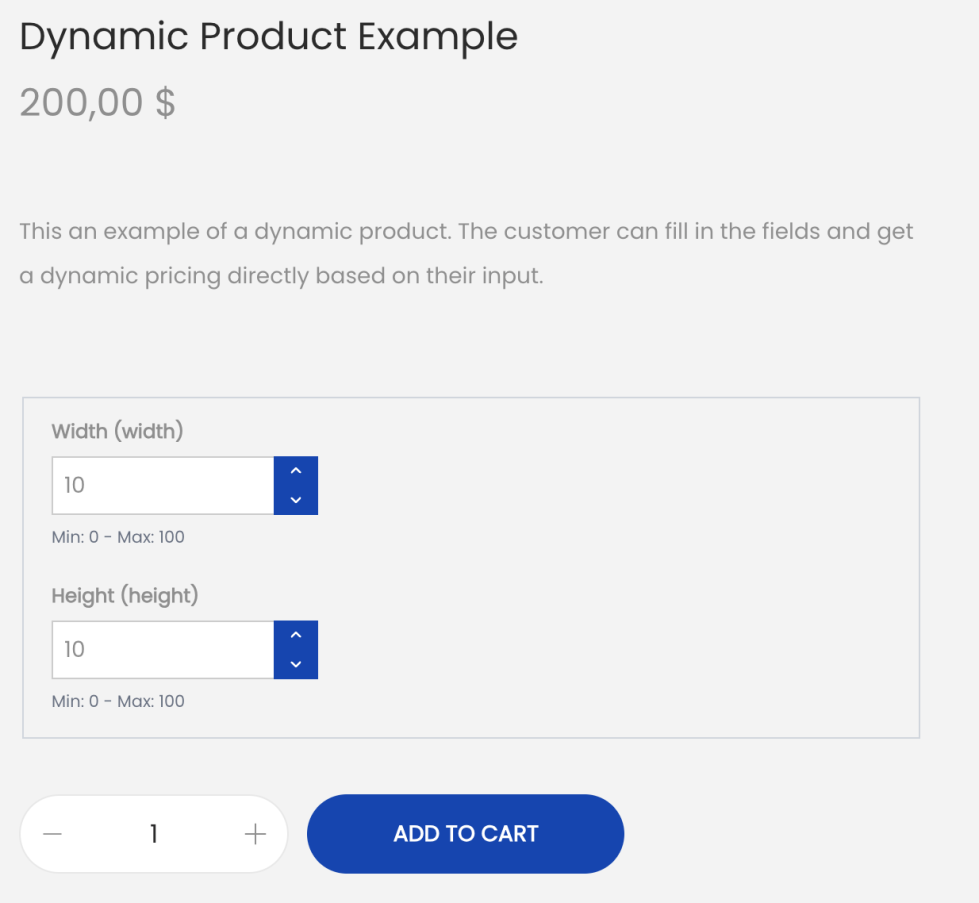
↑ Back to topWhat customers see on the front end.
FAQs
↑ Back to topHelp customers by answering commonly asked questions.
Is there a limit on the number of products that I can configure?
You can configure as many products as you want. There is no limit.
You can also configure as many fields as you need in a product.
Can I use functions inside my formulas?
Yes, many functions are supported.
Does this extension support more advanced pricing methods?
Yes, you can use php to code your calculation logic, allowing you to configure any logic that your product requires.

