
Limited Sale Offers allows your store to run quantity-based limited discounts with automatic tracking and smart progress display.
Create urgency by limiting how many discounted units are available per product and automatically removing the sale price once the target is reached.
Installation
↑ Back to topTo start using a product from WooCommerce.com, you can use the “Add to store” functionality on the order confirmation page or the My subscriptions section in your account.
- Navigate to My subscriptions.
- Find the Add to store button next to the product you’re planning to install.
- Follow the instructions on the screen, and the product will be automatically added to your store.
Alternative options and more information at:
Managing WooCommerce.com subscriptions.

Setup and Configuration
↑ Back to topMain Settings
↑ Back to topGo to: WooCommerce > Settings > Limited Sale Offers .
From the main settings page, you can:
- Choose the progress display type (percentage claimed or units remaining)
- Customize the progress bar label text
- Set the progress bar color
- Customize cart notices related to limited sale products
- These settings apply globally unless overridden at the product level.

Progress Display Options
↑ Back to topYou can choose how progress is displayed:
- Show percentage claimed
- Show units remaining
- Use global settings (per product)
Text labels are fully customizable using dynamic tags:
Available tags:
{{claimed_percentage}}{{items_left}}{{total_units}}
Product Settings
↑ Back to topProduct Edit Page → Product Data → Limited Sale Offers
To enable a Limited Sale Offer for a product:
- Check Enable Limited Offer
- Set a Limited Offer Target
- Make sure the Limited Offer Counter is lower than the target
- Set a Sale Price
- Click Update
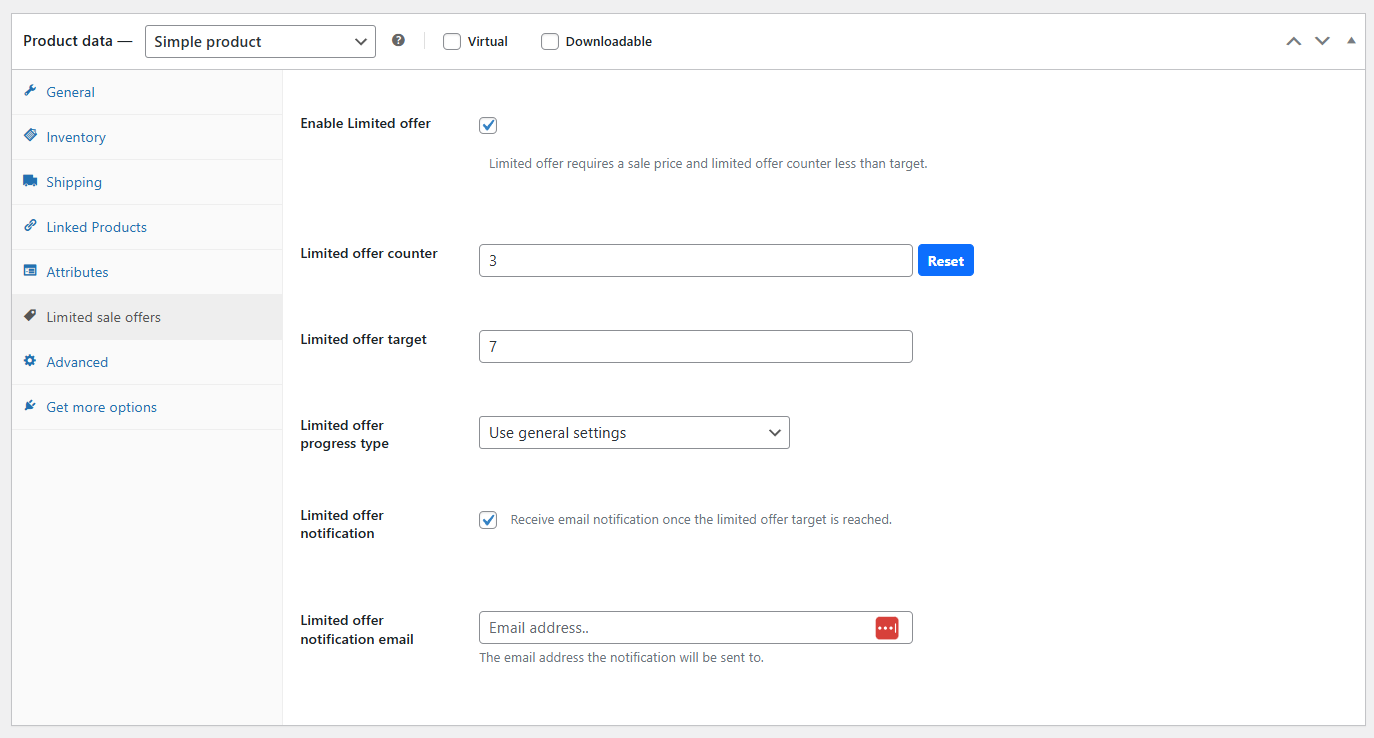
Once enabled, the progress bar will appear on the product page and begin tracking the offer progress.
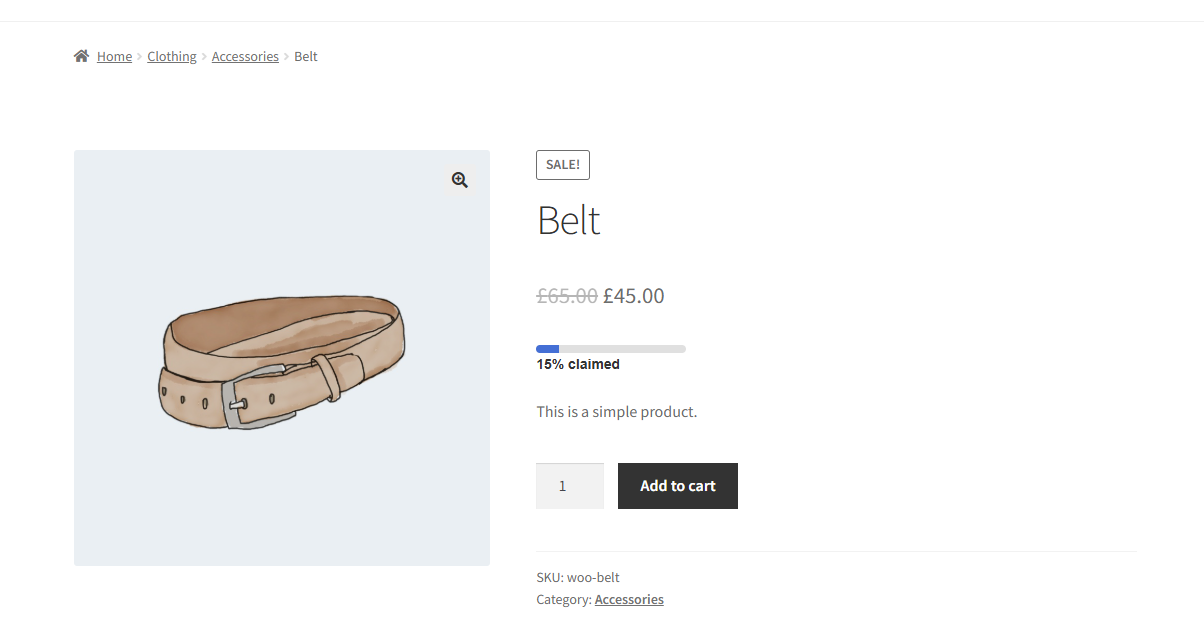
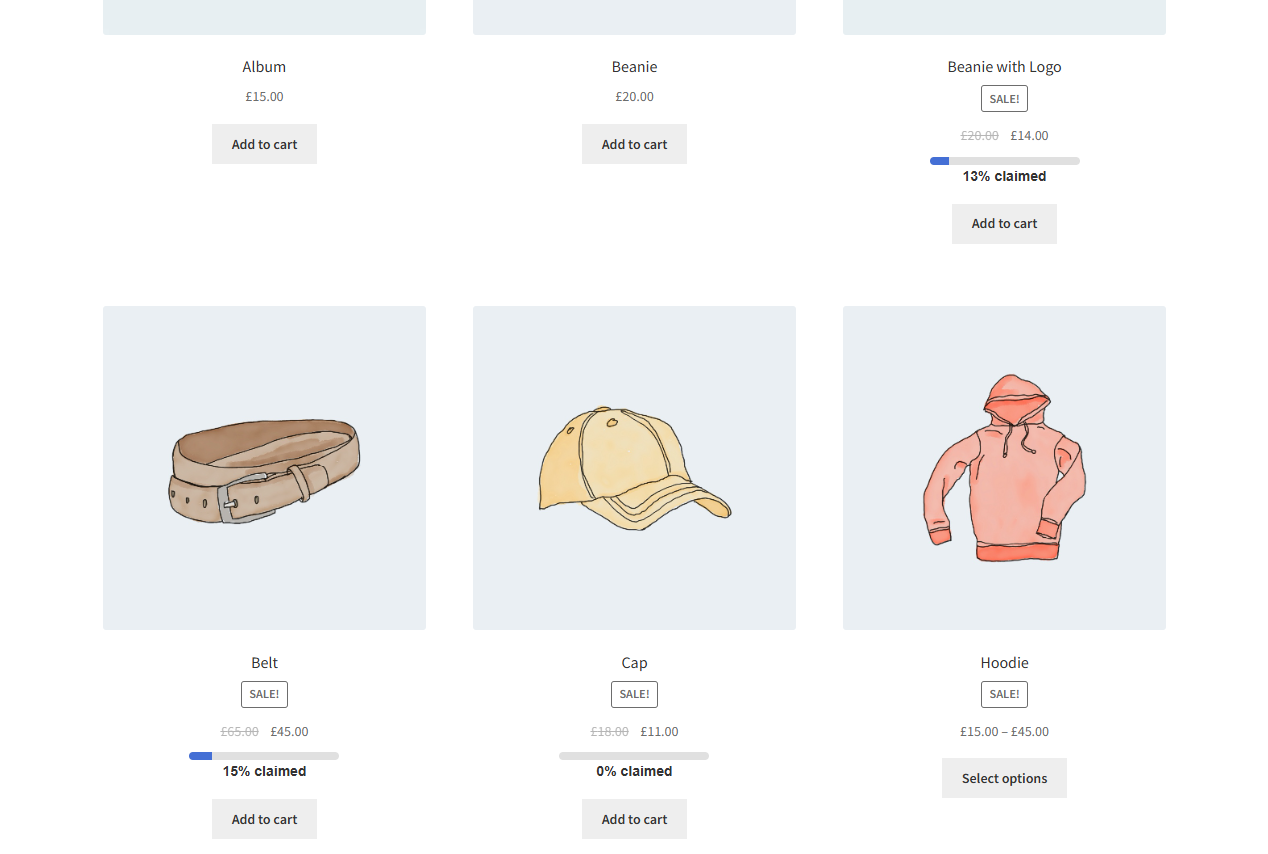
When the Limited Offer target is reached:
- The Sale Price is automatically removed
- The Regular Price is restored
Email notification
↑ Back to topYou can enable email notifications per product.
When enabled:
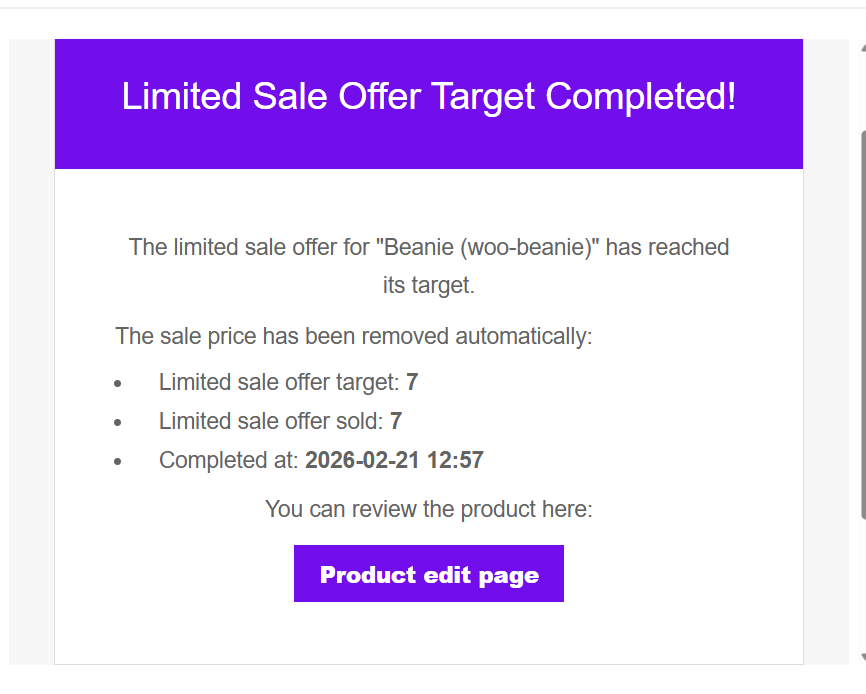
- An email is sent to the email once the Limited Offer target is completed.
- The email template can be customized from:
WooCommerce → Settings → Emails
This allows you to stay informed when an offer is completed.
Once the limited offer is completed, you will receive an email. The email can be customized from the WooCommerce Emails page.
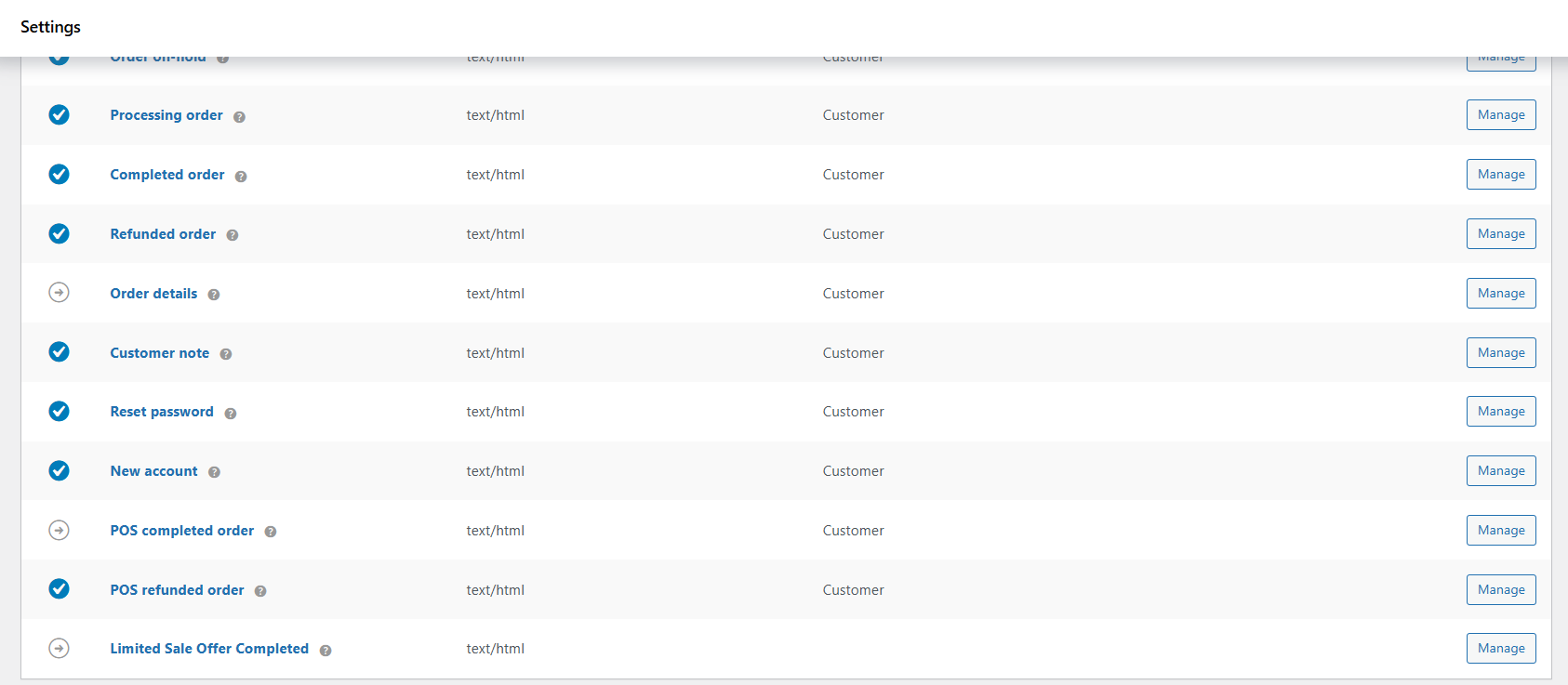
Limited offer Tracking
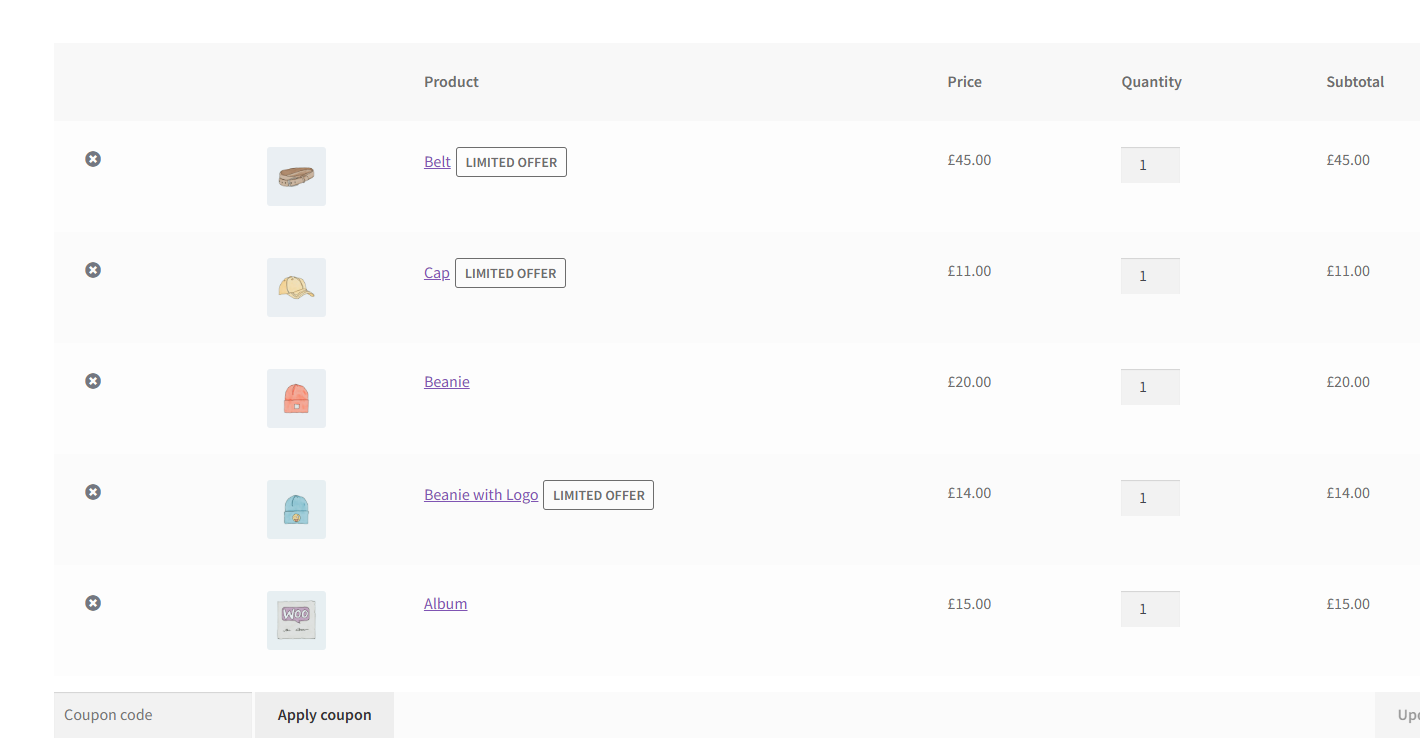
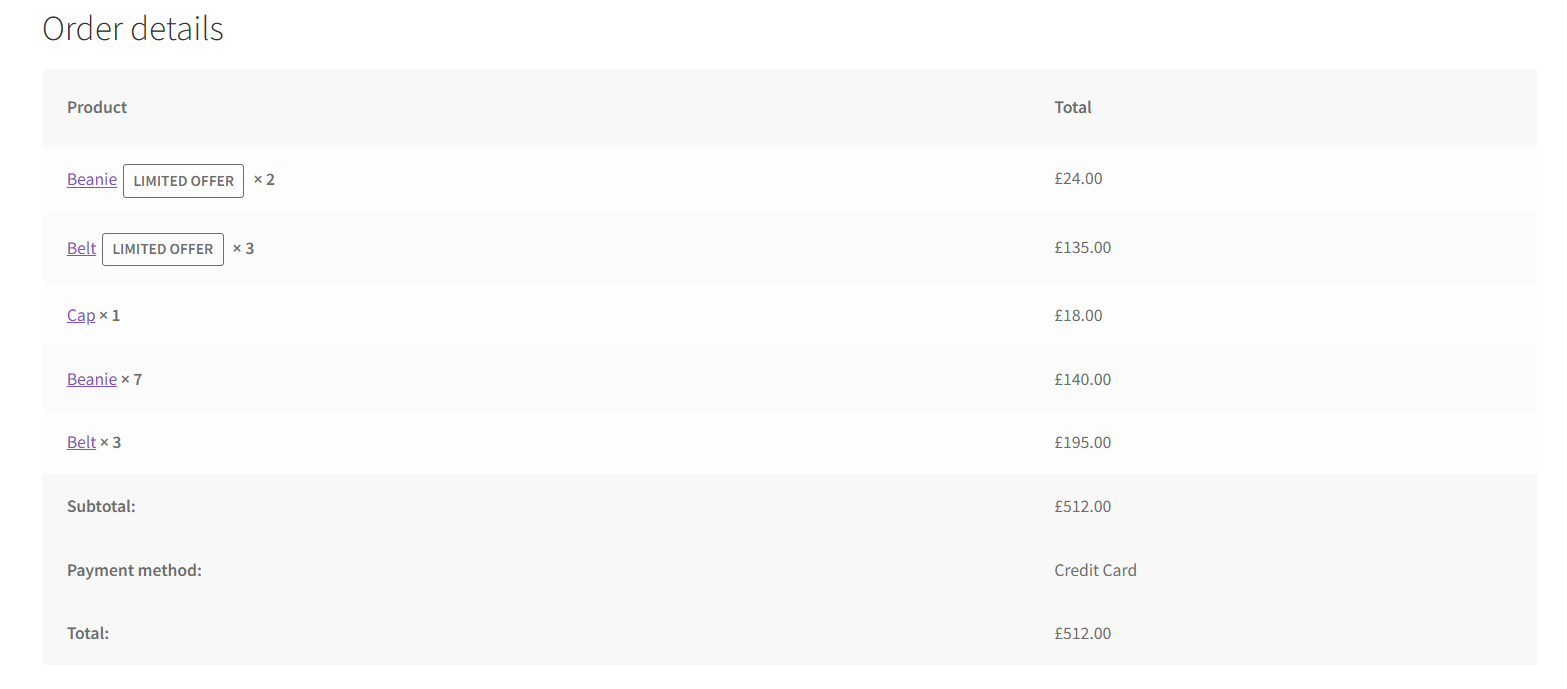
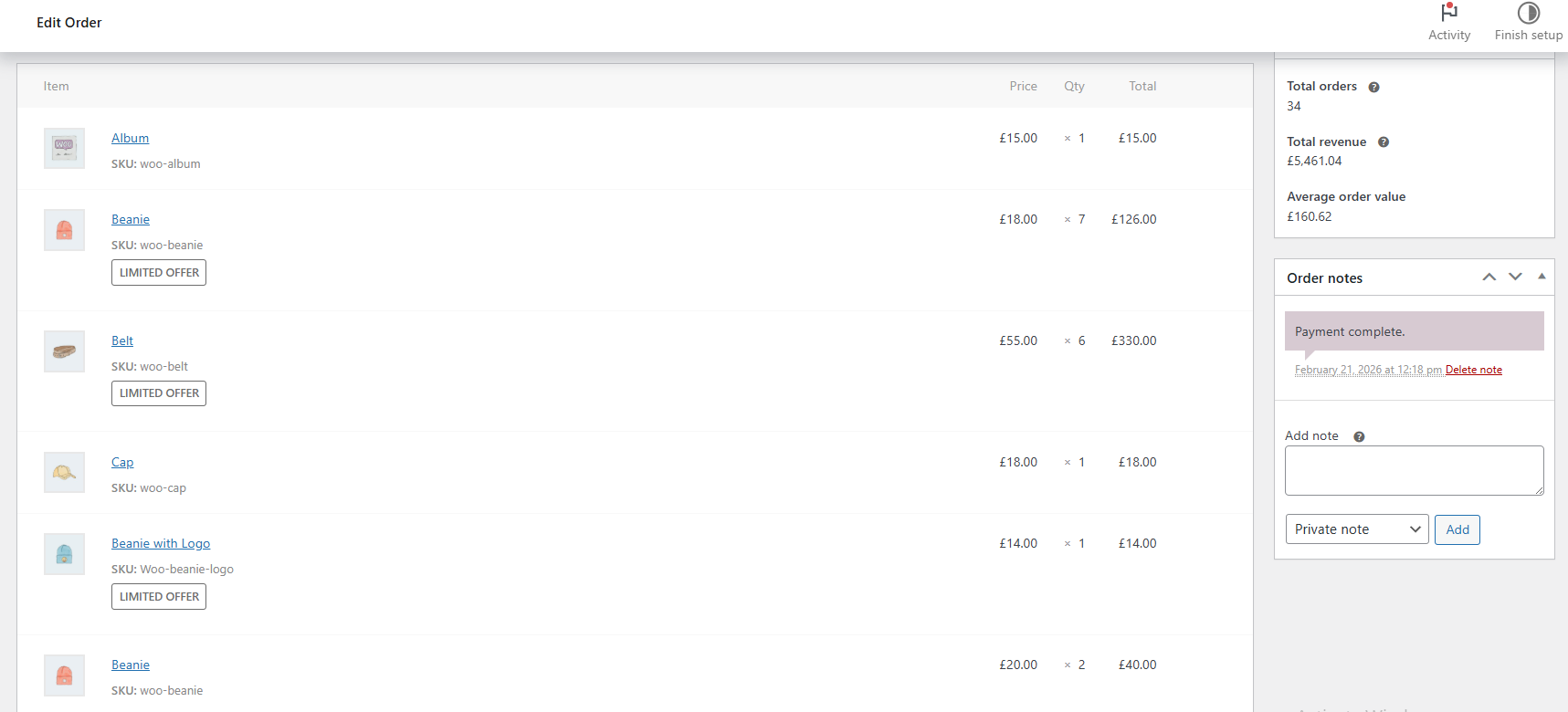
↑ Back to topLimited Sale Offers are tracked and visible in:
- Cart page
- Thank You page
- Order edit page (admin)
This allows you to easily identify which products were purchased under a limited sale offer.
FAQs
↑ Back to topHelp customers by answering commonly asked questions.
Does this plugin affect stock quantity?
No. Limited Sale Offers tracks discounted units separately from stock management.
What happens when the target is reached?
The Sale Price is automatically removed and the product returns to its Regular Price.
Can I customize the progress text?
Yes. Both percentage and units-remaining messages are fully customizable using dynamic placeholders.

