
Complete setup and reference documentation for the NetSuite Integration plugin. This connects WooCommerce to NetSuite ERP so orders, customers, inventory, prices, refunds, and fulfilment tracking move between the two systems automatically.
Quick start
↑ Back to top- Install and activate from WooCommerce → Marketplace.
- In NetSuite, create an Integration record and an Access Token.
- Paste your 7 credentials into the Connection tab, click Test Connection.
- Set your defaults on the General tab, run a manual test sync.
- Turn on the sync channels you need in Settings.
Most stores are live in under 30 minutes. Full detail on each step below.
Requirements
↑ Back to top| Requirement | Minimum |
|---|---|
| WordPress | 6.4 |
| WooCommerce | 8.0 |
| PHP | 8.1 |
| NetSuite | Production or Sandbox, Token-Based Authentication enabled |
Checked automatically on activation; a clear notice shows if anything’s missing.
Installing the plugin
↑ Back to top- WooCommerce → Marketplace → search “NetSuite Integration by SoftXone.”
- Buy → Install → Activate.
- The setup wizard opens automatically.
Note: historical orders aren’t backfilled on activation (avoids flooding NetSuite) — use the per-order Re-Sync button for one-off backfills. Your full NetSuite catalog isn’t auto-imported either — choose what to bring in from the Item Catalog tab.
Connecting to NetSuite
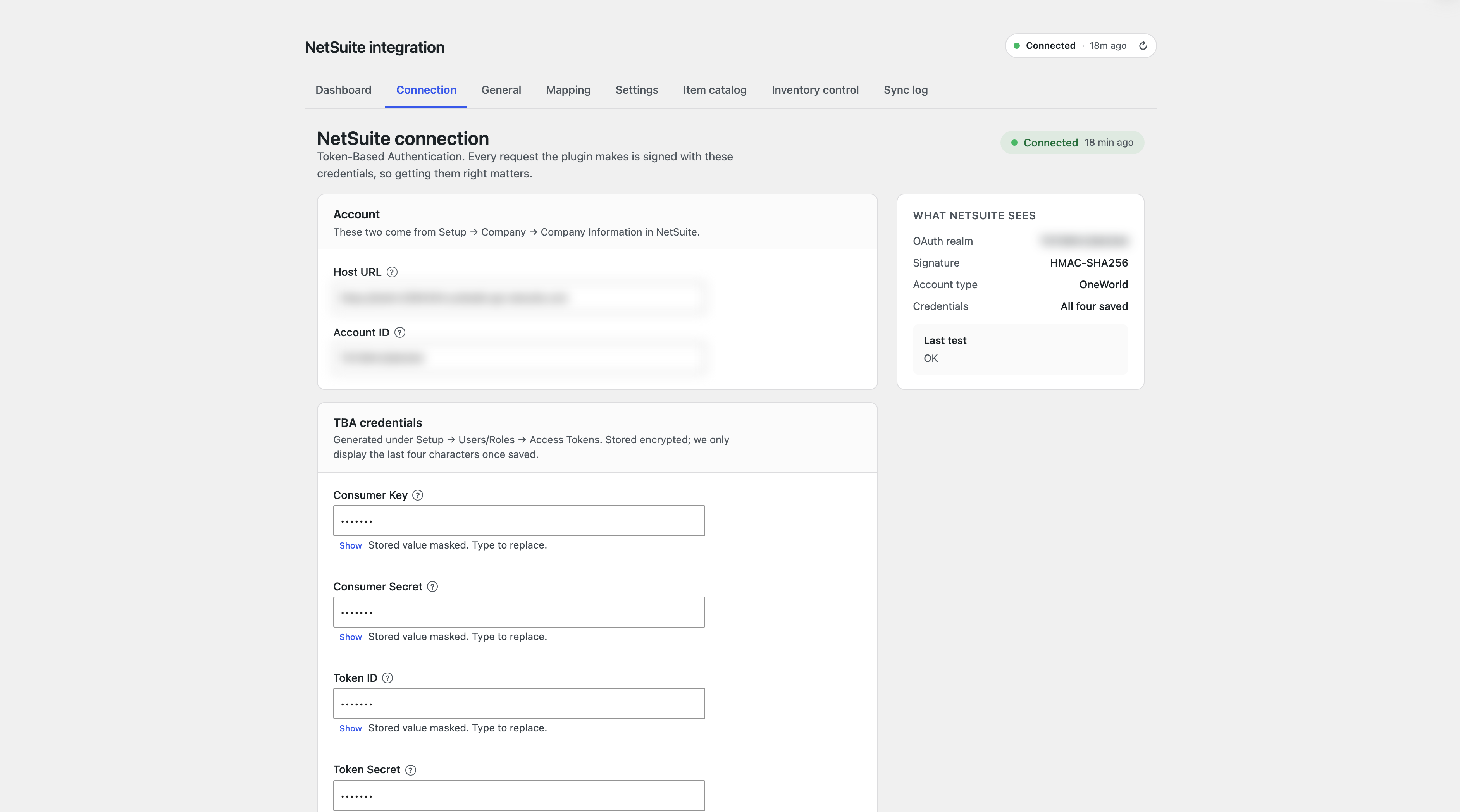
↑ Back to topOpen Connection tab. You’ll need:
| Field | Where to find it |
|---|---|
| Host URL | Your SuiteTalk URL, e.g. https://1234567.suitetalk.api.netsuite.com |
| Account ID | Setup → Company → Company Information |
| Consumer Key & Secret | Setup → Integration → New Integration record |
| Token ID & Secret | Setup → Users/Roles → Access Tokens → New |
| Signature Algorithm | Default HMAC-SHA512 unless told otherwise |
Click Test Connection. Failures show exactly what’s wrong — bad credentials, wrong account ID, or a missing permission. Wrong signature algorithm is auto-detected and retried.
NetSuite role permissions
↑ Back to top| Category | Record | Access |
|---|---|---|
| Lists | Items, Locations, Currencies, Subsidiaries | View |
| Lists | Customers | View, Create |
| Transactions | Sales Order | Full |
| Transactions | Cash Sale | Full (if used) |
| Transactions | Item Fulfilment | View |
| Transactions | Credit Memo | View, Create |
| Setup | Web Services, REST Web Services | Full |
| OAuth | TBA enabled + User Access Token | — |
If a permission’s missing, the Connection tab names it directly.
Initial setup
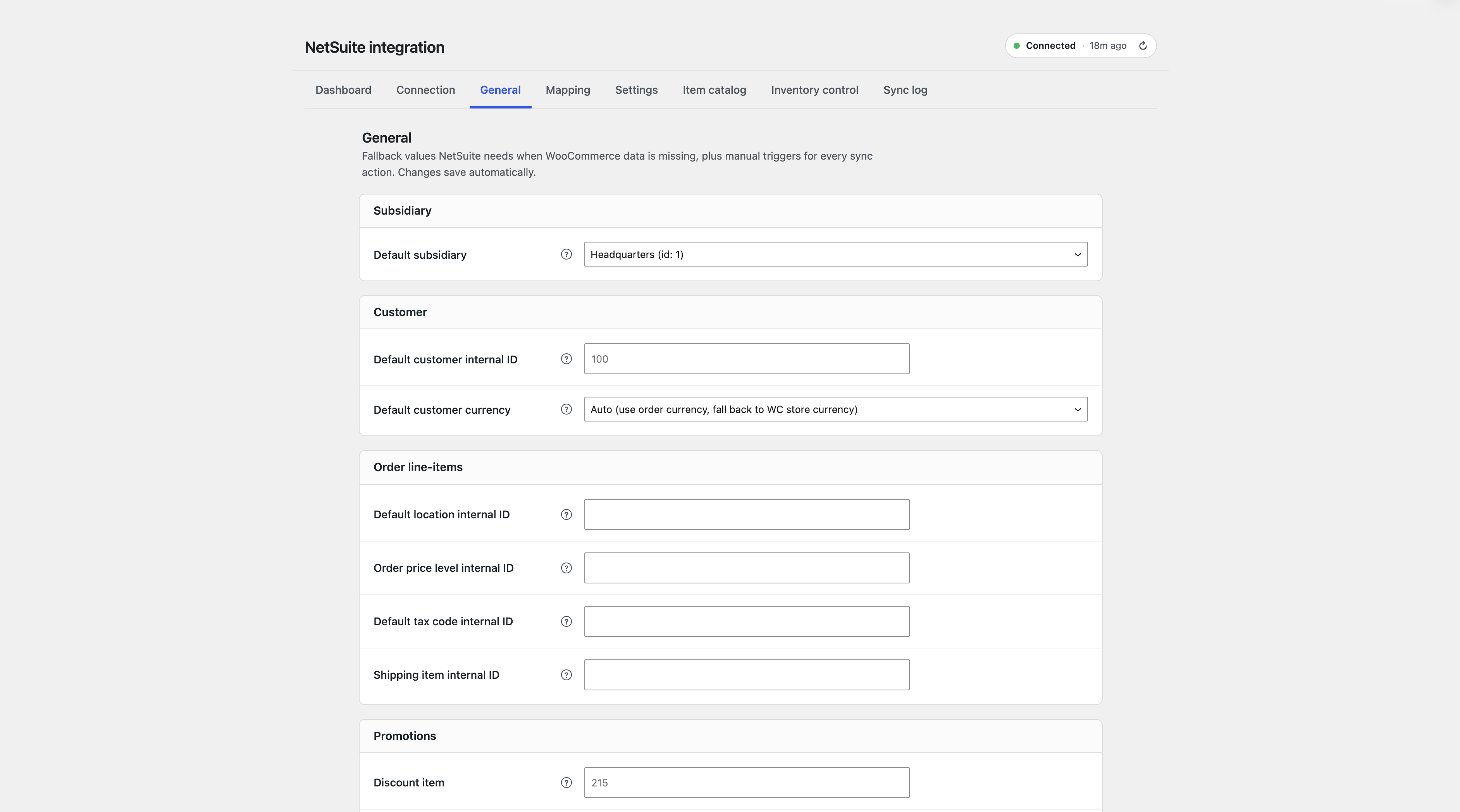
↑ Back to topGeneral tab: Default Subsidiary (OneWorld accounts), Default Currency, fallback customer for guest checkouts. Save, then run Manual Sync to confirm the connection end to end.
Order sync
↑ Back to topOrders push to NetSuite as a Sales Order or Cash Sale, triggered by a status you choose (default processing). Customer, currency, and subsidiary resolve automatically from the order — subsidiary from the customer’s own record, not one global default. Coupons post as a NetSuite Discount line; shipping posts as a line item or via NetSuite’s native shipping cost field.
Customer sync
↑ Back to topFires on registration, profile update, or checkout. Sends Individual or Company records. Missing required fields are caught before sending, so NetSuite never returns a vague error.
Inventory sync and reconciliation
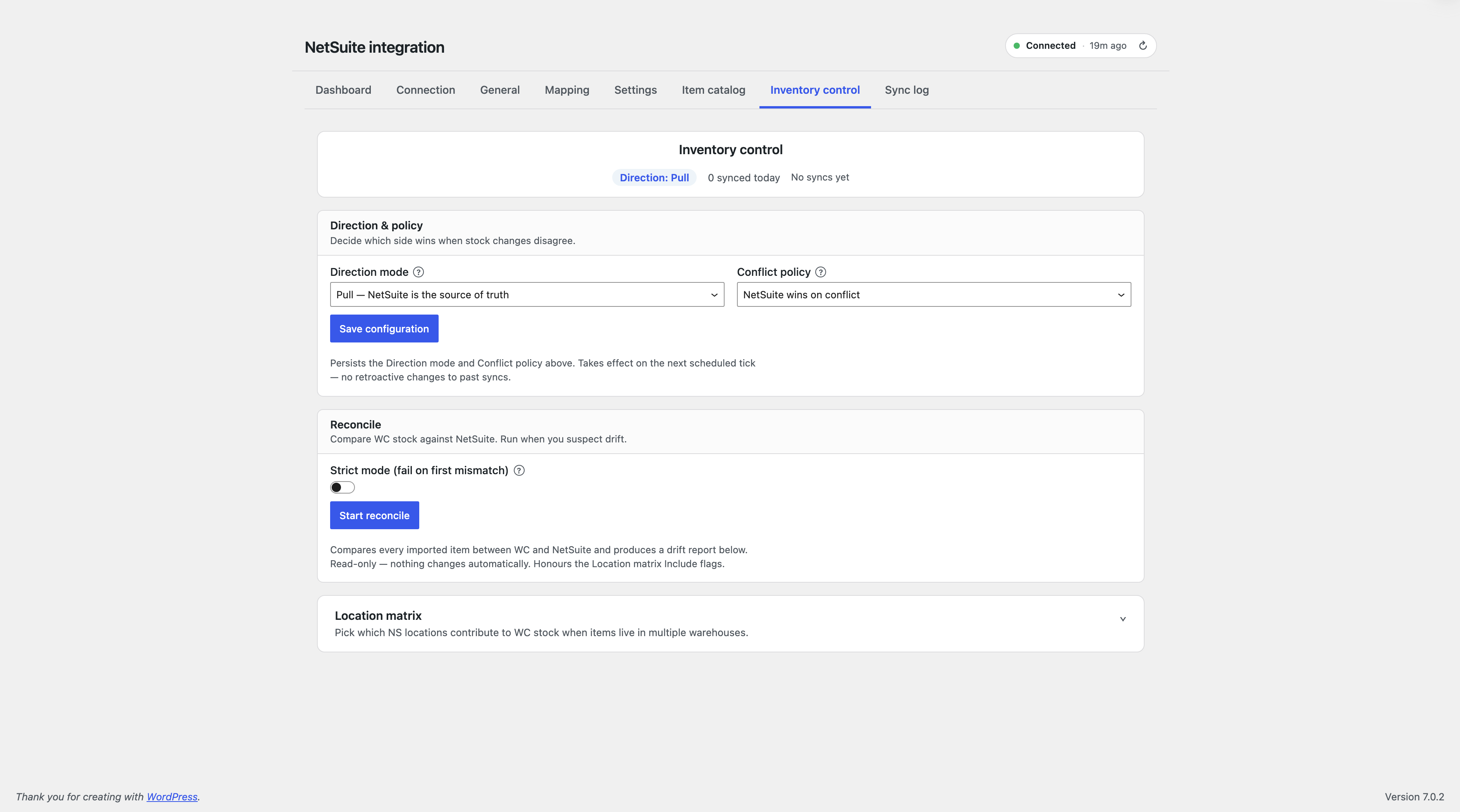
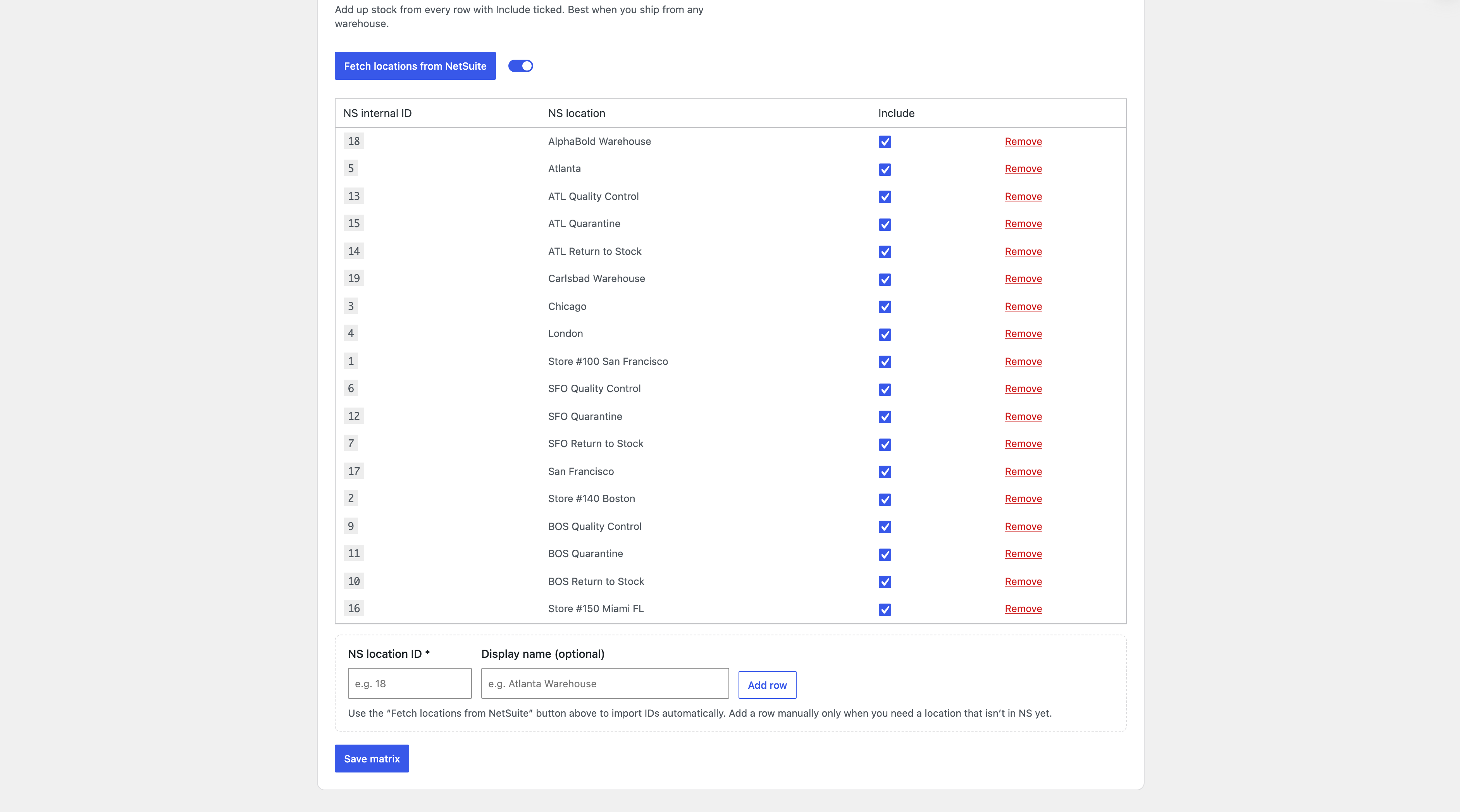
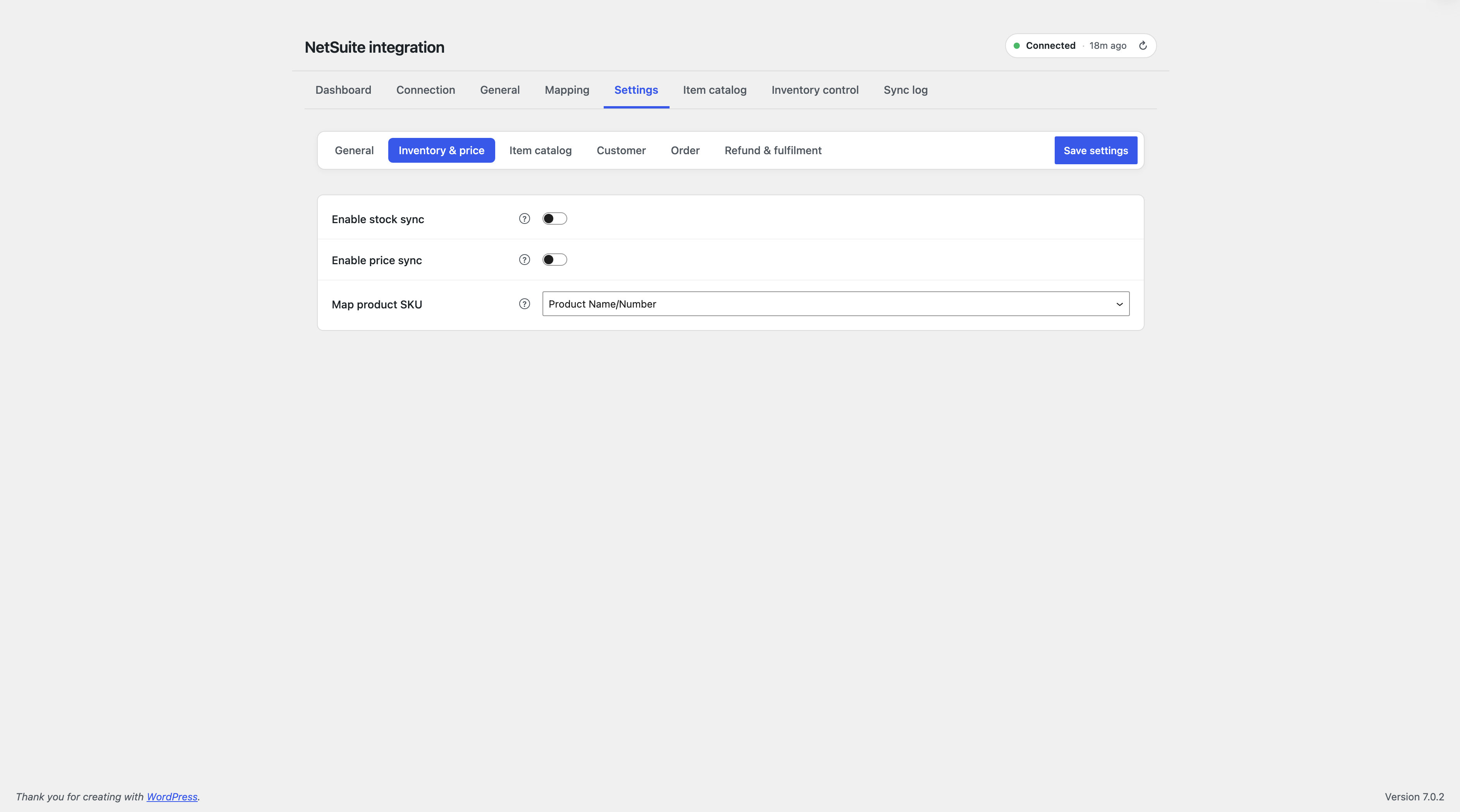
↑ Back to topStock pulls from NetSuite on a schedule (Hourly / Every 6 Hours / Twice Daily / Daily) or on demand. Once enabled, it overwrites your WooCommerce stock numbers — that’s the point. Configure the Location matrix first if you want to control which warehouses count.
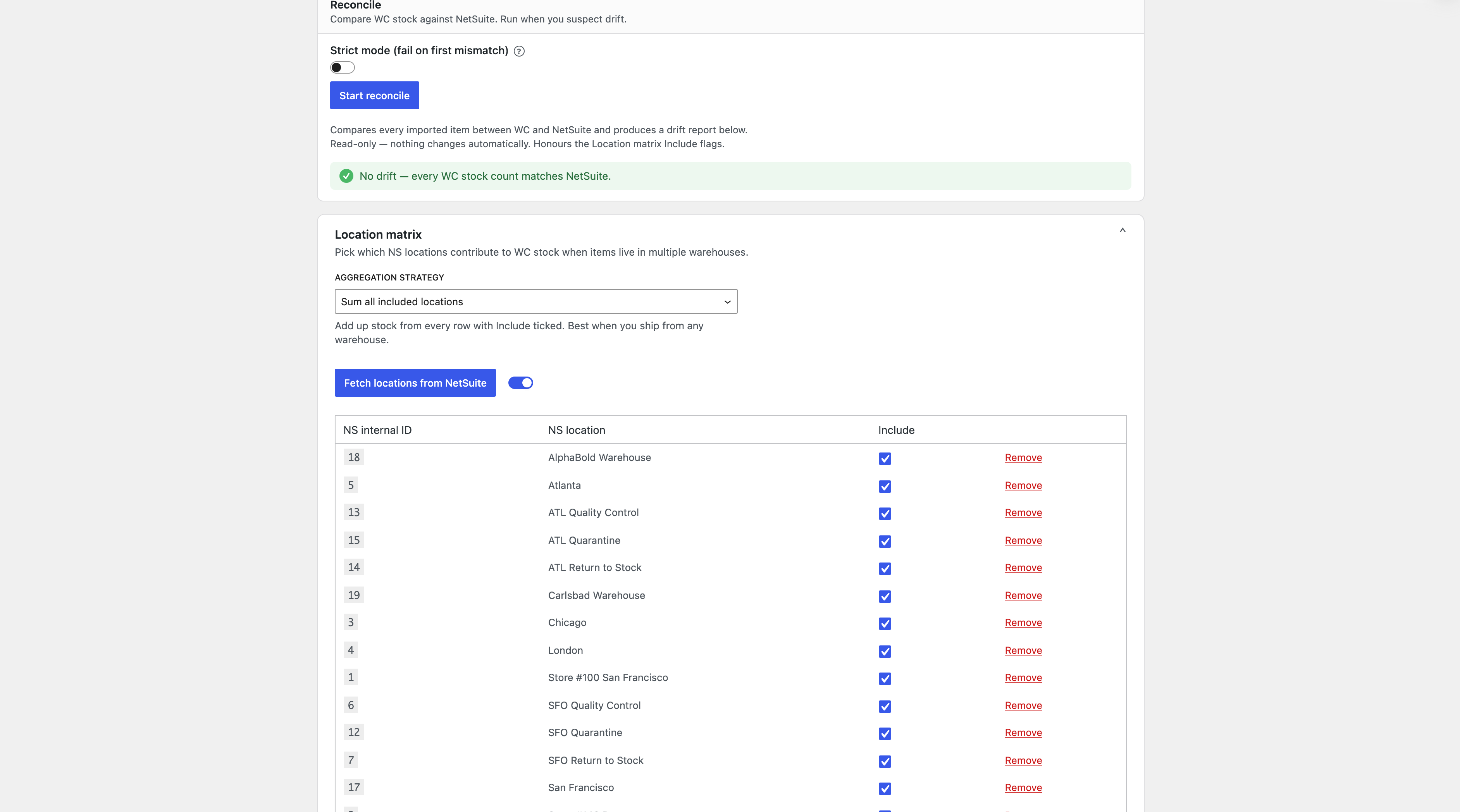
Reconcile compares WooCommerce against NetSuite per warehouse and shows exactly where a mismatch is. Direction: Pull only / Push only / Hybrid, with a conflict policy (NetSuite wins / WC wins / newest wins / quarantine for review).
Price sync
↑ Back to topPulls from a NetSuite price level you choose (default Base Price), filtered to your store currency. Never overwrites a sale price you’ve already set.
Item catalog
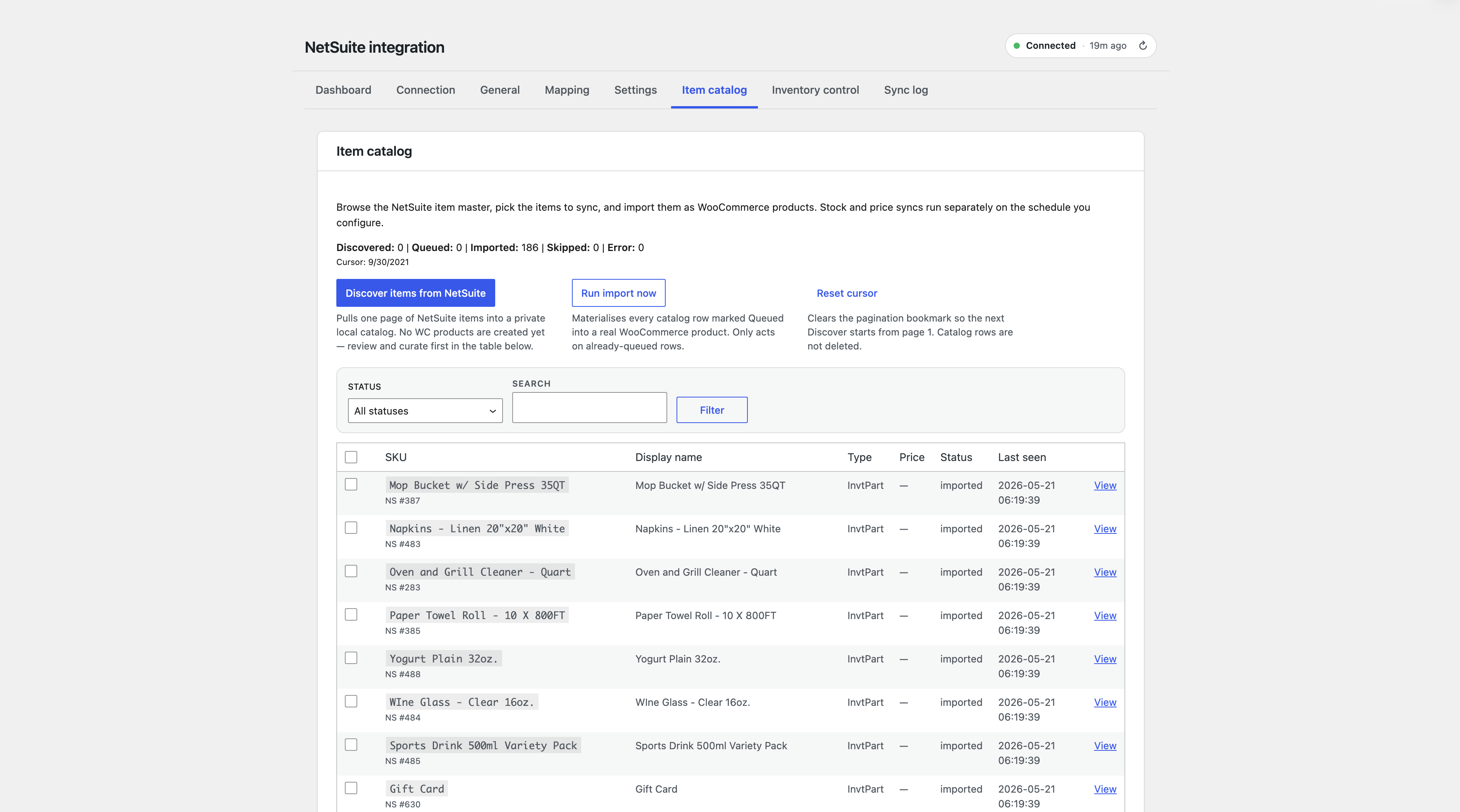
↑ Back to topDiscover pulls your NetSuite item master into a staging area — no products created yet. Select what you sell and Import to create real WooCommerce products with price, stock, and image. Inactive NetSuite items excluded by default.
Refund sync
↑ Back to topWooCommerce refunds post to NetSuite as Credit Memos, mapped line by line, against the original order. One-way: WooCommerce → NetSuite only — a NetSuite-originated credit memo isn’t pulled back as a WooCommerce refund.
Fulfilment tracking
↑ Back to topNetSuite Item Fulfilments pull tracking number and carrier onto the order automatically, with an optional customer email (off by default). Doesn’t change order status on its own.
Field mapping
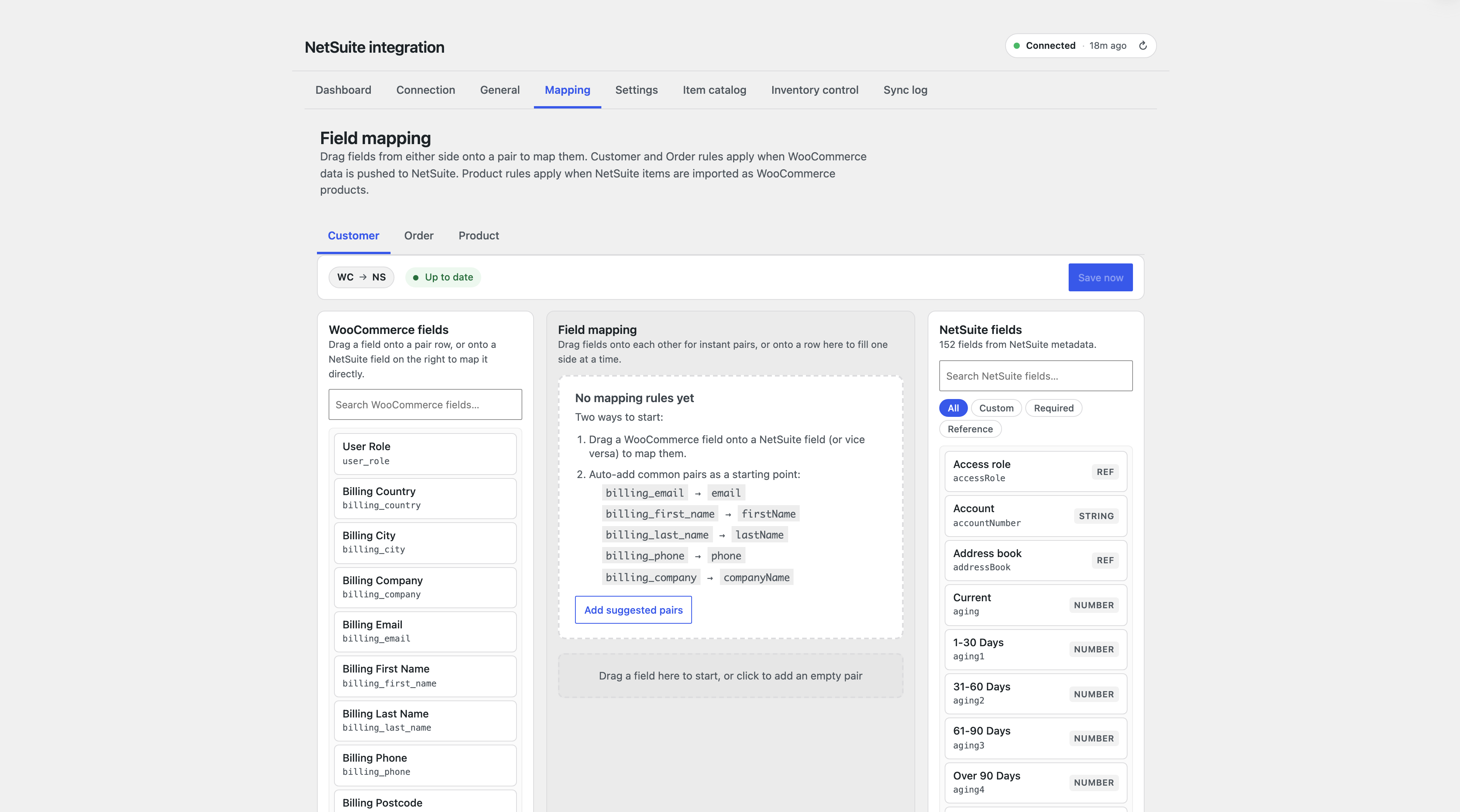
↑ Back to topDrag-drop rules for Customer, Order, and Product data: map a NetSuite field to a fixed value, a WooCommerce field, or a value conditional on a WooCommerce field (IS / IS NOT / CONTAINS / DOES NOT CONTAIN). First-match-wins. Most stores don’t need this tab.
Sync log and reliability
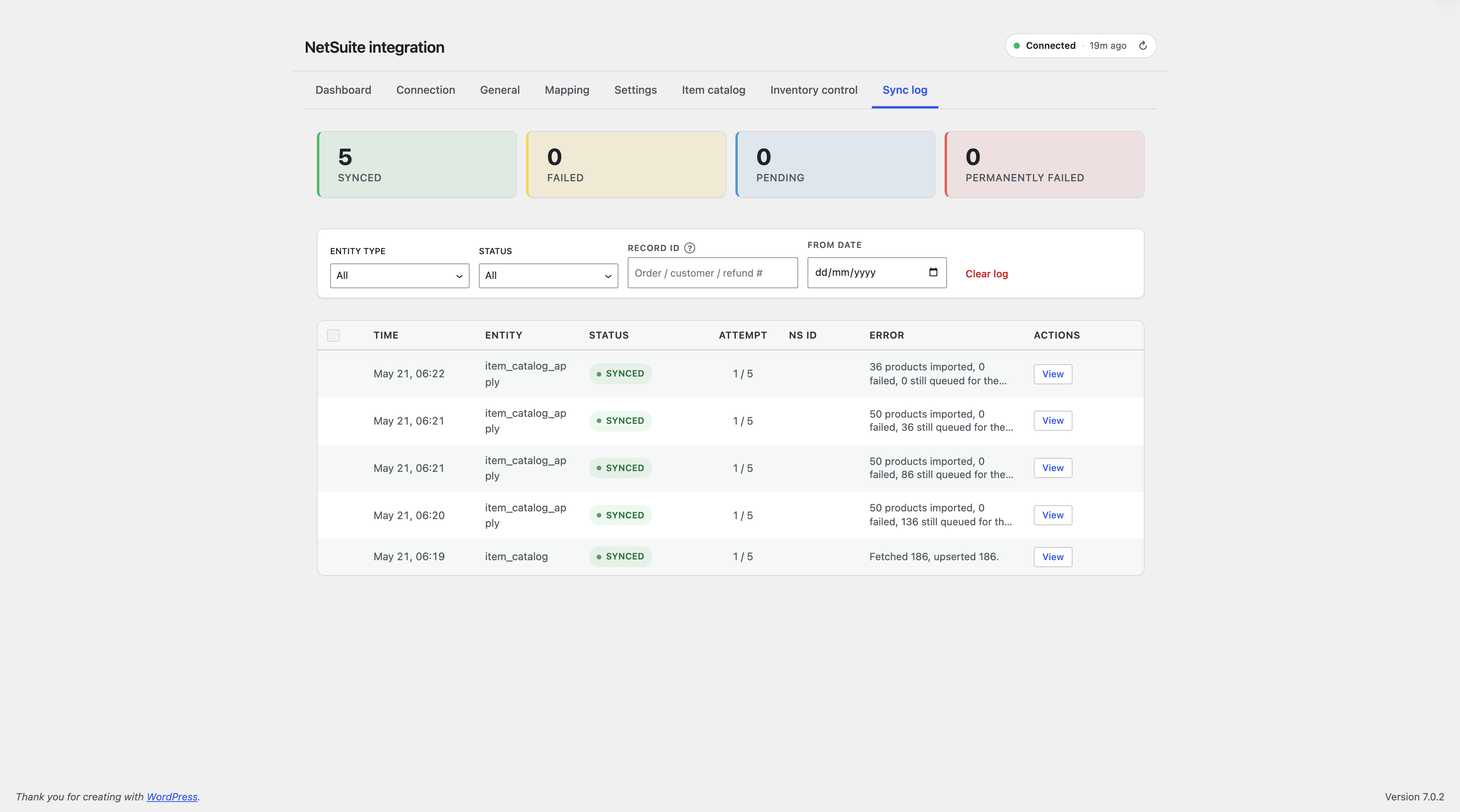
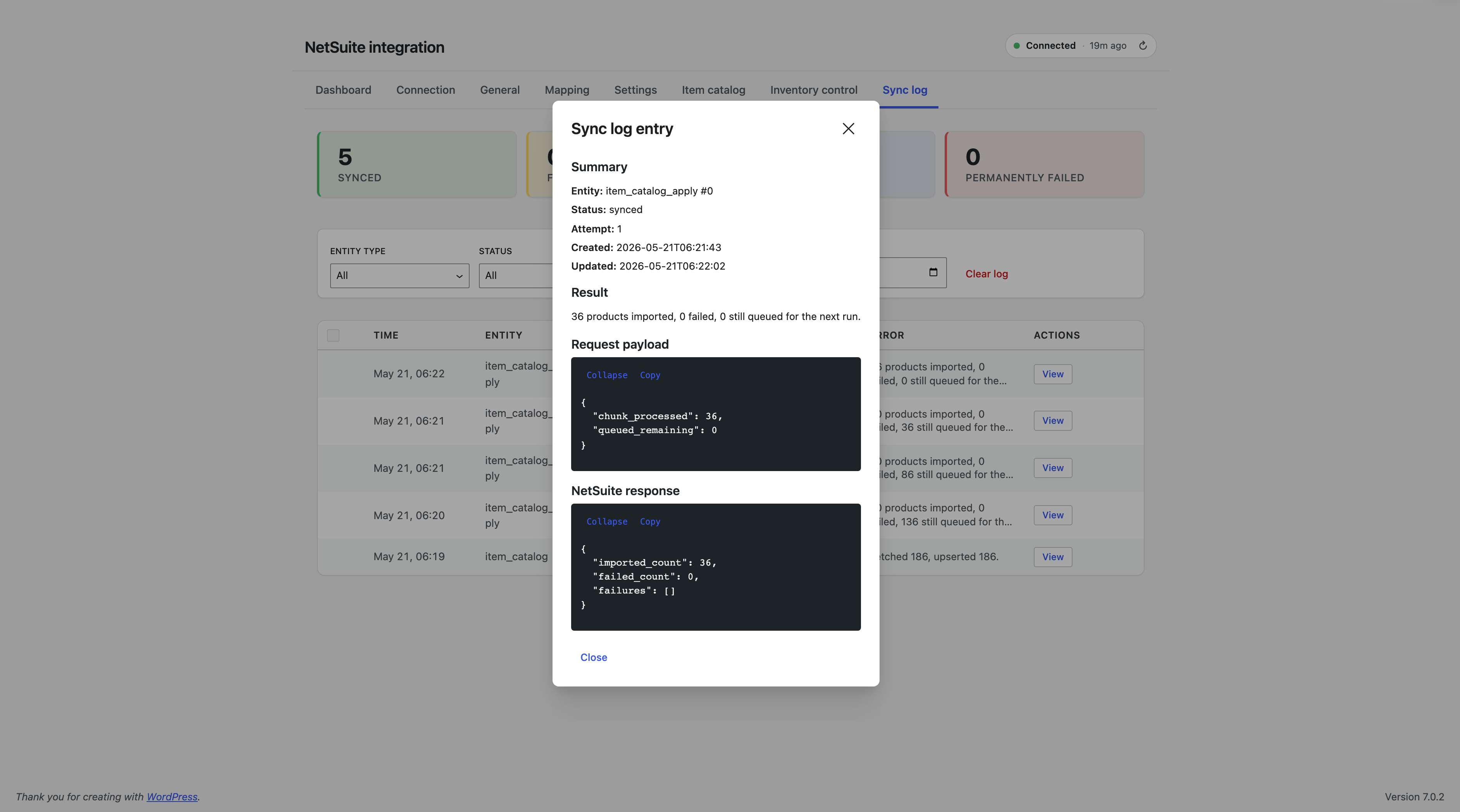
↑ Back to topEvery API call is logged with the request, NetSuite’s exact response, and a plain-language error naming the field or permission at fault. Retry or cancel per row; bulk cancel available. Retention is configurable — failures are kept until cleared.
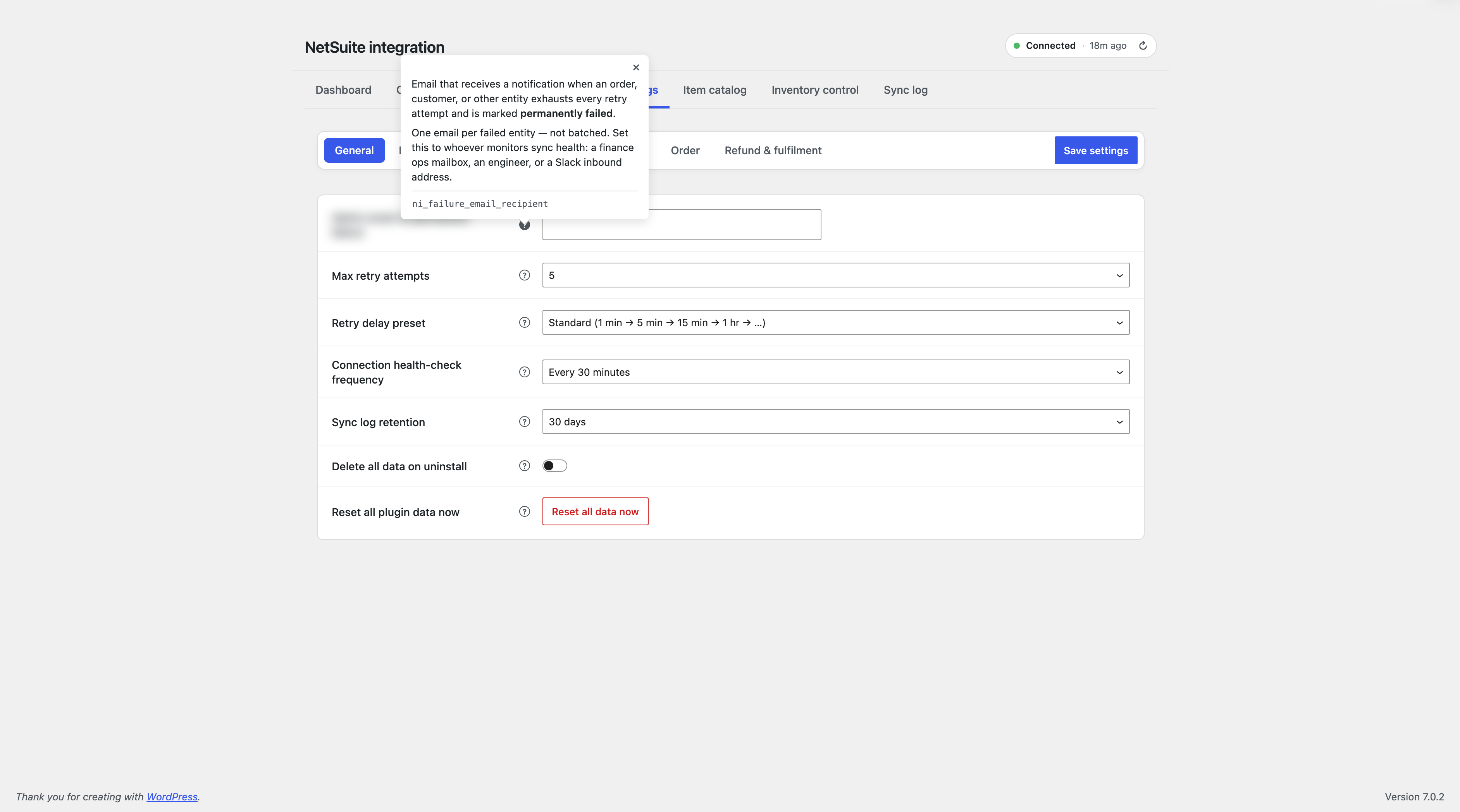
Failed syncs retry automatically (up to 5 attempts, Aggressive/Standard/Conservative presets), honoring NetSuite’s rate limits. A notification email goes out if an entity exhausts its retries.
Settings reference
↑ Back to topSix sub-sections: General, Inventory & price, Item catalog, Customer, Order, Refund & fulfilment. Each sync channel has its own on/off switch and schedule.
Data storage and security
↑ Back to topSettings and stats: WordPress options table. Sync status and NetSuite IDs: stored on the order via HPOS-compliant methods. Customer/product links: user meta and product meta. Sync log: private, non-public records — no custom database tables.
NetSuite credentials are encrypted at rest (AES-256-CBC) and never shown in full — only a masked last-4, with an explicit “Show” to reveal. Every REST endpoint requires store-manager capability. Tokens and passwords are stripped before anything is logged.
Uninstalling
↑ Back to topDeactivate: stops syncing, keeps everything. Reactivating resumes normally.
Delete: keeps your data by default. To fully remove it, turn on “Delete plugin data on uninstall” in Settings → Advanced first — off by default so nothing’s lost by accident. Your NetSuite account itself is never touched.
Known limitations
↑ Back to top- No NetSuite → WooCommerce customer import (WC → NS push only).
- Fulfilment sync pulls tracking info; doesn’t auto-complete the order.
- Refund sync is one-way (WC → NS).
- No sub-second real-time sync — runs on WooCommerce’s background scheduler.
- Multisite works, but each site’s settings and sync history are independent.
- No historical order backfill on activation — new orders only, by design.
- Currency-handling code is real, but multi-currency plugin interoperability (Aelia, WPML/WCML, WOOCS) hasn’t been independently tested.
Glossary
↑ Back to top- TBA: Token-Based Authentication — NetSuite’s secure connection method.
- OneWorld: NetSuite’s multi-subsidiary edition.
- Subsidiary: one legal entity inside a OneWorld account.
- Credit Memo: NetSuite’s record type for a refund.
- Item Fulfilment: NetSuite’s shipment record, with tracking info.
- Price Level: a named pricing tier in NetSuite (e.g. “Base Price”).
- SuiteQL: NetSuite’s query language, used internally for data pulls.
- HPOS: WooCommerce’s modern order-storage system.
Troubleshooting
↑ Back to top| Symptom | Cause | Fix |
|---|---|---|
| Test Connection fails, login error | Token revoked or Account ID mismatch | Reissue token, re-paste credentials |
| Test Connection fails, permission error | Role missing a permission | Plugin names it — add in NetSuite, retry |
| Order status changed, nothing in NetSuite | Background task hasn’t fired | Visit any page on your site to trigger it |
| Customer missing company name | NetSuite requires it for this type | Collect at checkout or adjust record type |
| Inventory pull returns nothing | No warehouse ticked | Location matrix → tick at least one |
| Imported items show $0 price | Role can’t see pricing | Grant Items View, refresh catalog |
| Sync log entry stuck “pending” | Background task interrupted | Refresh — stuck entries auto-flip to failed |
| Mapping rule not applying | Wrong comparison type | Check IS vs CONTAINS on the rule |
Support
↑ Back to topEmail: support@softxone.com.
30-day money-back guarantee. Support covers the plugin — NetSuite-side configuration work (custom roles, SuiteScript) is outside scope and can be arranged separately.
FAQs
↑ Back to top
Does it work with NetSuite OneWorld?
Yes — subsidiary resolves per customer automatically.
One-way or two-way sync?
WC → NS: orders, customers, refunds. NS → WC: stock, prices, fulfilment tracking, item catalog.
Do I need middleware like Celigo or Boomi?
No — direct connection, no iPaaS subscription.
Will it slow down checkout?
No — syncing runs in the background, not during checkout.
Will it overwrite my stock numbers?
No — syncing runs in the background, not during checkout.
What about Subscriptions or Bookings?
Renewal/booking orders sync like any other order. Subscription-specific metadata isn’t auto-mapped — use the Mapping tab if needed.
Is my data secure?
No — syncing runs in the background, not during checkout.

