
PDF Invoice Generator for WooCommerce professional PDF invoices Generator with custom numbering, headers, signatures, delivery dates. Easily download invoices from Thank You page or My Account.
- Automatic PDF invoice generation
- Custom invoice numbering and prefixes
- Header logo or text
- Signature (image or text)
- Delivery date message on invoices
- Attach invoices to selected WooCommerce email notifications
- Download invoice from “Thank You” page or My Account orders
Installation
↑ Back to topTo start using a product from WooCommerce.com, you can use the “Add to store” functionality on the order confirmation page or the My subscriptions section in your account.
- Navigate to My subscriptions.
- Find the Add to store button next to the product you’re planning to install.
- Follow the instructions on the screen, and the product will be automatically added to your store.
Alternative options and more information at:
Managing WooCommerce.com subscriptions.

Setup and Configuration
↑ Back to topGo to WooCommerce → PDF Invoice.
You will see the invoice configuration options.
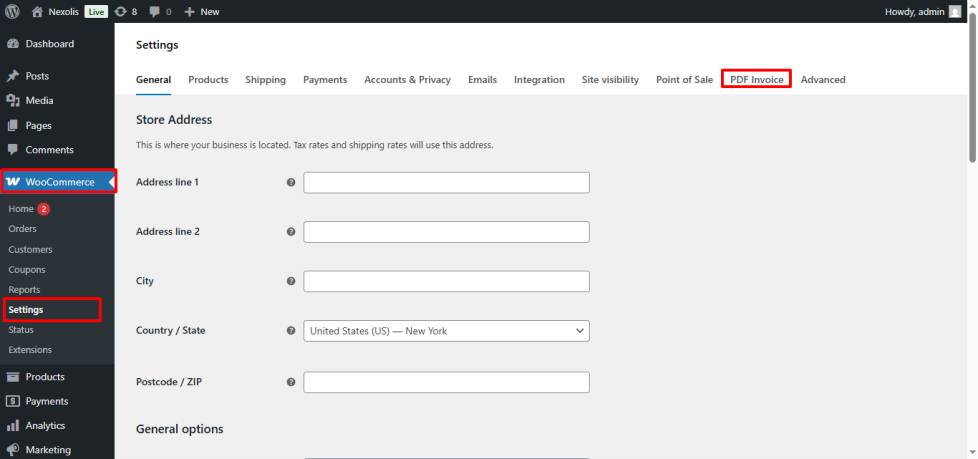
Enable PDF Invoices
↑ Back to top- Enable PDF Invoice Generation.
- Once enabled, invoices will be generated automatically for orders.
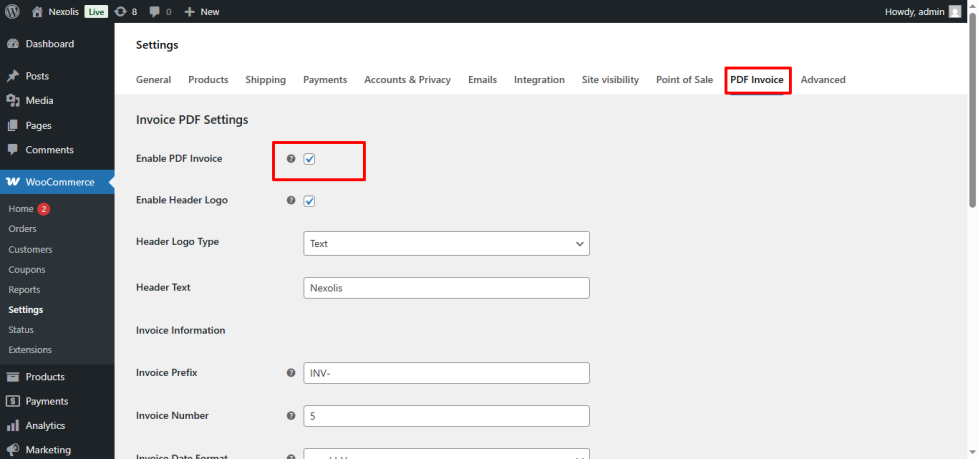
Invoice Header Settings
You can choose how the invoice header appears:
- Logo Header
Upload your store logo to show it on the invoice. - Text Header
Enter your store name or brand text if you don’t want to use a logo.
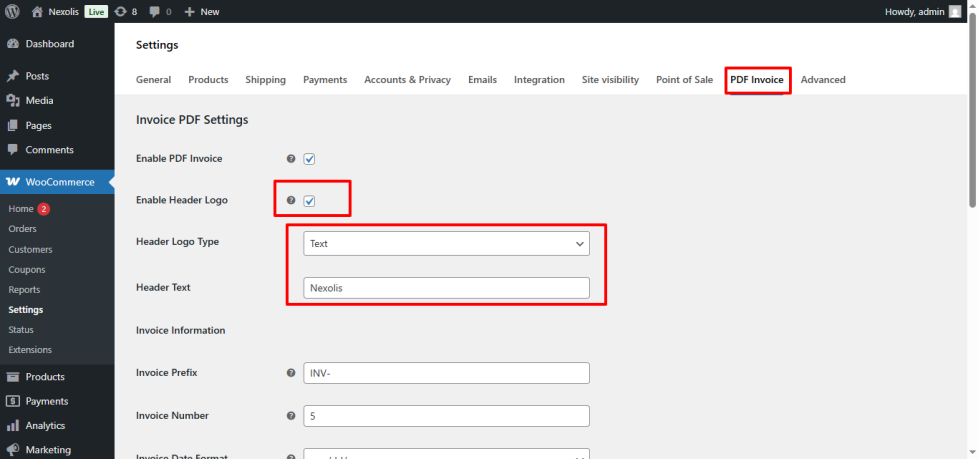
Invoice Number Settings
Set an Invoice Prefix (e.g. INV-, NEXO-)
Set a Starting Invoice Number
- If not set, invoices will automatically start from 1
Invoice numbers are generated sequentially and saved per order.
Invoice Date Format
Choose your preferred invoice date format:
DD/MM/YYYYMM/DD/YYYYYYYY-MM-DD
The invoice date is based on the order creation date.
Delivery Date Message
- Set Delivery Days (e.g. 3, 5, 7 days).
- Add a custom delivery message using:
Your order will be delivered by {delivery_date}
{delivery_date} is automatically replaced with the calculated date.
Customize the PDF Download Button
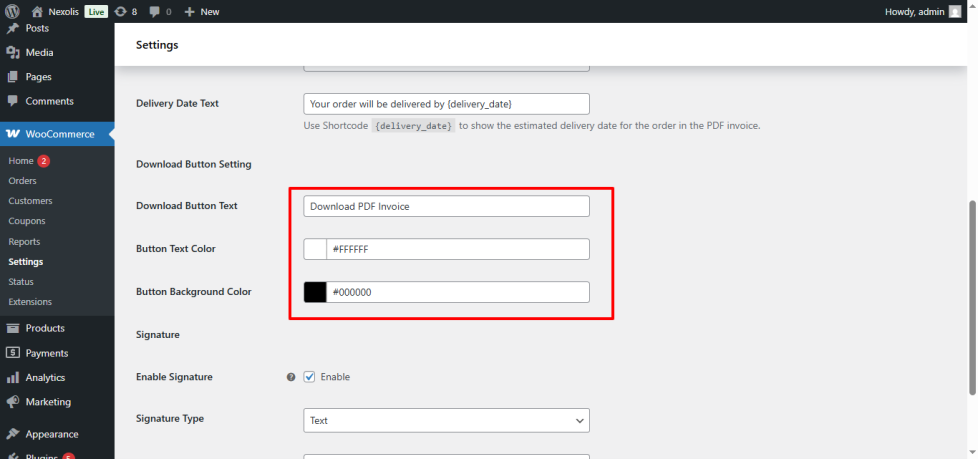
The plugin allows you to fully customize the PDF Download button displayed on the order confirmation (Thank You) page and in the customer’s account area.
You can easily modify:
- Button Text
Change the button label to anything you like, such as:- Download Invoice
- Get PDF Invoice
- View Invoice
- Button Color
Adjust the button background color to match your theme or brand style. - Button Text Color
Customize the text color for better contrast and visibility.
Signature Settings
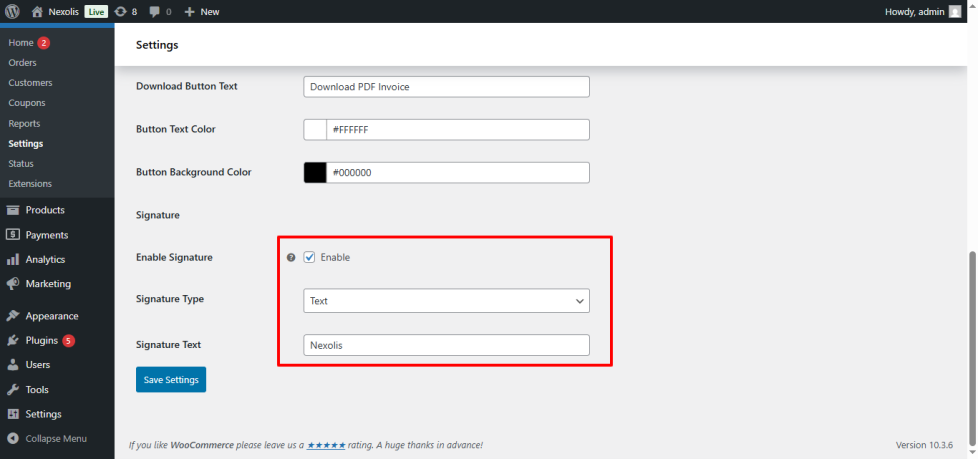
You can add a signature at the bottom of the invoice:
- Image Signature (upload image)
- Text Signature (e.g. Company name or Authorized Sign)
Usage
↑ Back to topDownload PDF Invoice
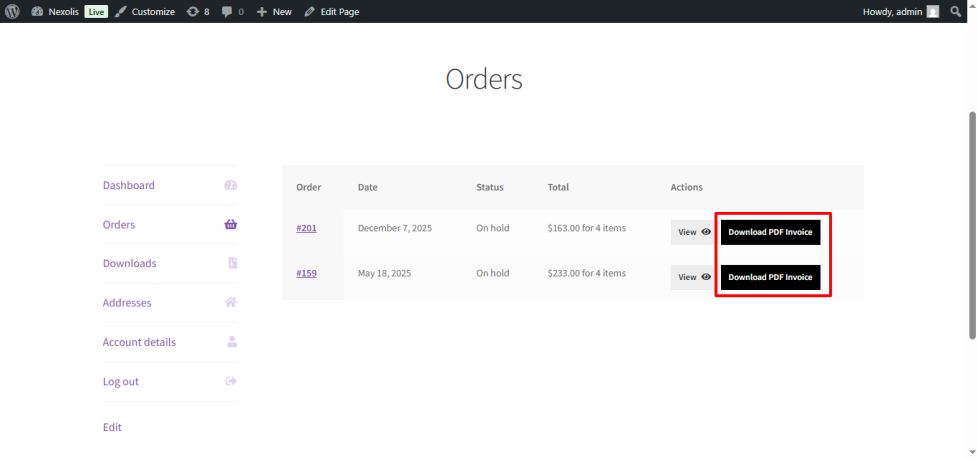
Customers can download their invoice:
- From the Thank You page
- From My Account → Orders
- Using the Download PDF button
Admins can also generate invoices directly from orders.

Benefits of PDF Invoice Generator for WooCommerce
↑ Back to top- Automatically generates professional PDF invoices for every WooCommerce order
- Custom invoice numbering with prefix and starting number control
- Fully customizable invoice layout (logo, header text, signature, date format)
- Dynamic delivery date message using
{delivery_date}placeholder - Customers can download invoices directly from My Account → Orders
- Secure, order-based invoice generation without affecting checkout flow
- Lightweight and fast – no impact on site performance
- Compatible with WooCommerce block & classic themes
- Uses UTF-8 supported TFPDF library (no external APIs required)
- Admin-friendly settings panel with no coding required
- Reliable invoice storage inside WordPress uploads directory
- Clean and scalable codebase, easy to extend in future updates
- Helps improve store professionalism, accounting, and customer trust
FAQs
↑ Back to top
Can I customize the invoice number and layout?
Absolutely. You can set a custom invoice prefix, starting number, logo or header text, signature, date format, and delivery date message directly from the plugin settings.
Where are the PDF invoices stored?
All invoices are securely stored inside the WordPress uploads directory and can be regenerated or downloaded anytime from the customer account page.
Does this plugin automatically generate invoices for new orders?
Yes. The plugin automatically generates a PDF invoice when a WooCommerce order is created and assigns a unique invoice number based on your configured settings.

