
WooCommerce Quantity Breaks & Bundle Discount Boost your store’s revenue with smart, automatic quantity-based pricing. Encourage customers to buy more by offering bulk discounts, highlighting recommended tiers, and always applying the best available price no coupons required.
Installation
↑ Back to top- Download the .zip file from your WooCommerce account.
- Go to: WordPress Admin > Plugins > Add New and Upload Plugin the file you have downloaded.
- Install Now and Activate.
Setup and Configuration
↑ Back to topAfter activating the plugin:
- Go to Products → Edit Product
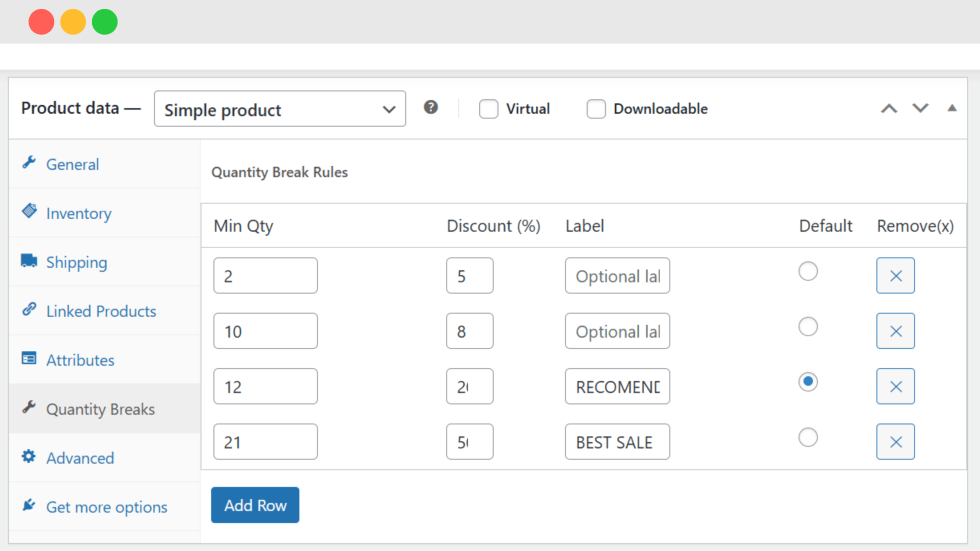
- Open the Quantity Break tab in the product data panel
- Configure your quantity break rules
From this section, you can:
- Set quantity thresholds
- Apply percentage discounts
- Add custom labels
- Choose a default recommended quantity
Product Type Support
Simple Products
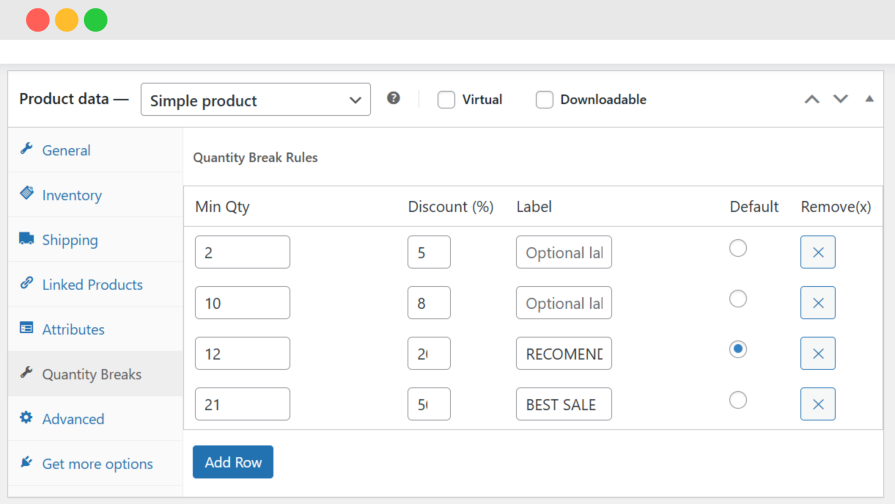
↑ Back to topYou can configure quantity discounts directly for simple products.
Available settings:
- Minimum quantity thresholds
- Discount percentage per tier
- Custom labels (e.g., “Recommended”, “Best Value”)
- Default selected quantity tier
This allows merchants to create bulk pricing options for customers.
Variable Products
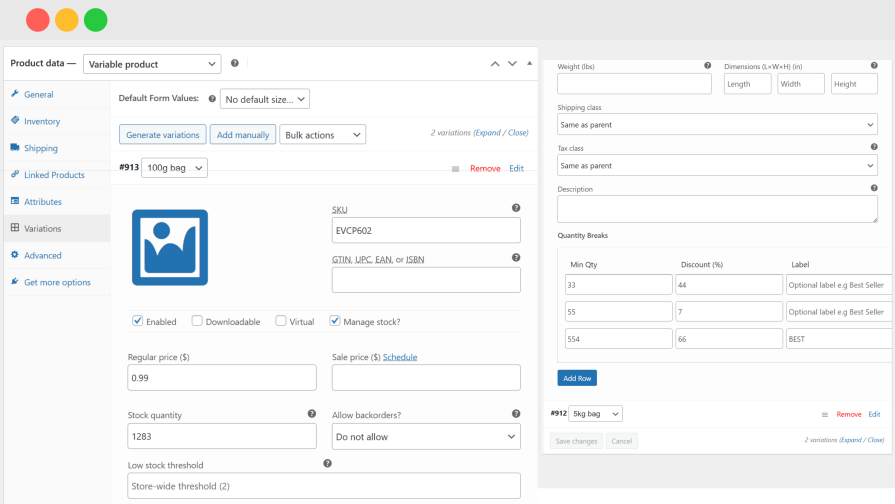
↑ Back to topThe plugin supports WooCommerce variable products.
Features include:
- Variation-specific quantity discounts
- Independent pricing per variation
- Fallback to parent product rules (optional)
This is useful for products with:
- Different sizes
- Different weights
- Multiple configurations
Front-End Display
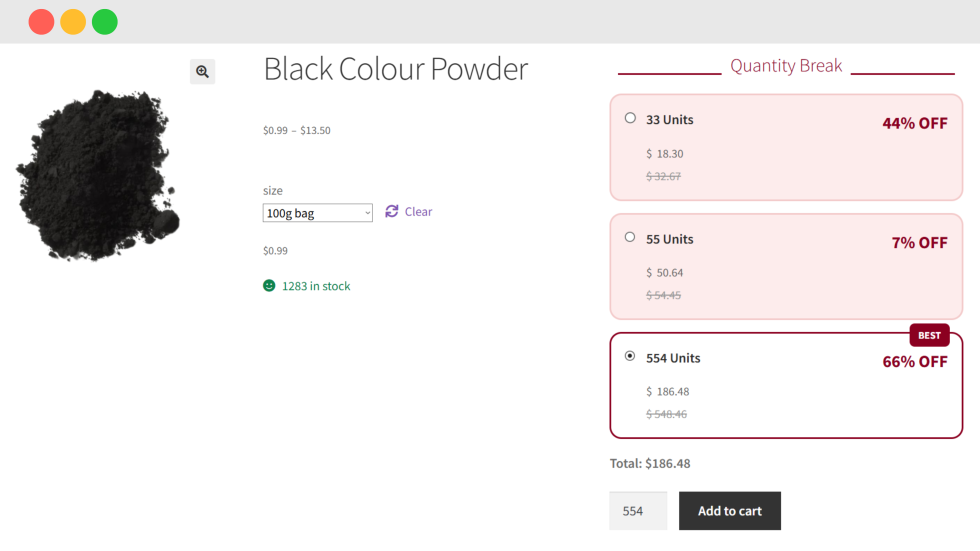
Customers will see a quantity pricing table on the product page. The table displays:
- Quantity ranges
- Discount percentages
- Recommended tiers (if configured)
- Updated pricing
The selected quantity automatically updates the product price.
Usage Scenarios
Scenario 1: Wholesale Pricing
↑ Back to topOffer discounts for bulk purchases:
- Buy 5+ items → 5% discount
- Buy 10+ items → 10% discount
- Buy 20+ items → 15% discount
This encourages customers to purchase larger quantities.
Scenario 2: Promote Best-Selling Quantity
↑ Back to topHighlight a recommended tier:
- 1 item → Regular price
- 3 items → 5% discount
- 5 items → 10% discount (Recommended)
Customers are more likely to select the highlighted option.
Scenario 3: Variable Bulk Discount
↑ Back to topFor clothing stores:
- Small → 5+ quantity discount
- Medium → 10+ quantity discount
- Large → 3+ quantity discount
Each variation can have different discount rules
Troubleshooting
↑ Back to topQuantity Break Tab Not Showing
Possible causes:
- Plugin not activated
- WooCommerce not installed
- JavaScript conflict
FAQ
↑ Back to top
Does this plugin work with variable products?
Yes. You can create quantity break rules for each variation independently.
Are discounts applied automatically?
Yes. The plugin automatically applies the best available discount based on quantity.
Does this plugin support percentage discounts only?
Currently, the plugin supports percentage-based discounts.

