
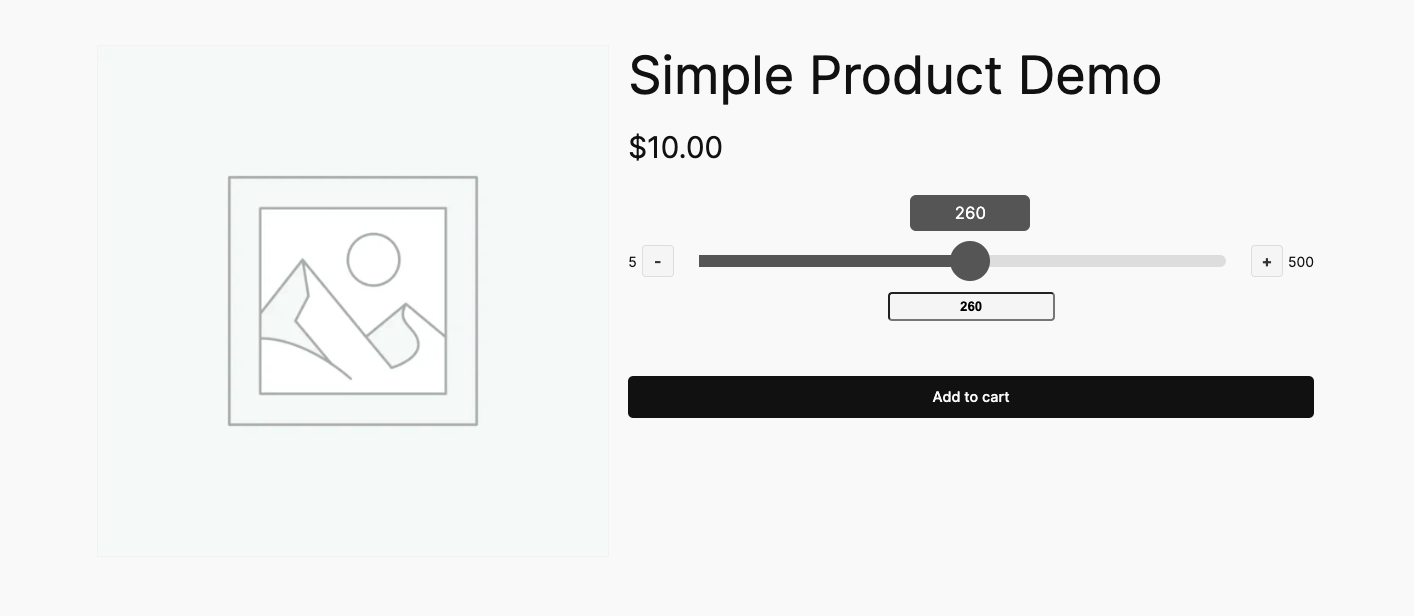
Quantity Slider for WooCommerce replaces the default quantity input field on product pages with an interactive slider. Instead of manually typing a number into a small box, customers can easily adjust the quantity by dragging the slider or using plus and minus buttons.
Installation
↑ Back to topTo start using a product from WooCommerce.com, you can use the “Add to store” functionality on the order confirmation page or the My subscriptions section in your account.
- Navigate to My subscriptions.
- Find the Add to store button next to the product you’re planning to install.
- Follow the instructions on the screen, and the product will be automatically added to your store.
Alternative options and more information at:
Managing WooCommerce.com subscriptions.

Setup and Configuration
↑ Back to topSimple product setup:
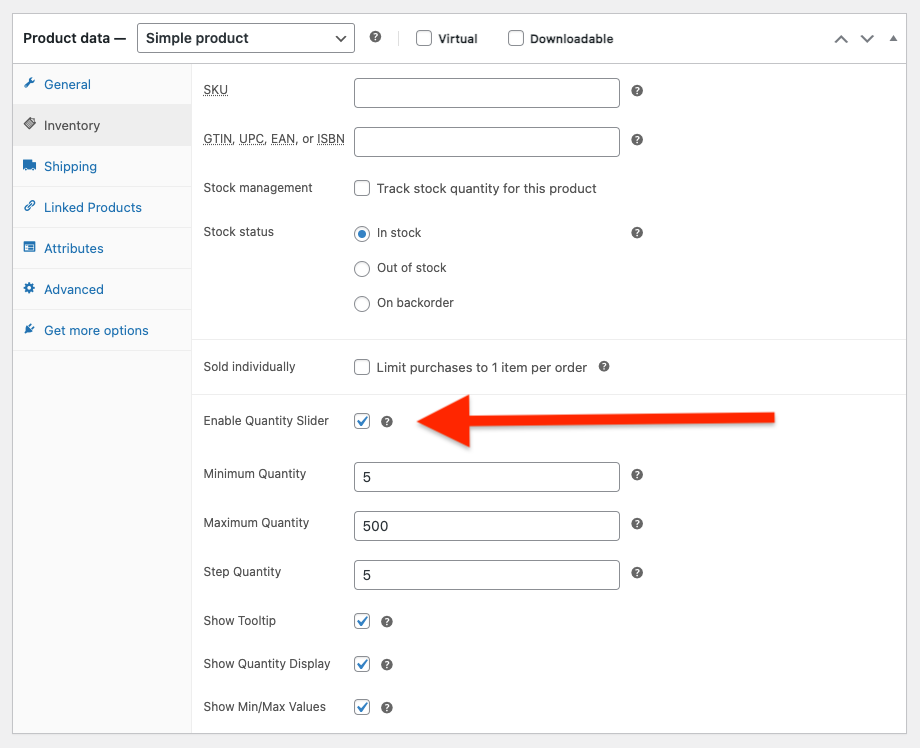
- After installing and activating the plugin, go to any product in WooCommerce > Products
- Find the “Quantity Slider” section in the products’ Inventory settings
- Enable the slider and set your desired minimum, maximum, and step values
- Save the product and view it on the frontend
The slider works immediately with sensible defaults, so you can start using it right away and customize settings as needed.
Usage
↑ Back to topWhat customers see on the front end.
FAQs
↑ Back to top
Does this work with variable products?
Yes! The plugin fully supports WooCommerce variable products. You can set different quantity slider settings (minimum, maximum, step) for each variation. The slider appears after customers select a variation and uses that variation’s specific settings.
Can I set different quantity limits for different products?
Absolutely. Each product has its own quantity slider settings. You can set a minimum quantity of 10 for one product, a maximum of 5 for another, and require quantities in steps of 3 for bulk items. Each product is configured independently.
Will this work on mobile devices?
Yes, the slider is designed to work perfectly on mobile devices. The drag-and-drop interface is actually easier to use on touch screens than typing numbers into a small input field. This can significantly improve the mobile shopping experience.

