
Turbo Reviews allows your WooCommerce store to collect, manage, and analyze customer reviews at scale—fast, with AI sentiment scoring, media support, helpful votes.
Installation
↑ Back to topTo start using a product from WooCommerce.com, you can use the “Add to store” functionality on the order confirmation page or the My subscriptions section in your account.
- Navigate to My subscriptions.
- Find the Add to store button next to the product you’re planning to install.
- Follow the instructions on the screen, and the product will be automatically added to your store.
Alternative options and more information at:
Managing WooCommerce.com subscriptions.

Setup and Configuration
↑ Back to topGetting started
↑ Back to topTo set up your store with Turbo Reviews:
- Go to: WooCommerce > Turbo Reviews > Settings .
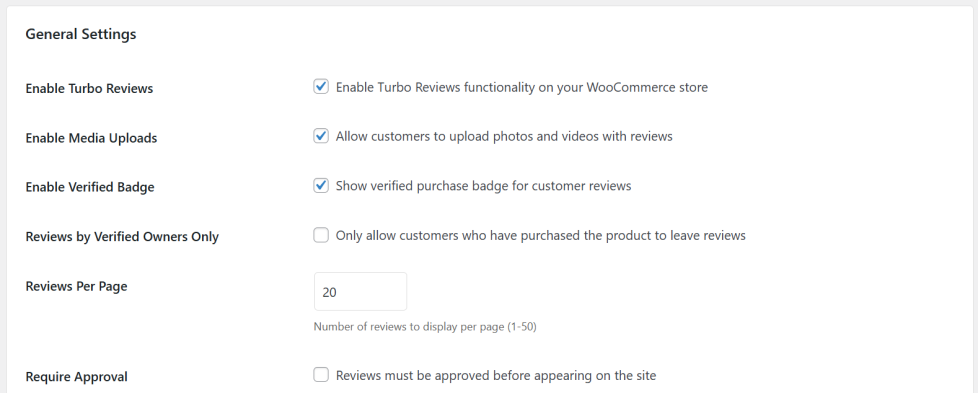
- Tick the checkbox to Enable Turbo Reviews and any other criteria you want.
- Save changes.
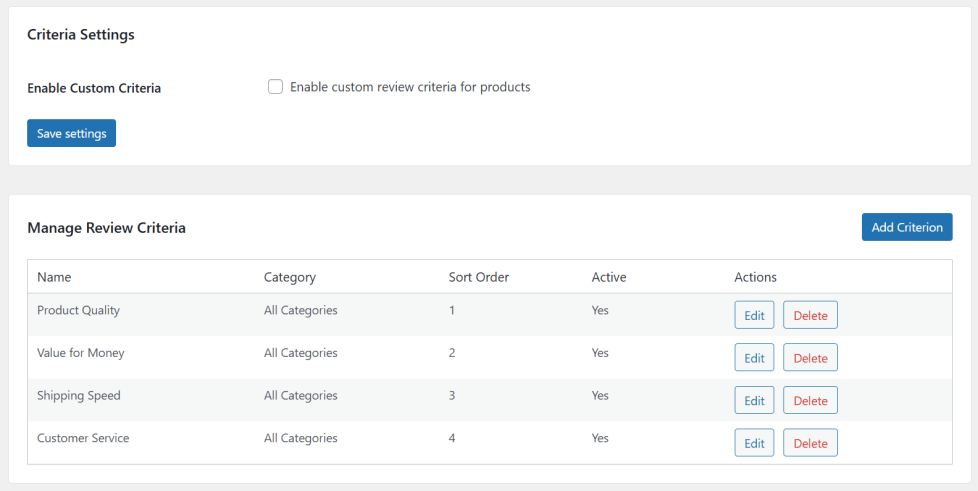
- Go to: WooCommerce > Turbo Reviews > Criteria to set up custom criteria if desired.
Advanced configuration
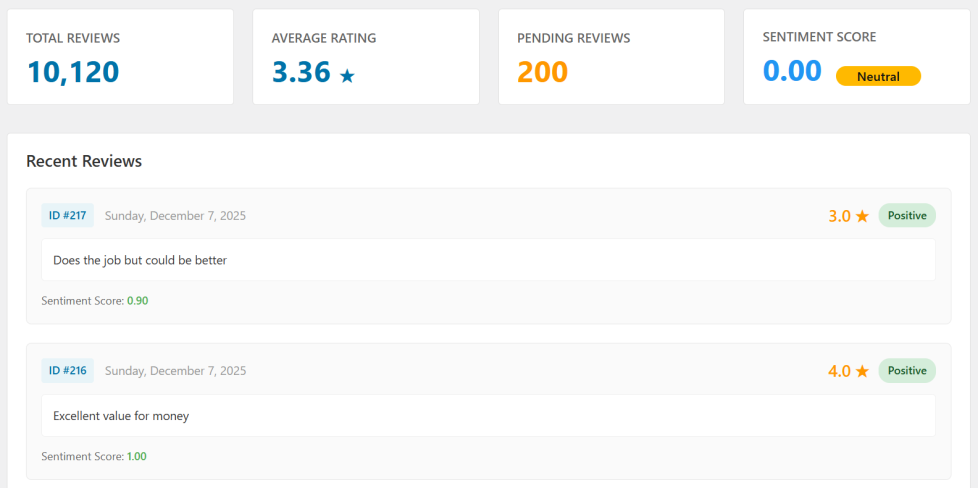
↑ Back to top– Dashboard: Overview of KPIs (total/recent reviews, pending approvals, average rating, sentiment) with recent activity and quick moderation actions.
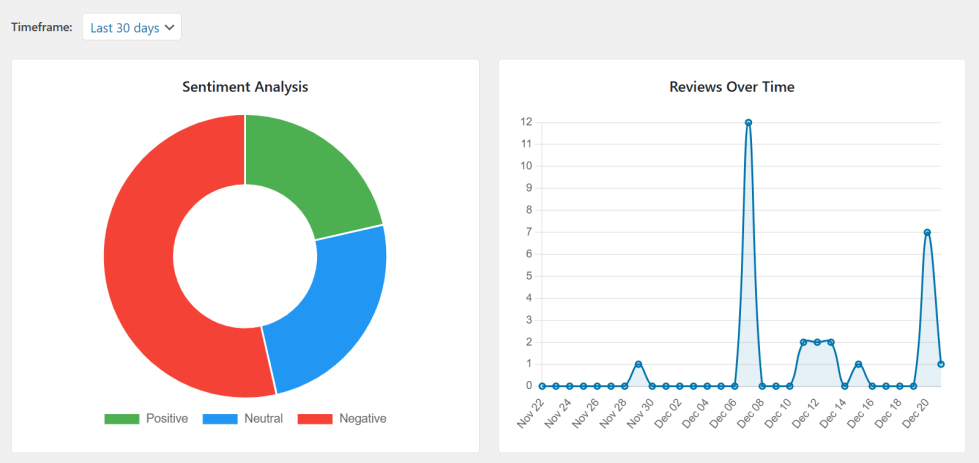
– Analytics: Visual charts and filters (date range, product, criteria) for trends, sentiment breakdowns.
– Criteria: Manage custom review criteria (add/edit/delete, sort order, per-category assignment and required flags) which affect rating calculations.
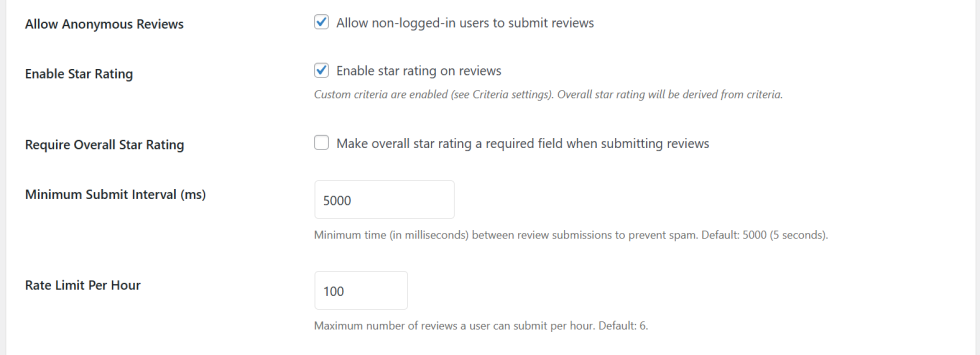
– Settings: Global plugin options — enable/disable features, star-rating behavior, approval workflow, anonymous submissions, rate limits, max media files. Tweak rate limits and moderation to prevent spam.
Usage
↑ Back to top1. Frontend:
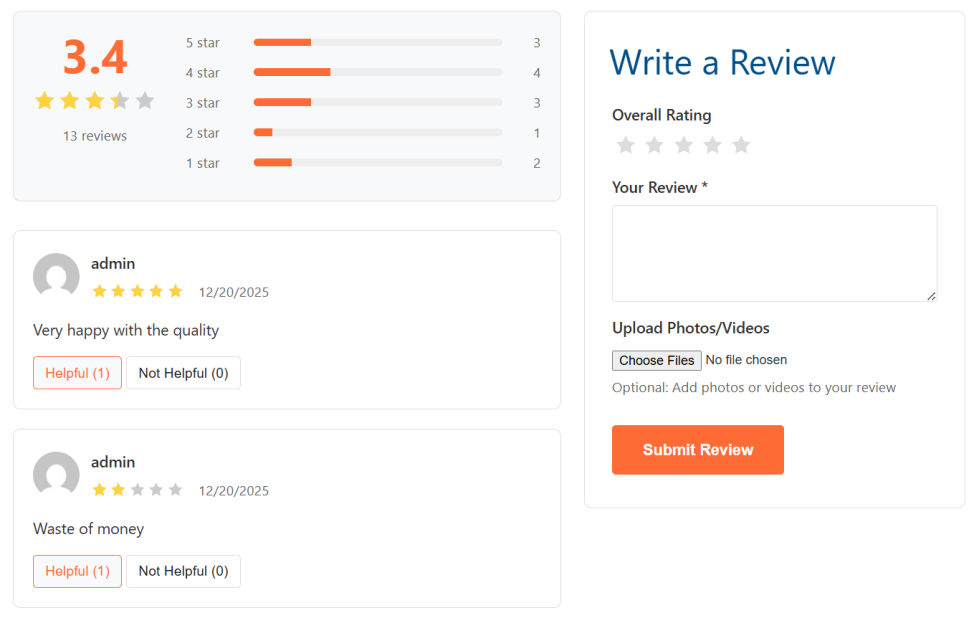
– Reviews appear on product pages; customers submit reviews via the plugin UI. Media uploads accept common image/video formats.
– Helpful votes: enabled per settings; can allow anonymous voting if enabled.
2. REST API:
– GET `/turbo-reviews/v1/products/<id>/reviews` — list reviews.
– GET `/turbo-reviews/v1/products/<id>/summary` — summary/stats.
– POST `/turbo-reviews/v1/reviews` — create review.
– GET/POST `/turbo-reviews/v1/reviews/<id>/helpful` — helpful votes
FAQs
↑ Back to topHelp customers by answering commonly asked questions.
What is Turbo Reviews?
A performance-focused review system for WooCommerce with custom criteria, helpful votes, sentiment scoring, media uploads, background processing, REST API, and analytics.
How does AI sentiment work?
The plugin currently computes a sentiment score for each review via the configured AI endpoint — this is a lightweight signal to help prioritize issues.
Where is review data stored?
Review text is kept in WordPress `comments`, and structured review data is stored in the plugin’s own tables for performance and analytics.
Can anonymous users vote?
Anonymous voting is allowed when `Allow Anonymous Reviews` is enabled; otherwise only logged-in users may vote.

