
Ultimate Coupon Generator helps you quickly create, import, send, and display discount coupons in your WooCommerce store. It is designed to simplify bulk coupon campaigns and make running promotions fast and easy.
With this plugin, you can generate hundreds of unique coupon codes in bulk, import coupons from CSV files, and send coupon codes directly to customers by email — all from one simple dashboard.
It works seamlessly with the native WooCommerce coupon system, so all coupons remain fully compatible with WooCommerce checkout, orders, reports, and analytics.
Features
↑ Back to top- Bulk Coupon Generation – Create unlimited unique coupon codes in seconds.
- CSV Coupon Import – Upload Excel or CSV files to add coupons automatically.
- Flexible Discount Rules – Set discount type, amount, expiry date, and free shipping.
- Product & Category Restrictions – Apply coupons only to selected products or categories.
- Usage Limits & Cart Rules – Control how many times a coupon can be used and set cart limits.
- Email Coupons to Customers – Send coupon codes directly from your WooCommerce dashboard.
- Frontend Coupon Display – Show available coupons on Product, Cart, Checkout, and My Account pages.
Installation
↑ Back to topTo start using a product from WooCommerce.com, you can use the “Add to store” functionality on the order confirmation page or the My subscriptions section in your account.
- Navigate to My subscriptions.
- Find the Add to store button next to the product you’re planning to install.
- Follow the instructions on the screen, and the product will be automatically added to your store.
Alternative options and more information at:
Managing WooCommerce.com subscriptions.

Setup and Configuration
↑ Back to topAfter activation, go to:
WooCommerce → Marketing → Ultimate Coupon
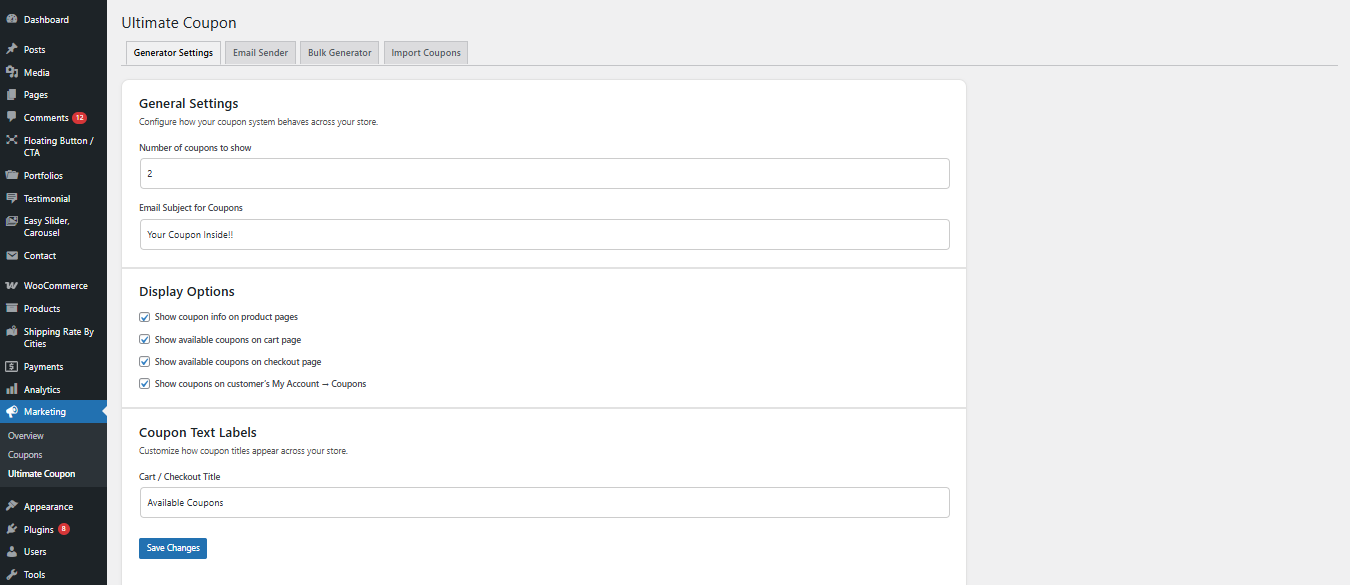
Here you will find multiple tabs to manage different coupon features.
This will enable coupon generation and display features across your store.
Generator Settings
↑ Back to topUse this tab to control how coupons are displayed and manage general behavior.
You can configure:
- Number of coupons to display on store pages
- Coupon title text for Cart and Checkout
- Show coupons on:
- Product pages
- Cart page
- Checkout page
- My Account → Coupons
- Enable or disable front-end coupon visibility
These settings control how customers discover and use coupons on your store, helping improve conversions and user experience.
Bulk Generator Settings
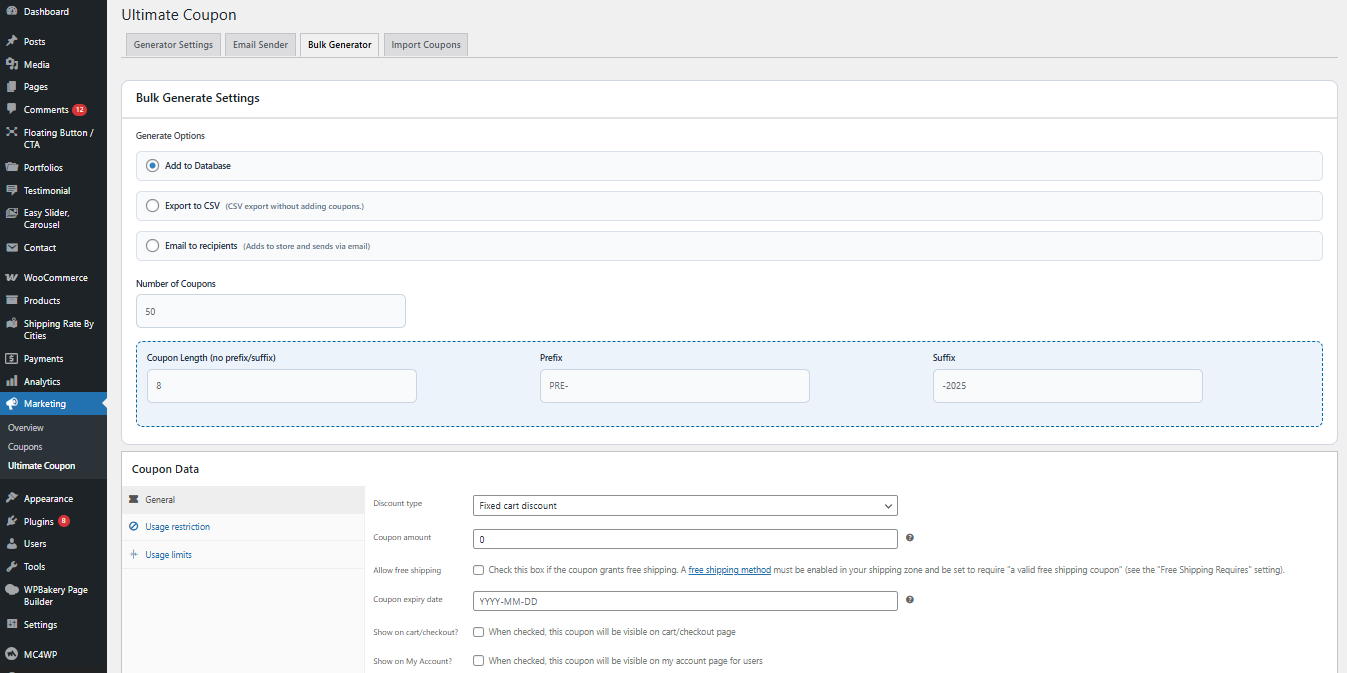
↑ Back to topUse the Bulk Generator tab to create a large number of coupons at once.
You can set:
- Total number of coupons to generate
- Coupon code prefix and code length
- Discount type (Fixed or Percentage)
- Discount amount
- Expiry date
- Usage limit per coupon
- Usage limit per user
- Product or category restrictions
This is useful for running big promotions, affiliate campaigns, referral programs, and seasonal sales.
Email Sender Settings
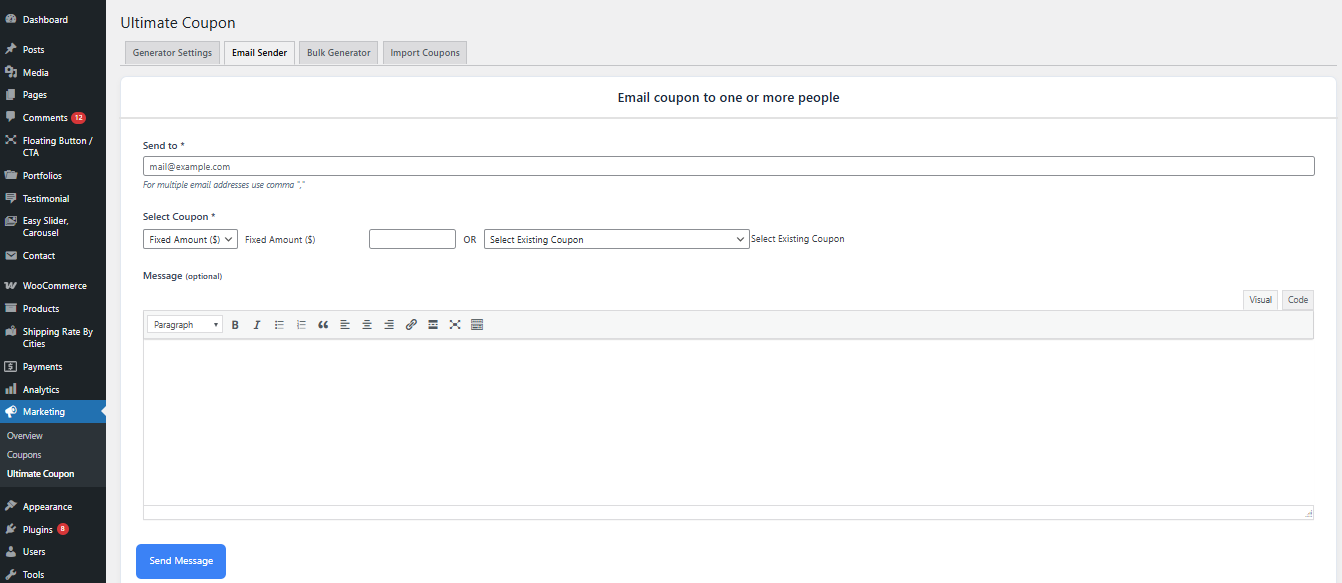
↑ Back to topUse the Email Sender tab to send coupon codes directly to customers.
You can:
- Select one or more coupons
- Enter customer email addresses
- Add a custom message
- Send emails directly from your WooCommerce dashboard
This helps you run loyalty campaigns, special offers, and limited-time promotions without using third-party email tools.
Advanced configuration
↑ Back to topAdvanced configuration options allow you to fine-tune how coupons behave across your store and create more controlled discount campaigns.
Use advanced settings when you want more control over who can use coupons and when they are applied.
You can configure:
- Restrict coupons to specific products or categories
- Set minimum and maximum cart total for coupon usage
- Limit coupon usage per user
- Limit total number of redemptions per coupon
- Enable or disable automatic coupon visibility on specific pages
- Control whether coupons can be combined with other discounts
These options are useful when running targeted campaigns, VIP discounts, or limited-time promotional offers.
Usage
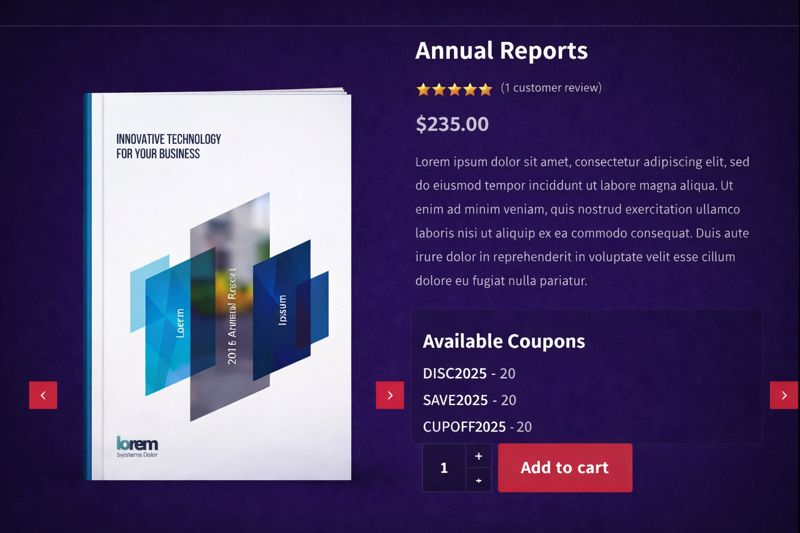
↑ Back to topWhen coupon display is enabled, customers can view and apply available coupons directly without searching for codes.
Customers may see coupons on:
- Product pages
- Cart page
- Checkout page
- My Account → Coupons section
From these locations, customers can:
- View available coupon codes
- Apply coupons with one click
- See discount details before checkout
This improves the shopping experience and increases the chances that customers complete their purchases.
FAQs
↑ Back to topHelp customers by answering commonly asked questions.
Does Ultimate Coupon Generator support bulk coupon creation in WooCommerce?
Yes. Ultimate Coupon Generator allows you to generate unlimited coupon codes in bulk with custom prefixes, discount types, expiry dates, usage limits, and product or category restrictions.
Can I import coupon codes using a CSV file?
Yes. You can upload coupon codes using a CSV file and automatically create WooCommerce coupons. Imported coupons work exactly like manually created WooCommerce coupons.
Can I show coupons on the Cart and Checkout pages?
Yes. You can display available coupons on Product pages, Cart page, Checkout page, and in the My Account section depending on your settings.

