
Smart Birthday Discounts for WooCommerce automatically applies a discount on selected products or categories for customers on their birthdays.
Installation
↑ Back to topTo start using a product from WooCommerce.com, you can use the “Add to store” functionality on the order confirmation page or the My subscriptions section in your account.
- Navigate to My subscriptions.
- Find the Add to store button next to the product you’re planning to install.
- Follow the instructions on the screen, and the product will be automatically added to your store.
Alternative options and more information at:
Managing WooCommerce.com subscriptions.
Configuration
↑ Back to topTo configure the extension, go to WooCommerce > Settings > Birthday Discount and the following tabs are available: Birthday Discount Rules and General Settings.

Birthday Discount Rules
↑ Back to topThe Birthday Discount Rules tab displays all discount rules added by you and you can manage all your rules in this tab. You can also add, edit, delete and search any rule from here as well.

Add New Rule
↑ Back to topClick “Add Rule(s)” button to add new rule for birthday discount.

In each rule, you can activate/deactivate and name the rule.

You can add the conditions which customers have to meet in order to receive the discount such as items in cart, total, subtotal, coupon code used, cart containing product and category.

Multiple conditions can be applied simultaneously. Note: the relation between set conditions is “And” which means customers have to meet all the conditions to be eligible for the birthday discount offer.

Apply the discount on specific products or categories and select the discount type such as fixed, percentage, and discounted price.

You can also restrict the birthday discount to specific user roles and guest users.
General Setting
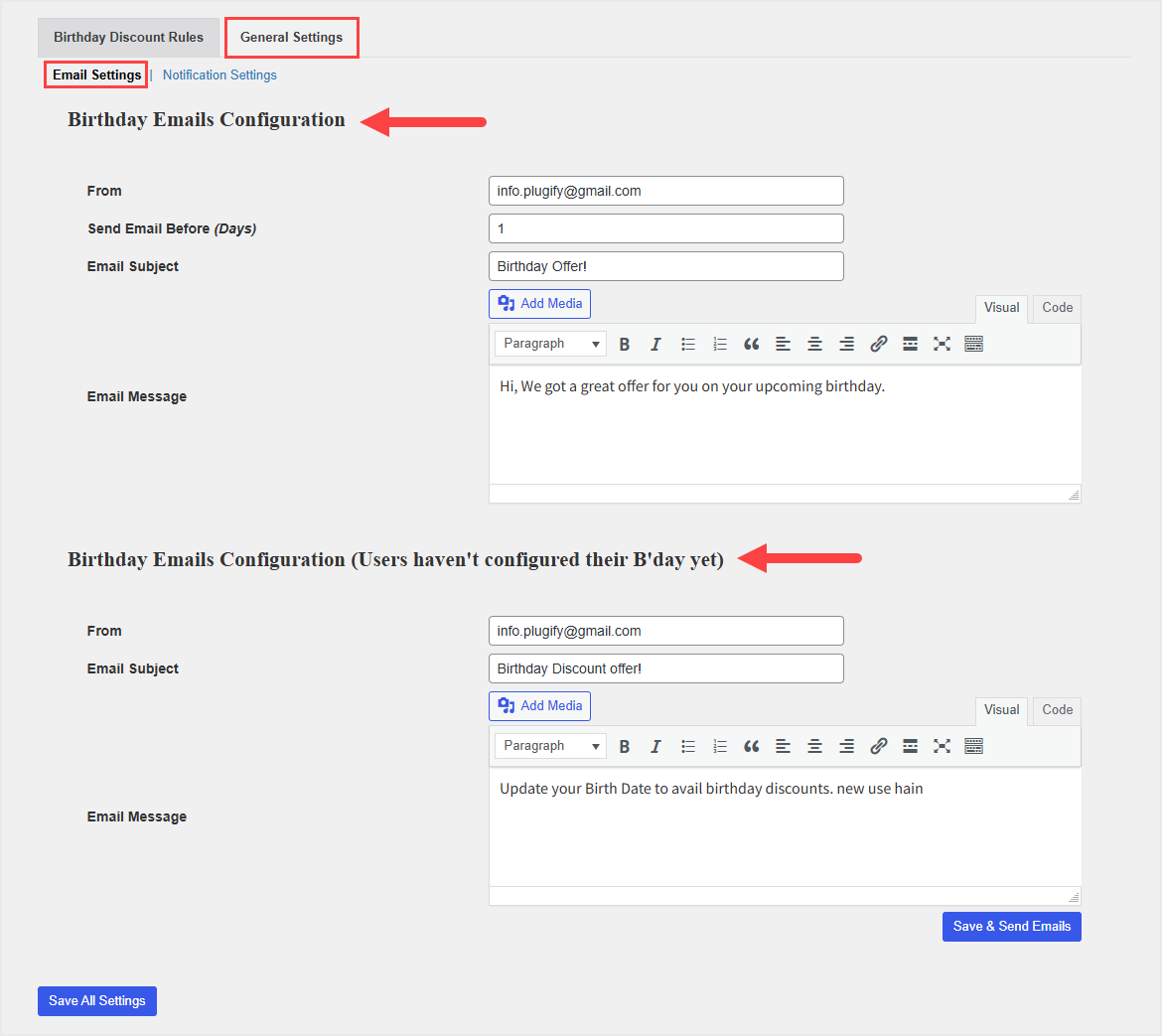
↑ Back to topThe General Settings tab consists of two tabs, Email Settings and Notification Settings.
Email Settings
↑ Back to topIn Email Settings, you can customize the text of the emails to send to customers who are eligible for the birthday discount and for those who have not provided their birthday yet.
Notification Settings
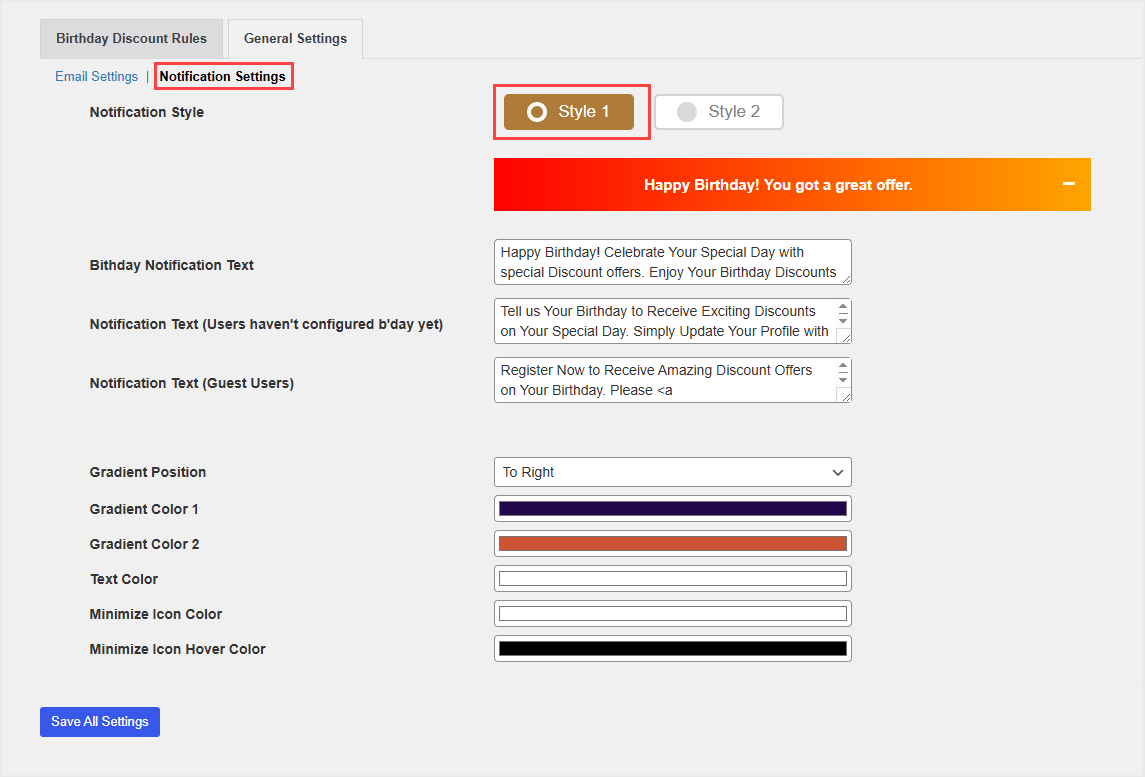
↑ Back to topIn the Notifications Settings tab, you can select the notification style to notify customers about the birthday offer and request them to add their birthday.
Style 1 displays the notification bar at the bottom of shop pages. You can also customize the different text for eligible users, logged-in customers (to ask them to add their birthday), and guest users (to ask them to register/login to receive the birthday discount). You can also set the text, background, and minimize icon colors.
Style 2 displays the popup in your store, you can upload different images or gifs for logged-in, guest, and eligible users. You can also customize the text for all types of users.

