
Product Manuals and Flip Book allows your WooCommerce store to transform PDF manuals into interactive flipbooks and display product videos, images, and downloadable files directly on product pages.
Installation
↑ Back to topTo start using a product from WooCommerce.com, you can use the “Add to store” functionality on the order confirmation page or the My subscriptions section in your account.
- Navigate to My subscriptions.
- Find the Add to store button next to the product you’re planning to install.
- Follow the instructions on the screen, and the product will be automatically added to your store.
Alternative options and more information at:
Managing WooCommerce.com subscriptions.
Product Manuals Rules
↑ Back to topCreate unlimited rules to organize your product manuals. Add manuals to each rule and assign the relevant WooCommerce products to determine where the manuals should be displayed.
Go to WooCommerce → Product Manuals from your WordPress admin dashboard.
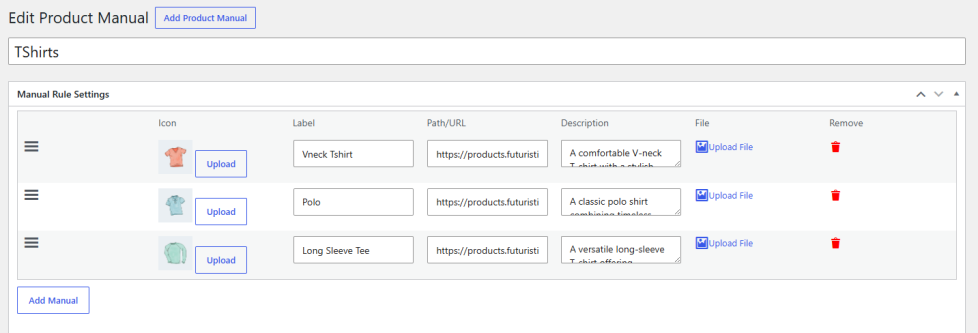
Edit Rule
↑ Back to topAdd and manage multiple product documents using a flexible, drag-and-drop document list.
- Icon – Choose an icon to represent the document.
- Label – Enter the document title or label.
- Path / URL – Specify the document absolute URL or file path.
- Description – Add a short description for the document.
- File – Upload a document directly from your media library.
- Delete – Remove documents from the list.
- Add Manual – Add as many documents as needed.
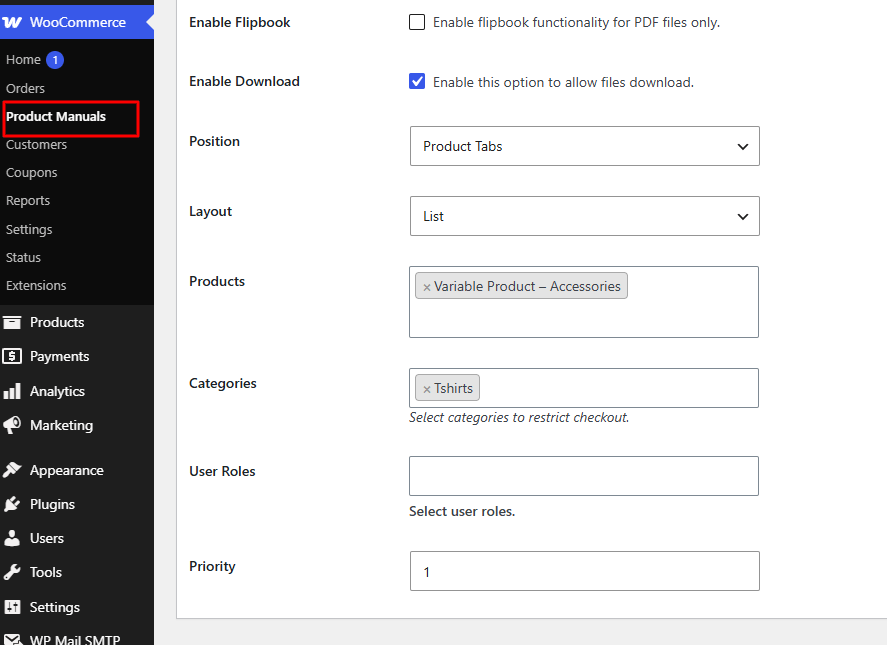
Rule Settings
↑ Back to top- Enable Flipbook – Enable or disable the flipbook viewer.
- Enable Download – Allow users to download the document.
- Position – Choose where the documents section appears on the product page.
- Layout – Choose how documents are displayed: list, grid, or accordion.
- Products – Select multiple products to apply the settings.
- Categories – Select multiple categories to apply the settings.
- User Roles – Select multiple user roles allowed to access the flipbook.
- Priority – Set the rule priority when multiple rules match.
- Save Changes
Frontend View
↑ Back to topWhat customers see on the front end.
Flipbook View before Add to Cart Button
↑ Back to top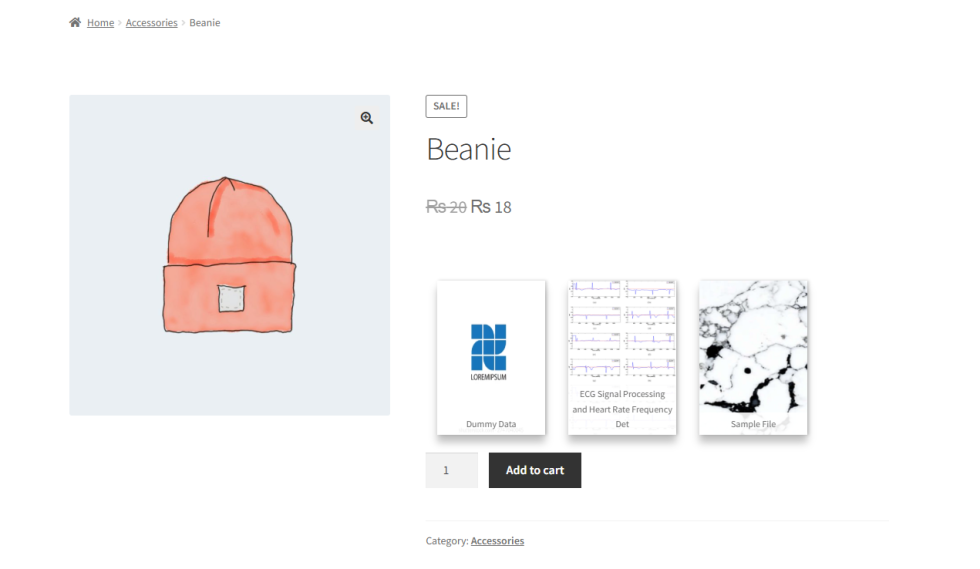
Grid View after Add to Cart Button
↑ Back to top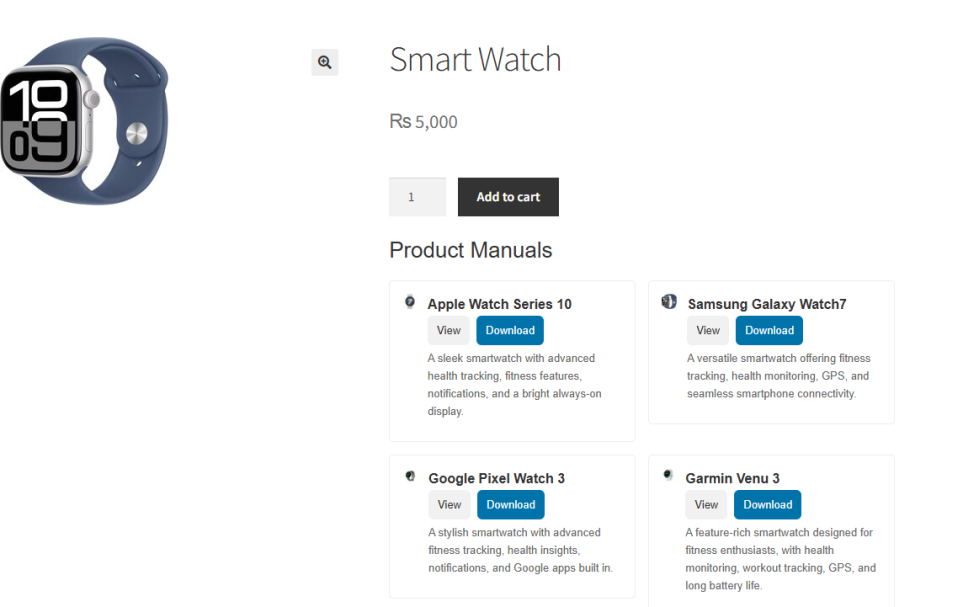
List View in Product Tabs
↑ Back to top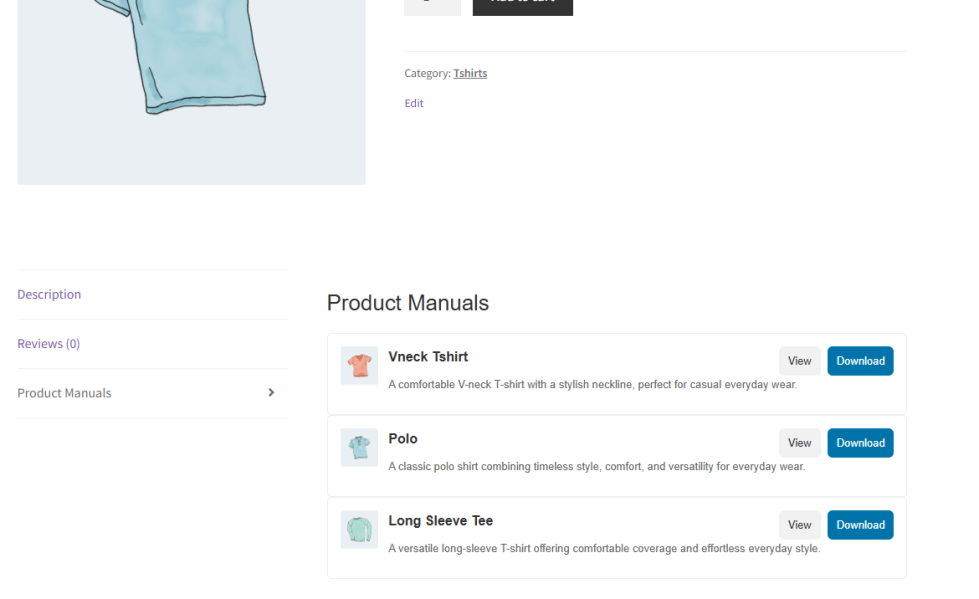
Accordion View
↑ Back to top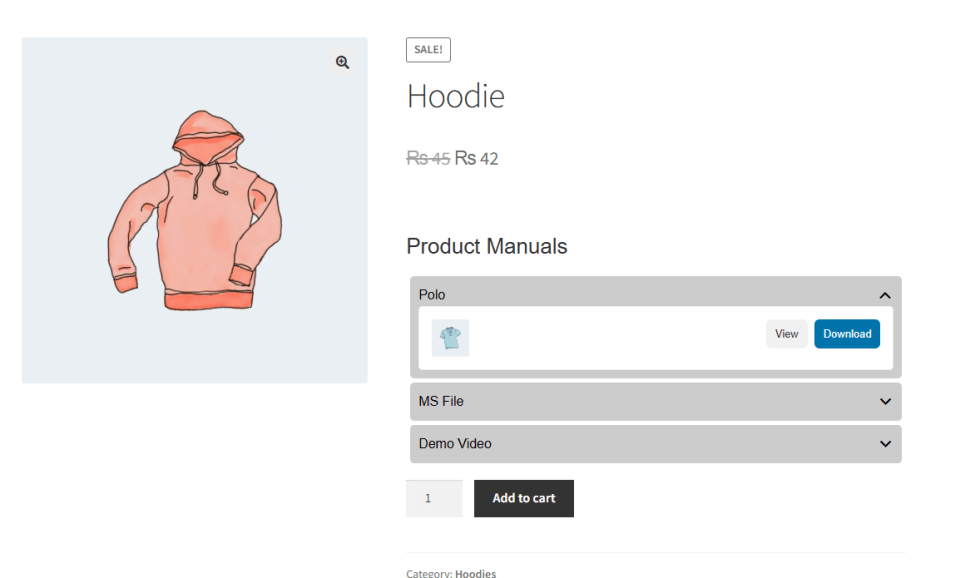
FAQs
↑ Back to topHelp customers by answering commonly asked questions.
Can I display PDF manuals directly on WooCommerce product pages?
Yes. You can attach PDF manuals and display them directly on your WooCommerce product pages as interactive flipbooks, giving customers an easy and engaging way to read product documentation.
Can I add videos and images along with PDF manuals?
Yes. Product Manuals and Flip Book supports PDFs, videos, images, and downloadable files, allowing you to keep all your product resources together in one place.
Is the flipbook mobile-friendly?
Yes. The flipbook and product resources are designed to provide a responsive viewing experience across desktop, tablet, and mobile devices.

