
NexumShop EU Withdrawal adds an EU withdrawal button to your customers’ orders, checks whether each order still qualifies, and gives you one screen to decide every request. This guide covers installation, setup, daily use, and troubleshooting.
Legal notice: this extension assists with the withdrawal process. It does not replace legal advice and does not by itself guarantee the compliance of your business.
Requirements
↑ Back to top| WordPress | 6.6 or later |
| WooCommerce | 9.0 or later (tested up to 11.1) |
| PHP | 8.1 or later |
| Order storage | HPOS supported; orders are read through the WooCommerce CRUD APIs only |
| Checkout | Cart and checkout blocks supported |
| Languages | Interface and emails in English and French |
Emails are sent in your store’s language, not the language of the order.
Installation
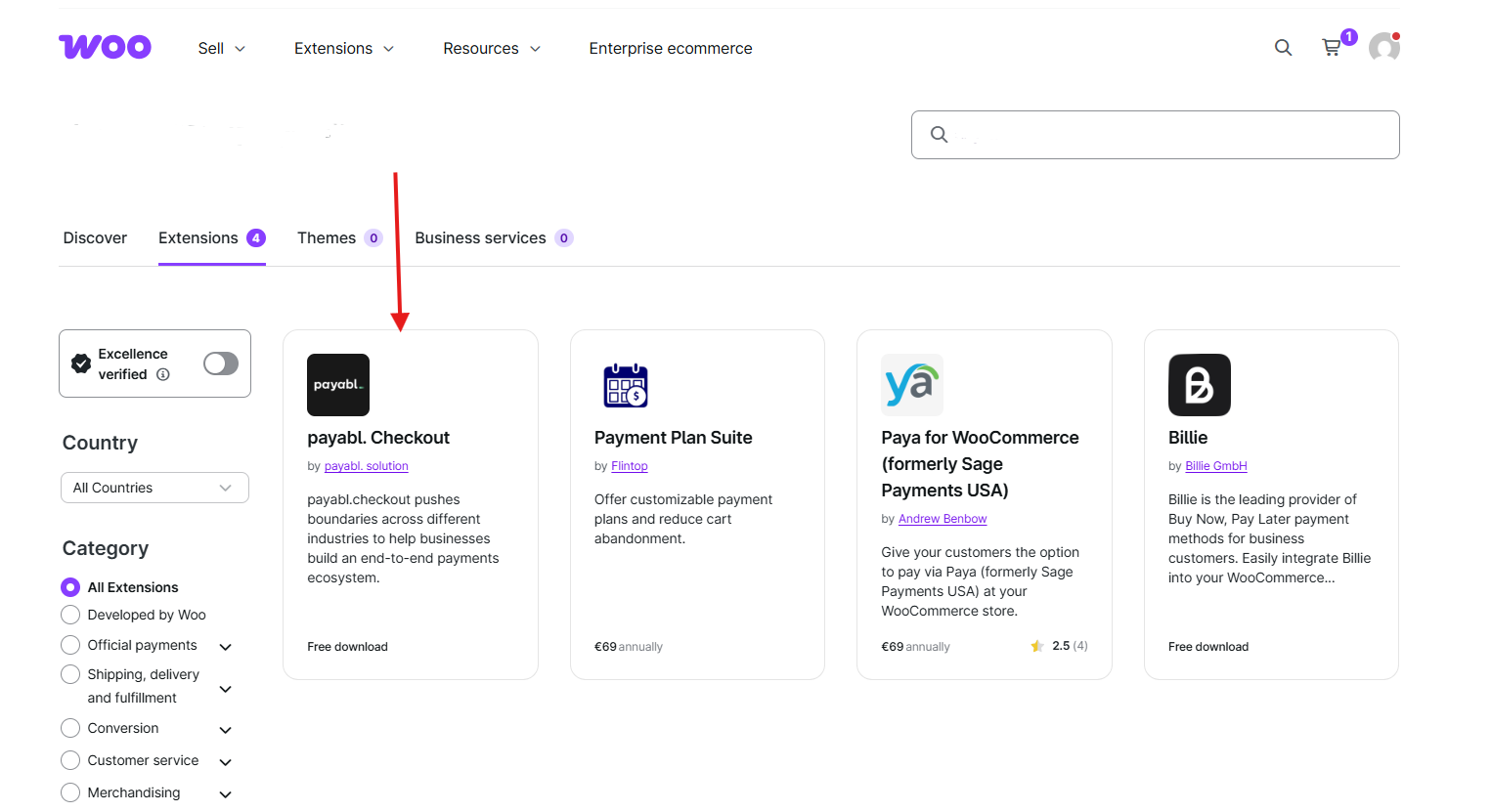
↑ Back to topTo start using a product from WooCommerce.com, you can use the “Add to store” functionality on the order confirmation page or the My subscriptions section in your account.
- Navigate to My subscriptions.
- Find the Add to store button next to the product you’re planning to install.
- Follow the instructions on the screen, and the product will be automatically added to your store.
Alternative options and more information at:
Managing WooCommerce.com subscriptions.
Setup
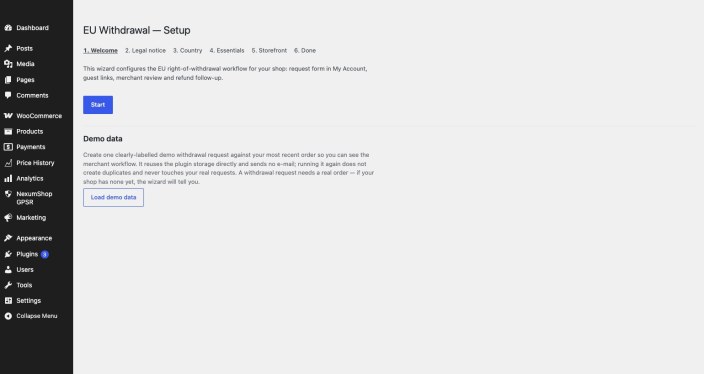
↑ Back to top- Go to WooCommerce > EU Withdrawal. Until you run the setup wizard or dismiss it, a notice links you to it.
- Set your withdrawal window and whether it counts from delivery or from the order.
- Enable only the exemption categories that apply to what you sell.
- Send yourself a test email to confirm your email setup.
No theme file or core file is modified.
How eligibility works
↑ Back to topA customer usually has 14 days to change their mind, and that period doesn’t start on the day you shipped.
- The eligibility check runs before the form appears, so customers aren’t invited to file a request that will be refused.
- The window is set in days and counts from the delivery date or the order date. The day of that event doesn’t count.
- The last day counts in full, until midnight in your shop’s time zone. A last day on a Saturday or Sunday moves to the next working day.
- Public holidays aren’t applied. You need to handle them manually.
- Unpaid orders are never eligible. A paid order not yet marked completed gets a deadline estimated from your expected delivery time, labeled as estimated until the order is completed.
- Eleven exemption categories exist, each one off until you turn it on, plus a per-product flag for a single item that needs it.
Manage requests
↑ Back to topThe request list
↑ Back to topEvery request appears in one list with its status, age, customer, and order reference. You can filter by status, search by request ID or order ID (enter 15, not #15), and export all requests to CSV, up to 10,000.
Requests pending longer than a threshold you set raise a notice above the list. It opens them oldest first.
Decide a request
↑ Back to topYou have four options:
- Accept the request.
- Accept partially, line by line.
- Ask the customer for more information.
- Reject the request. A rejection won’t save without a reason.
Refunds
↑ Back to topThe extension never creates a refund. Mark the refund as pending records the amount on the request. You then issue the refund from the WooCommerce order with its own Refund button, and the request is marked refunded when WooCommerce records it.
Documents
↑ Back to topEach request offers a PDF dossier for you and a proof of submission for the customer.
Settings
↑ Back to top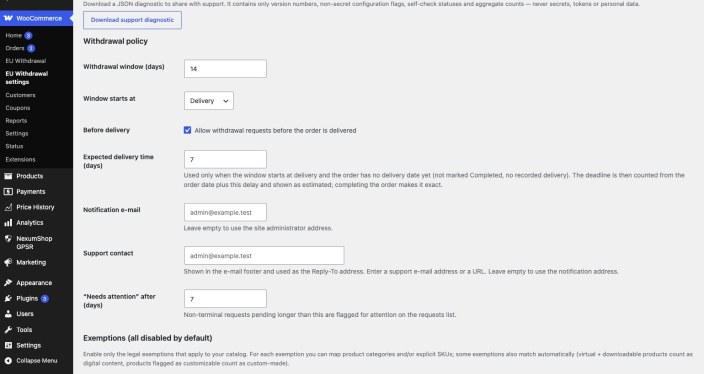
| Setting | What it does | Default |
|---|---|---|
| Withdrawal window | Length of the period, in days | 14 |
| Window starts at | Delivery or order | Delivery |
| Before delivery | Allows a request before the order is delivered | On |
| Expected delivery time | Used for the estimated deadline when an order has no delivery date | 7 days |
| Notification email | Receives your notices | Site administrator |
| Support contact | Email footer and Reply-To | Empty |
| “Needs attention” after | Age that raises the notice above the list | 7 days |
| Exemptions | Eleven categories, each by product category or SKU | All off |
| Guest link validity | Lifetime of the signed link | 720 hours |
| Lookup attempts | Per hour and IP address | 5 |
| Guest withdrawal page | The page holding the lookup form | Created at activation |
| Customer IP | Stores the IP address with each request | Off |
| Keep data on uninstall | Keeps the extension’s tables | On |
| Retention after close | Months before a closed request can be cleaned up | 36 |
The test email button helps you find an email problem before a customer does. The self-check reports what is misconfigured.
What your customers see
↑ Back to topLogged-in customers get a “Withdraw from the contract” button on their orders, in My Account.
Guests use the page created at activation. They enter their order number and email, and receive a signed link that opens the same form inside your theme. The reply is the same whether or not the order matches, so nobody can probe your order numbers.
The WooCommerce withdrawal form
↑ Back to topWooCommerce 11.1 adds an optional form that takes a withdrawal request and sends an acknowledgment. The two run independently, and requests filed through the WooCommerce form don’t appear in this extension’s list, so we recommend offering your customers one of them.
Integrity checks
↑ Back to topThree SHA-256 checks run each time a request is opened: over what the customer submitted, over the status history, and over your decisions (status, quantities, reasons, and refund reference). If any of it was changed in the database, the row turns red and names what no longer matches. The history is only ever added to, never written over.
Personal data
↑ Back to topThe extension registers with the WordPress privacy tools as an exporter and an eraser, so an export or erasure started from Tools > Export Personal Data or Tools > Erase Personal Data includes withdrawal records.
The self-check screen offers a downloadable diagnostic file with version numbers, non-secret configuration flags, and aggregate counts. It never contains a token or personal data.
Uninstall
↑ Back to topGo to Plugins, deactivate EU Withdrawal, and delete it.
By default, your data is kept. To remove it, turn off the keep-data setting before deleting the extension. Export what you need first: the request list exports to CSV, and each request has a PDF dossier.
Troubleshooting
↑ Back to top| Symptom | Most common cause |
|---|---|
| The customer sees no withdrawal form | The order is outside the window, or every line is exempt. The ineligibility notice says which. |
| A rejection won’t save | A reason is required. |
| No email arrives | Send a test email from the settings. The retry queue holds what failed and shows why. |
| The refund wasn’t issued | The extension never issues one. Open the order from the request and use the WooCommerce Refund button. The request follows. |
Support
↑ Back to topNeed help? Contact us through WooCommerce.com support. We respond within 2 business days.

