- Download the .zip file from your WooCommerce account.
- Go to: WordPress Admin > Plugins > Add New and Upload Plugin with the file you downloaded with Choose File.
- Install Now and Activate the extension.
More information at
Install and Activate Plugins/Extensions.
After the successful installation of
Vertical & Accordion Product Detail Tabs, you need to enable vertical tabs from the wooCommerce product settings tab.
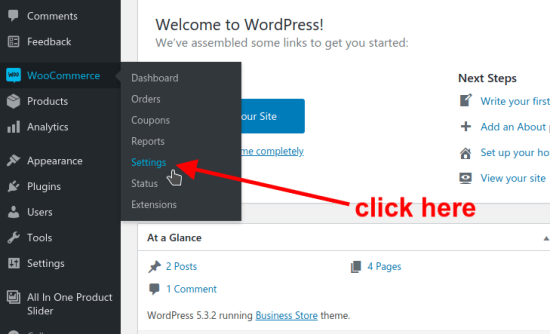
- On left side bar click on “wooCommerce” –> “settings”
- On left side bar click on “wooCommerce” –> “product” tab
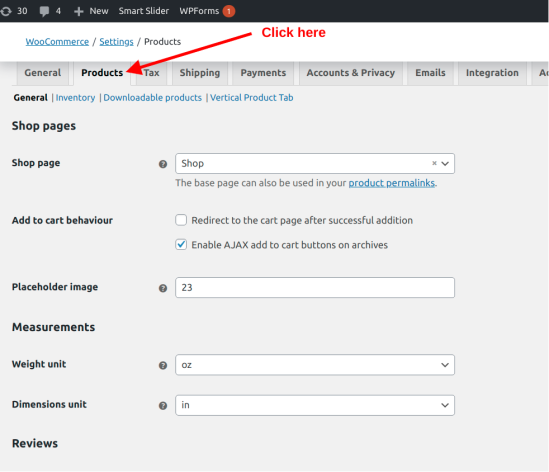
- On the left sidebar click on sub-tab called “Vertical Product Tab”
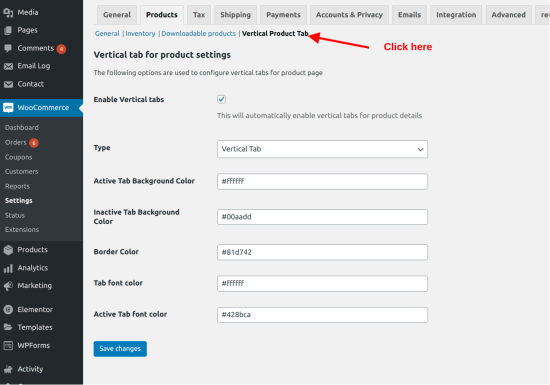 Now on this, you can enable “Vertical & Accordion Product Detail Tabs”, You can also set desired colors for tabs using a color picker.
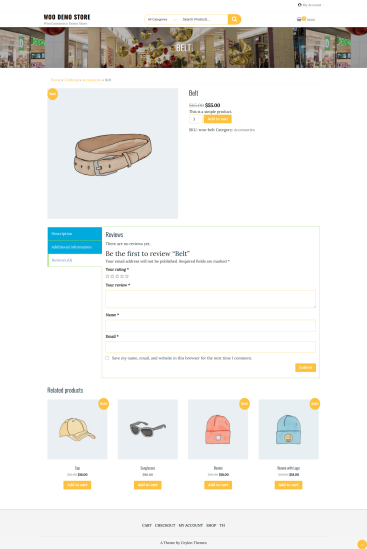
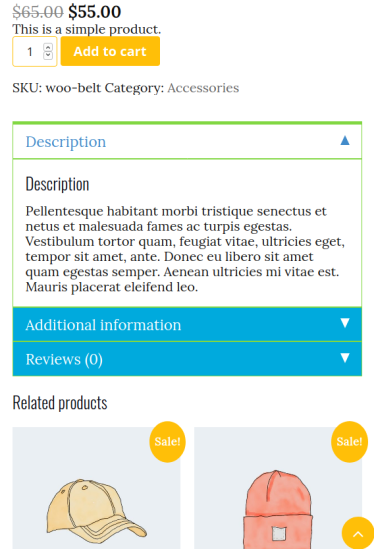
Once you enable “Vertical And Accordion Product Detail Tabs” You can see that your product detail page tabs now transform to vertical and accordion tabs.