
This guide will help you set up and manage the Photo Reviews plugin on your WooCommerce store.
Installation
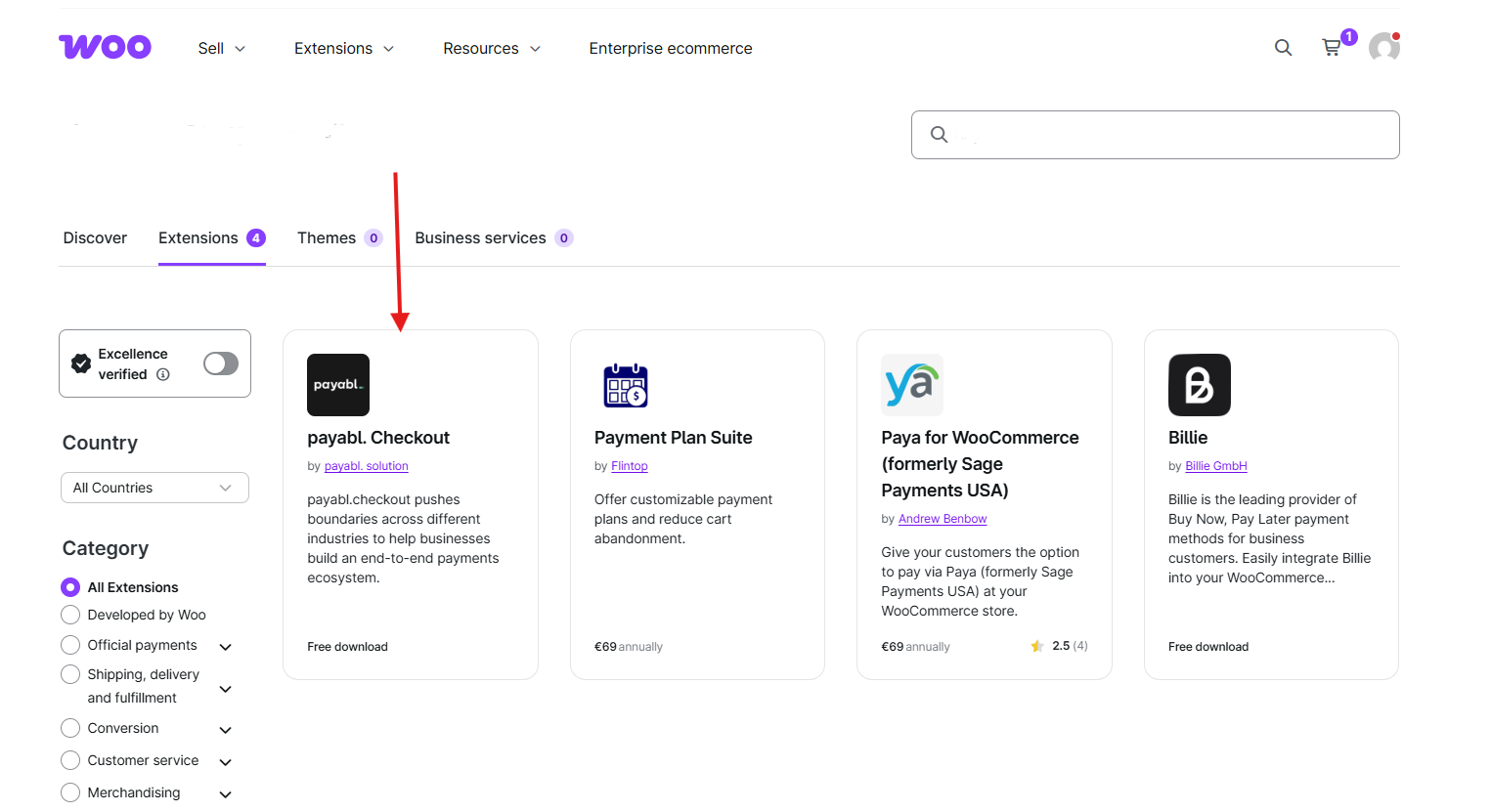
↑ Back to topTo start using a product from WooCommerce.com, you can use the “Add to store” functionality on the order confirmation page or the My subscriptions section in your account.
- Navigate to My subscriptions.
- Find the Add to store button next to the product you’re planning to install.
- Follow the instructions on the screen, and the product will be automatically added to your store.
Alternative options and more information at:
Managing WooCommerce.com subscriptions.
1. Plugin Setup and Access
↑ Back to topAfter installing and activating the Photo Reviews plugin:
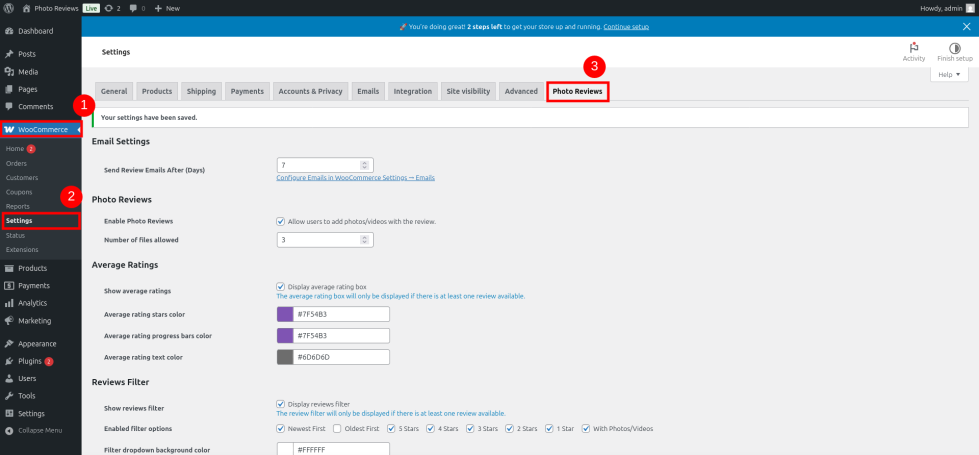
- Go to WooCommerce → Settings → Photo Reviews
Here you can enable or disable plugin features and customize the display settings.
2. Enable or Disable Plugin Features
↑ Back to topUnder WooCommerce → Settings → Photo Reviews, you can:
- Enable Photo and Video Uploads – Allow customers to upload images/videos with their reviews.
- Enable Rating Filters and Progress Bars – Show average ratings with progress bars and allow filtering by rating.
- Enable Helpful Votes – Let users mark reviews as helpful.
- Allow Customers to Edit Reviews – Enable the option for customers to update or modify their reviews after submission.
- Hide Review Author Name – Toggle the option to hide reviewer names for privacy.

3. Customize Colors and Layout
↑ Back to topStill, in WooCommerce → Settings → Photo Reviews, you can:
- Change the colors of star ratings, buttons, and progress bars
- Adjust font sizes and section spacing
- Match the plugin’s design with your site’s branding
4. Configure Review Emails
↑ Back to topTo set up email notifications and automation:
- Go to WooCommerce → Settings → Emails
From there, you can configure:
- Review Request Emails – Send automatic emails after purchase to ask for a review
- Media Reminder Emails – Remind users to upload photos/videos with their reviews
- Thank You Emails – Send a thank-you message after a review is submitted
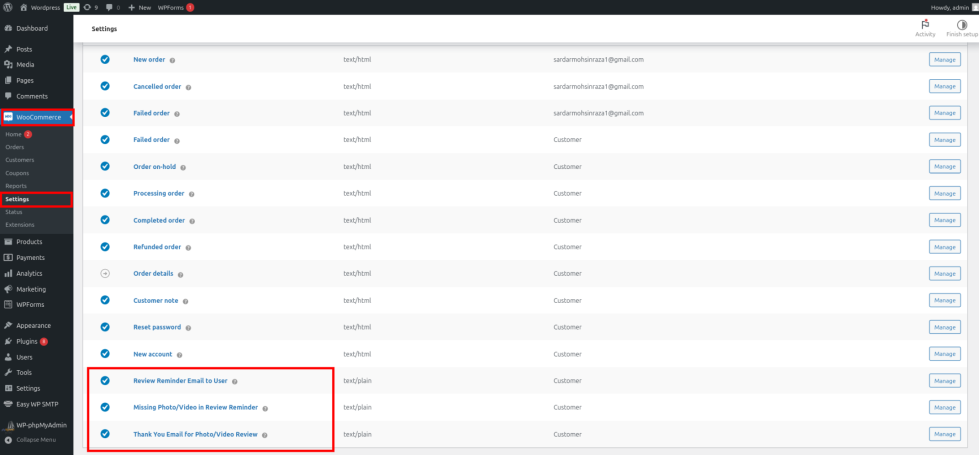
For each email, you can:
- Enable/Disable it
- Customize the subject, heading, and content
5. Managing Reviews and Media
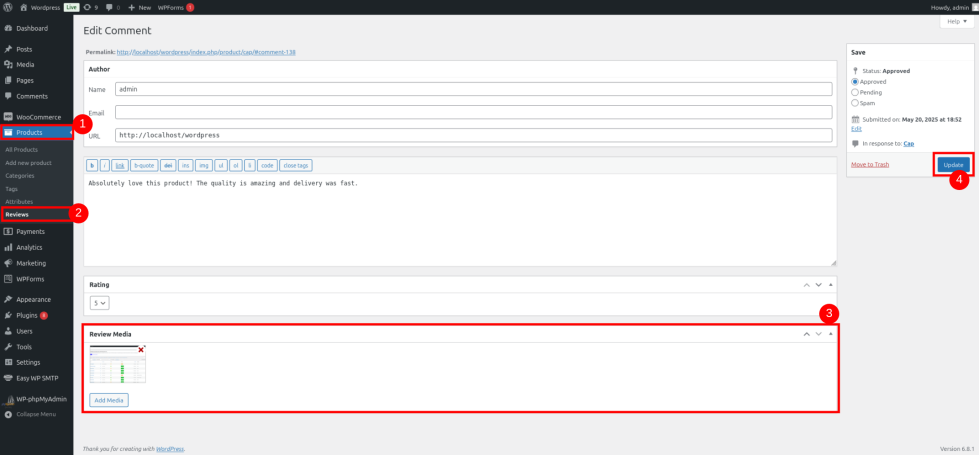
↑ Back to topGo to WooCommerce → Reviews (or under Products → Reviews) to:
- View all submitted reviews
- Edit review content
- Approve, reject, or delete reviews
- Replace or remove any attached photo or video
6. Frontend Features for Customers
↑ Back to topOnce enabled:
- Customers will see a review form under each product
- They can upload images/videos along with text
- They can vote for reviews as helpful
- They can filter reviews by star rating
- If allowed, they can edit their review.
7. Compatibility and Responsiveness
↑ Back to top- The plugin is fully responsive and mobile-friendly
- Compatible with most WordPress themes and major page builders like Elementor, WPBakery, etc.
8. Need Help?
↑ Back to topIf you need support or have questions, please contact our support team or refer to the plugin FAQs.

