
Checkout Contributions allows your WooCommerce store to collect optional customer contributions during the shopping experience. Customers can choose to add a contribution from the cart, checkout, or product page, and the contribution is added to the order as a WooCommerce fee.
The plugin can be used for charitable fundraising, environmental initiatives, community projects, nonprofit campaigns, customer support programs, or any merchant-defined cause.
Important: Checkout Contributions does not automatically send funds to charities, causes, or third-party organisations. Merchants are responsible for managing and directing collected contributions to their chosen cause.
Requirements:
- WordPress 6.4 or higher
- WooCommerce 8.0 or higher
- PHP 7.4 or higher
Installation
↑ Back to topTo start using a product from WooCommerce.com, you can use the “Add to store” functionality on the order confirmation page or the My subscriptions section in your account.
- Navigate to My subscriptions.
- Find the Add to store button next to the product you’re planning to install.
- Follow the instructions on the screen, and the product will be automatically added to your store.
Alternative options and more information at:
Managing WooCommerce.com subscriptions.

Note: WooCommerce must be installed and activated before activating Checkout Contributions.
Getting Started
↑ Back to topAfter activation, navigate to:
WooCommerce → Settings → Checkout Contributions
The plugin includes the following sections:
- Choose a Purpose preset or keep Custom
- Open Calculation and set how the amount is calculated
- Open Cause and add your cause name and description
- Open Widget to customise text and colours
- Save changes and test on cart/checkout
- Optional: view totals under Analytics → Checkout Contributions
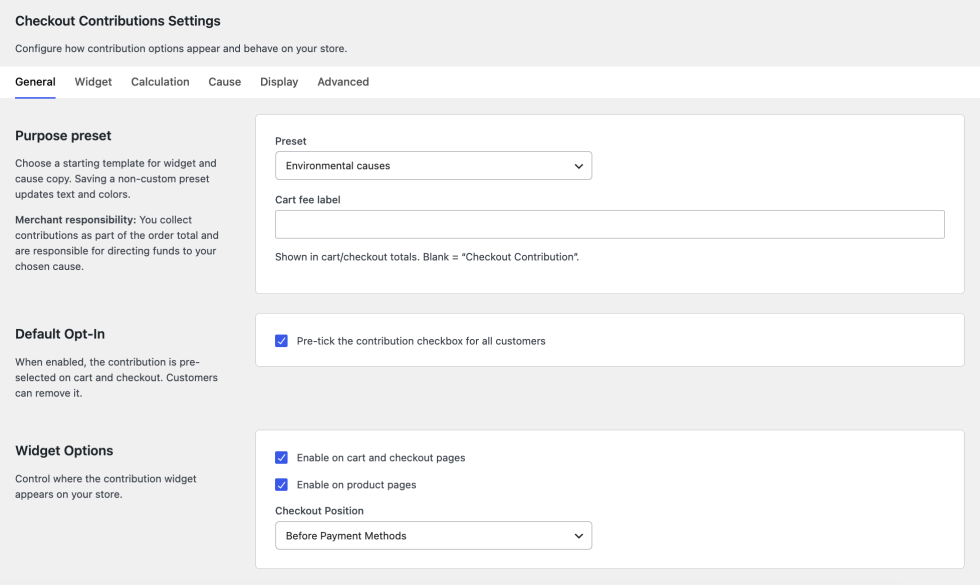
We recommend configuring the General settings first, followed by your Cause and Widget settings.
General Tab
↑ Back to top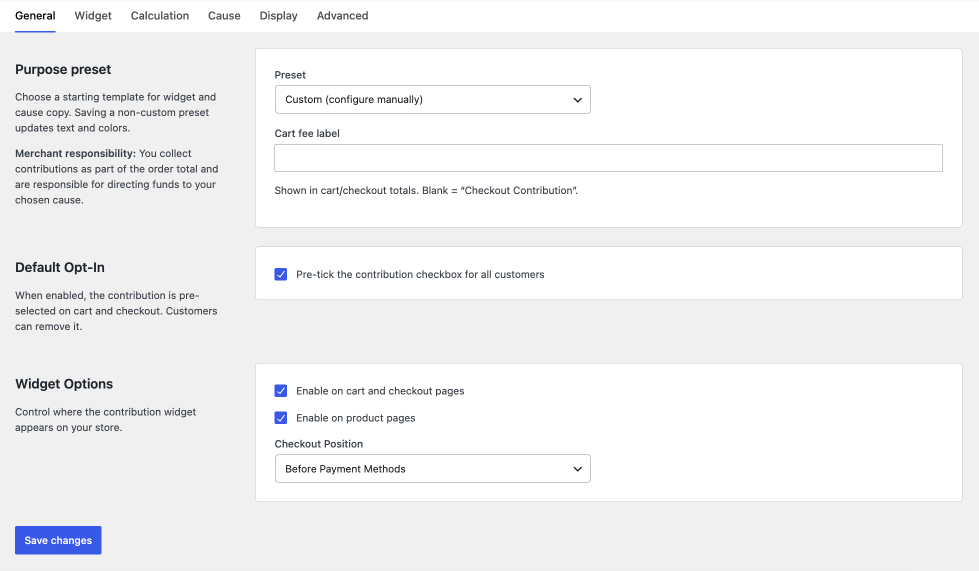
Purpose preset
- Preset — Starting template (Custom, Environmental, Charity, Community). Saving a non-custom preset updates widget text and colours.
- Cart fee label — Label shown in cart/checkout totals. Leave blank to use “Checkout Contribution”.
Default opt-in
- Pre-tick the contribution checkbox — When enabled, the contribution is selected by default; customers can remove it.
Widget placement
- Enable on cart and checkout pages — Shows the contribution widget on cart and checkout.
- Enable on product pages — Shows the widget on single product pages.
- Checkout position — Where the widget appears: before payment, after payment, or after order notes.
Widget tab
↑ Back to top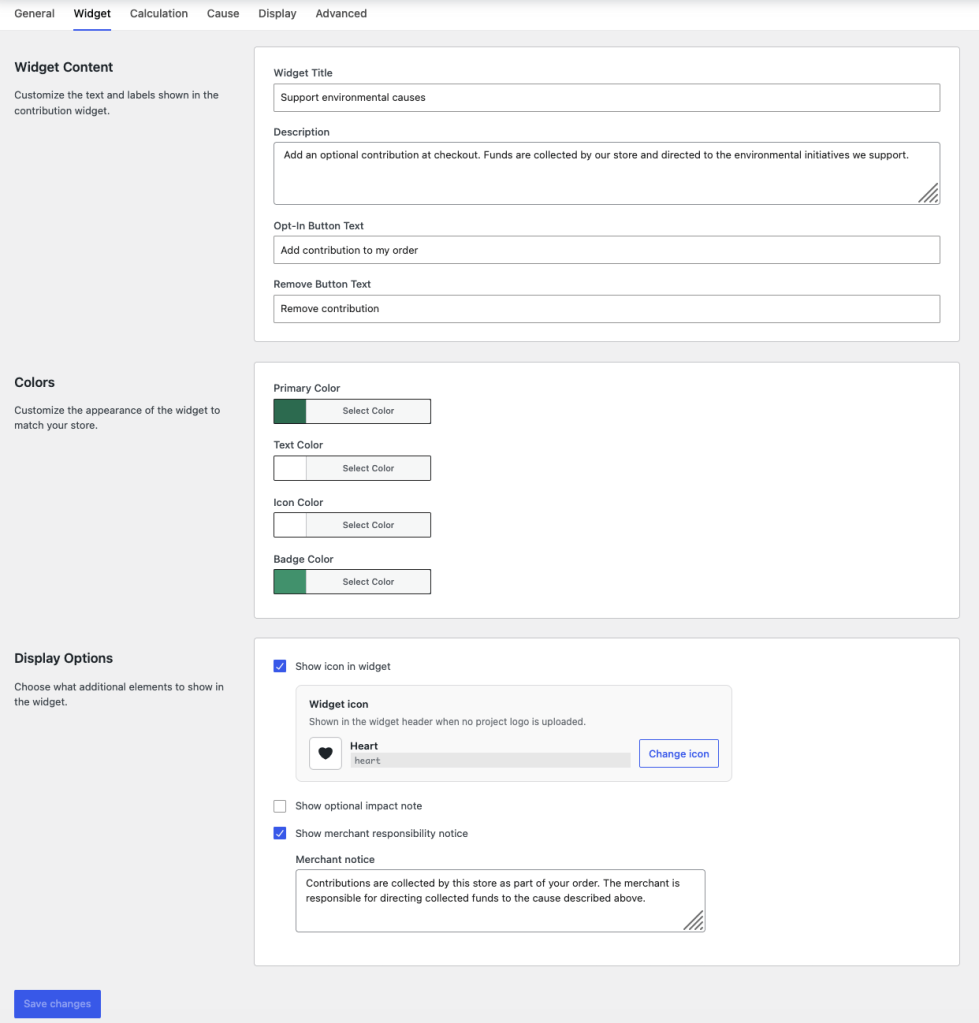
Widget content
- Widget title — Headline in the contribution box
- Description — Supporting text below the title
- Opt-in button text — Label when adding the contribution
- Remove button text — Label when removing it
Colours
- Primary colour — Main widget background/accent
- Text colour — Widget text colour
- Icon colour — Header icon colour
- Badge colour — Amount badge colour
Display options
- Show icon in widget — Toggle the header icon
- Widget icon — Dashicon picker (shown when icon is enabled)
- Show optional impact note — Short line near the amount (e.g. “Supports our community fund”)
- Impact note — Text for the impact line
- Show merchant responsibility notice — Legal/disclosure notice in the widget
- Merchant notice — Custom notice text
Calculation tab
↑ Back to top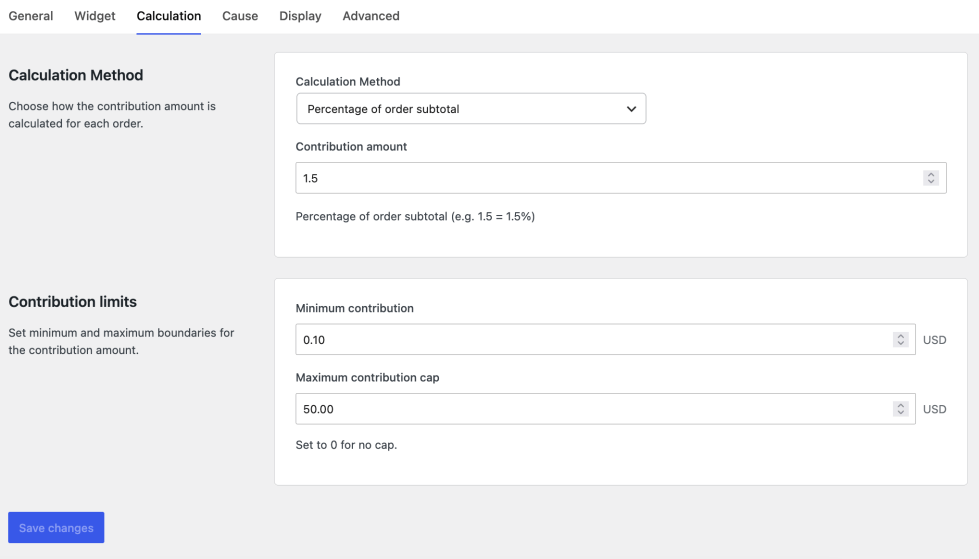
Calculation method
- Calculation method — Percentage of subtotal, fixed amount per order, or rate per kg of cart weight
- Contribution amount — The rate/value used (e.g.
1.5= 1.5% for percentage)
Contribution limits
- Minimum contribution — Lowest allowed amount
- Maximum contribution cap — Upper limit; set
0for no cap
Cause tab
↑ Back to top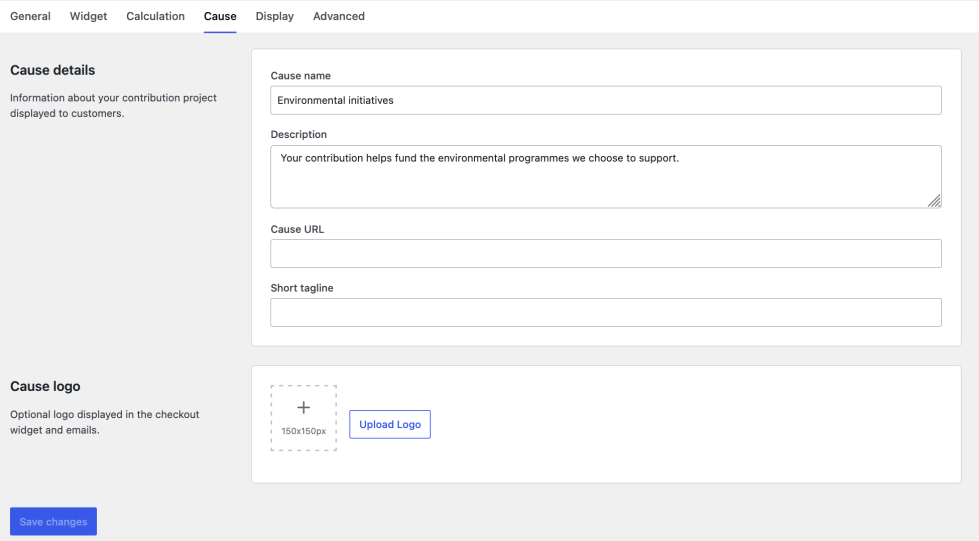
Cause details
- Cause name — Name shown to customers
- Description — Longer explanation of the cause
- Cause URL — Link to learn more (thank-you page, emails)
- Short tagline — Brief supporting line
Cause logo
- Upload logo — Optional image in widget and emails (recommended ~150×150px)
- Remove — Clears the uploaded logo
Display tab
↑ Back to top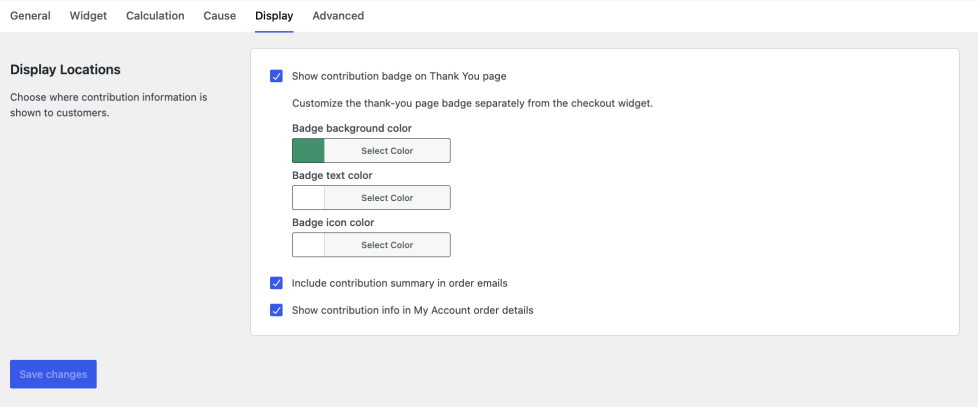
Customer-facing locations
- Show contribution badge on Thank You page — Badge after checkout
- Badge background / text / icon colours — Thank-you badge styling (separate from widget colours)
- Include contribution summary in order emails — Adds a block to order emails
- Show contribution info in My Account order details — Shows info on the customer order view
Advanced tab
↑ Back to top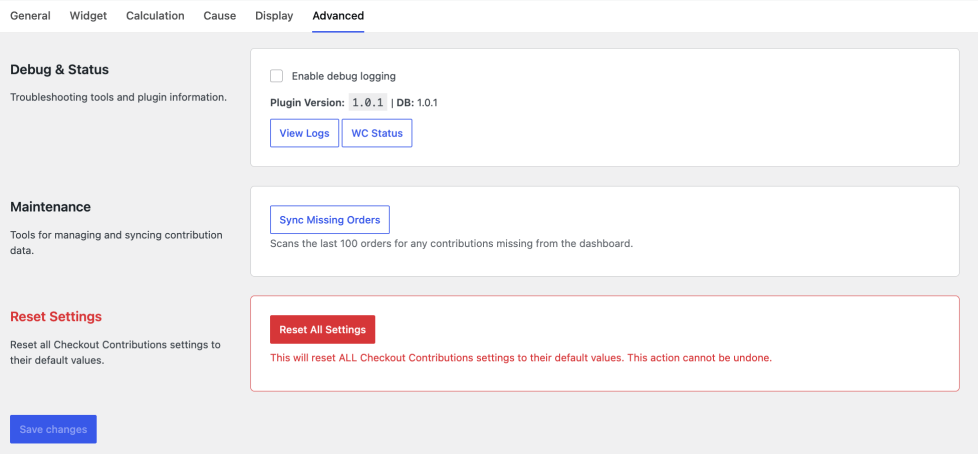
Debug and status
- Enable debug logging — Writes events to WooCommerce logs (
ccfwsource) - View logs — Opens WooCommerce → Status → Logs
- Plugin version / DB version — Installed versions for support
Maintenance
- Sync missing orders — Backfills the last 100 orders into the analytics dashboard
Analytics dashboard
↑ Back to topGo to WooCommerce → Analytics → Checkout Contributions
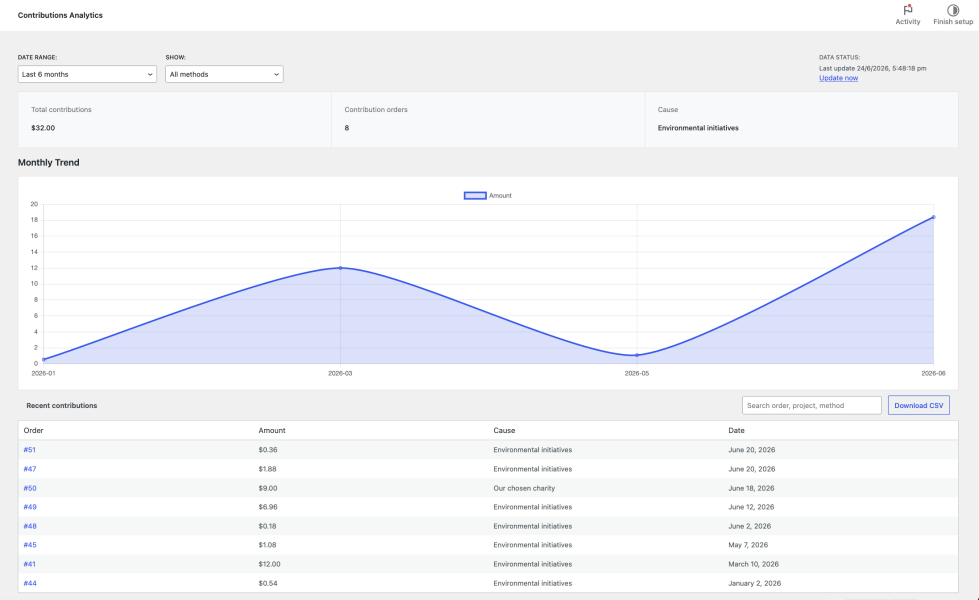
- Total contributions and order count
- Date range and filters
- Recent contributions table
- CSV download
- Link back to Settings for configuration
Frequently Asked Questions
↑ Back to top
Can I use this plugin for environmental causes?
Yes. Environmental initiatives are one of many supported use cases. The plugin does not certify environmental outcomes.
Can I customise the thank-you page badge?
Yes. Under Settings → Display, enable the badge and set background, text, and icon colours.
Can customers remove the contribution?
Yes. Customers can choose whether to add a contribution before completing their purchase.
Can I customise contribution amounts?
Yes. Fixed, percentage-based, and weight-based calculations are supported.
Does the plugin automatically send money to charities?
No. Contributions are collected through normal WooCommerce orders. Merchants are responsible for directing funds to their chosen cause.

