
Gemini Enterprise for CX for WooCommerce allows you to add an agentic conversational AI storefront assistant to your WooCommerce store. The assistant:
- handles natural-language product discovery
- cross-references live catalog prices and variations
- manages order tracking
- surfaces contextual prompts on product detail pages
- executes seamless add-to-cart fulfillment
Installation
↑ Back to topTo start using a free product from WooCommerce.com, you may click the “Install for free” button on the product page and select a connected WooCommerce.com site to automatically install the plugin to.
Alternatively, you may download the plugin and install it manually to your WooCommerce store.
Setup and configuration
↑ Back to topGetting started
↑ Back to topTo set up your store with Gemini Enterprise for CX for WooCommerce:
- Go to: Marketing > Gemini Enterprise for CX.
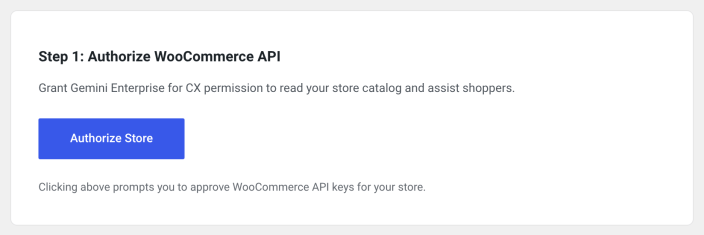
- Authorize the WooCommerce REST API permissions to let Gemini Enterprise for CX synchronize catalog data and fulfill storefront interactions
- Connect your store to Google Cloud.
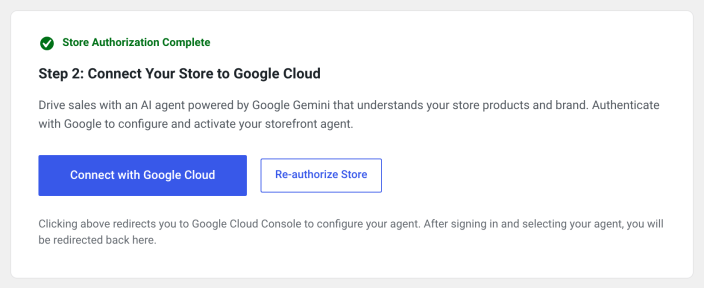
- Sign in to your Google account and link an existing agent or create a new one using the merchant console.
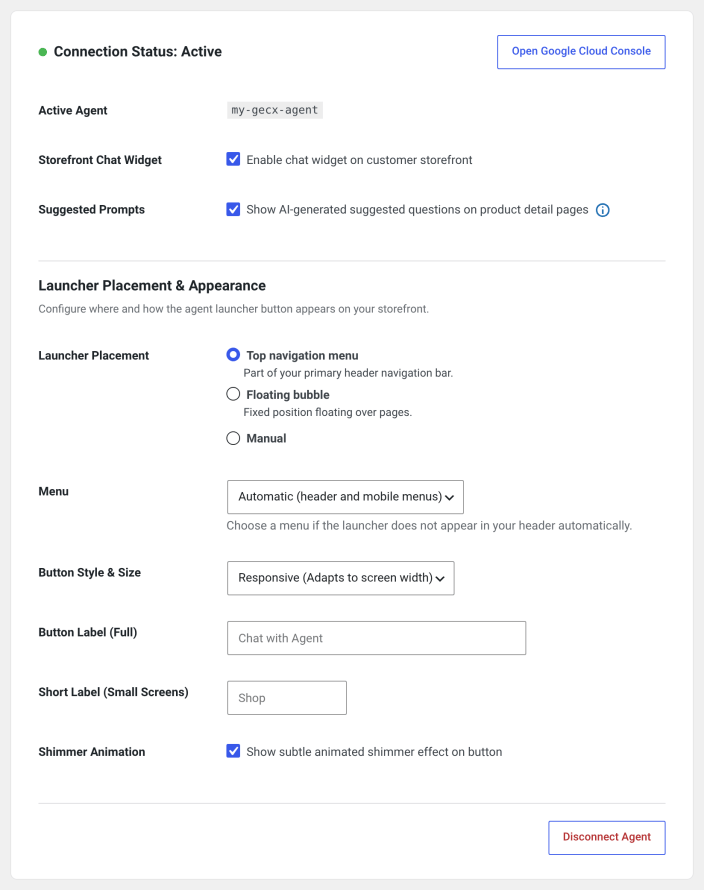
- Enable the storefront chat widget and configure your agent preferences.
FAQs
↑ Back to top
Does the agent check real-time stock?
Yes. The agent fetches inventory data via APIs to confirm item availability before adding products to the cart.
Can the agent manage the user’s cart?
The agent supports partial cart management: it can directly add and update items, though promotional and discount code applications are currently restricted.
Can it compare products and provide sizing advice?
Yes. The agent features an Expert Guidance system that recommends products based on conversational input (such as fit or pitch type) and compares materials and product attributes in natural dialogue.
Are back-in-stock alerts available?
Back-in-stock alert workflows are planned for Wave 2.
Who is eligible for the current rollout?
Early access is currently limited to invite-only customers.

