
Implementing a high-converting woocommerce abandoned cart recovery system is one of the highest-ROI strategies for preventing lost e-commerce revenue.
Industry research from the Baymard Institute reveals that nearly 70% of online shopping carts are abandoned before purchase completion, representing trillions of dollars in potential merchant turnover.
When prospective buyers exit your checkout funnel, traditional email drip campaigns often arrive hours too late—after the shopper has moved on or purchased from a competitor.
By pairing automated cart tracking with instant mobile notifications via Telegram and WhatsApp, online retailers can monitor drop-offs in real time and re-engage interested shoppers before the window of intent closes.
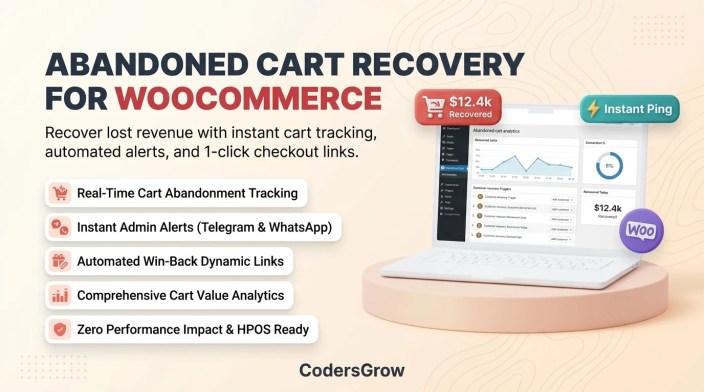
Figure 1: Maximizing WooCommerce abandoned cart recovery through instant alert routing and automated win-back workflows.
Why WooCommerce Abandoned Cart Recovery Matters for Revenue
↑ Back to topEvery visitor who adds an item to their shopping cart has already demonstrated high purchase intent. Optimizing your store to recapture these shoppers offers significant advantages over cold customer acquisition:
- Substantially Lower Customer Acquisition Costs (CAC): Recovering shoppers who are already familiar with your catalog is vastly more cost-effective than paying for new top-of-funnel ad clicks.
- Real-Time Abandonment Intelligence: Gaining instant notifications when a high-value cart is abandoned allows your sales team to detect friction points such as payment gateway errors, uncalculated shipping rates, or coupon validation failures.
- Direct 1-Click Cart Restoration: Modern recovery sequences send shoppers a personalized recovery link that restores their exact cart contents, applied discounts, and billing inputs with a single click.
- Multi-Channel Reach Beyond Email: As explored in our guides on WooCommerce Telegram notifications and WooCommerce WhatsApp notifications, conversational messaging delivers open rates exceeding 95%, cutting through inbox noise.
The 4 Stages of Modern Cart Recovery
↑ Back to topA systematic recovery pipeline moves through four structured operational phases to maximize conversion without alienating shoppers:
- Real-Time Cart Capture: Capturing customer inputs and cart contents dynamically via AJAX as soon as the email or phone field is populated on the checkout page.
- Configurable Idle Cutoff: Designating a precise time threshold (such as 15 to 30 minutes) to categorize an inactive session as abandoned without prematurely messaging active shoppers.
- Instant Administrative Alerting: Broadcasting an automated notification to your team containing the abandoned items, cart value, and shopper contact details.
- Dynamic Re-Engagement Dispatch: Sending timed, personalized recovery messages containing direct checkout URLs to guide the buyer across the finish line.
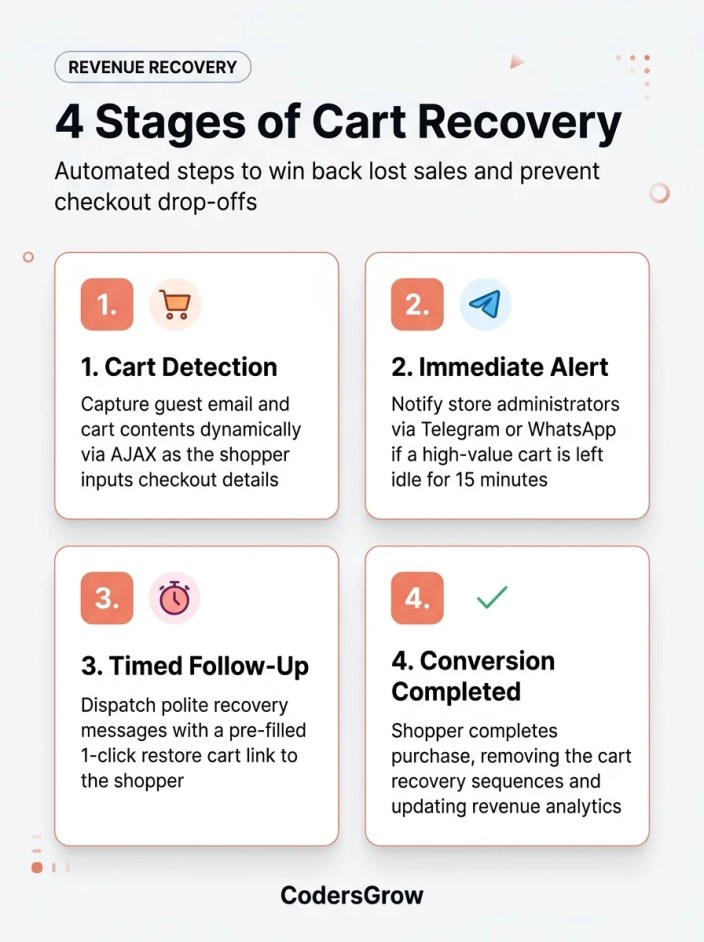
Figure 2: The 4-stage automated lifecycle of WooCommerce abandoned cart recovery.
Step-by-Step: WooCommerce Abandoned Cart Recovery with NotifyStore
↑ Back to topTo implement seamless cart capture and instant alerting without bloating your WordPress database, we utilize NotifyStore – Smart Store Alerts for WooCommerce, available on the official WooCommerce Marketplace.
Step 1: Activate Cart Tracking in NotifyStore
↑ Back to topNavigate to NotifyStore → Abandoned Cart within your WordPress admin:
- Enable the Track Abandoned Carts toggle.
- Set your Cutoff Duration (e.g., 20 minutes of shopper inactivity).
- Enable guest cart capture to collect pre-checkout entries when visitors enter their email or phone number before exiting.
Step 2: Configure Instant Mobile Alert Routing
↑ Back to topKeep your sales and customer success teams updated immediately when shoppers leave high-value baskets behind:
- Under NotifyStore → Notifications, enable the Abandoned Cart Alert trigger.
- Select your preferred notification destination: Telegram bot, WhatsApp Business Cloud API, or internal administrative email.
- Set a minimum cart value threshold (e.g., alert only on carts exceeding $50) to prevent notification fatigue while focusing team attention on high-impact revenue opportunities.
Step 3: Customize Win-Back Templates & Restore Links
↑ Back to topNotifyStore dynamically compiles a 1-click restore URL that reconstructs the buyer’s exact cart state. Personalize your outreach template using dynamic tags:
🛒 *Did you forget something, {customer_first_name}?*

Your cart with *{cart_items_count} items* (Total: {cart_total}) is still saved!
Items reserved for you:
{cart_items_summary}

Tap the link below to complete your checkout with 1 click:
{restore_cart_url}
Step 4: Monitor Recovery Analytics in Real Time
↑ Back to topThe integrated NotifyStore dashboard delivers transparent reporting on total abandoned sessions, recovered carts, and reclaimed revenue. Review conversion rates weekly to fine-tune your recovery messaging and cutoff intervals.
Strategies to Boost Cart Recovery Conversions
↑ Back to topMaximizing the efficiency of your woocommerce abandoned cart recovery campaigns requires thoughtful messaging and clear incentives:
- Offer Helpful Support Before Discounts: In your initial outreach message, ask if the shopper encountered technical problems or questions regarding shipping options rather than immediately discounting your products.
- Create Genuine Urgency: Inform shoppers if items in their cart are in limited supply. NotifyStore pairs perfectly with low stock triggers to alert customers when inventory is running low.
- Streamline Mobile Checkout: Ensure your checkout pages are lightweight, responsive, and accept modern express payment methods like Apple Pay and Google Pay to minimize friction when shoppers return. Detailed configuration best practices can be found in the NotifyStore Documentation.
Frequently Asked Questions
↑ Back to topHow does NotifyStore capture cart data for guest shoppers?
↑ Back to topNotifyStore captures guest cart information as soon as the user enters their contact details in the checkout field, using non-intrusive asynchronous AJAX scripts that do not impact page load performance.
Can I send abandoned cart alerts to my team via Telegram?
↑ Back to topYes. NotifyStore can broadcast an alert straight to your private Telegram chat or team channel the moment a cart qualifies as abandoned, enabling immediate concierge follow-up.
What happens when a shopper completes their purchase after receiving an alert?
↑ Back to topThe cart status automatically transitions to Recovered in your NotifyStore analytics, and any subsequent scheduled follow-up reminders are instantly cancelled.
Is NotifyStore compatible with WooCommerce High-Performance Order Storage (HPOS)?
↑ Back to topYes. NotifyStore is built from the ground up for full HPOS compatibility, ensuring rapid order database queries and zero checkout lag.
Start Recovering Lost Revenue Today
↑ Back to topCart abandonment is an inevitable facet of digital commerce, but losing those sales permanently is entirely optional. By establishing automated woocommerce abandoned cart recovery through NotifyStore, you turn lost checkout attempts into reliable, predictable profit.
Protect your store’s bottom line today. Explore NotifyStore – Smart Store Alerts for WooCommerce on CodersGrow or visit the official WooCommerce Marketplace listing to get started.

