
Smart Coupon Manager helps automate and manage coupon creation for both new and existing users in a WooCommerce store. Beyond generating and targeting coupons, it lets customers apply offers with a single click, turns any coupon into a shareable link for email and social media, and protects your discounts from repeat abuse — giving you flexible controls for targeting, restrictions, design, and cleanup, all built to boost conversions.
Features
↑ Back to top- Auto-Generated Coupon on Signup — Instantly generate a unique coupon when a user registers, delivered by email and shown on the cart page.
- Bulk Coupons for Existing Customers — Target users by role or order count with an automatic bulk coupon.
- One-Click Coupon Apply — Customers apply any eligible coupon directly from a cart-page panel — no code typing required.
- Shareable Coupon Links (URL Coupons) — Turn any coupon into a link that applies itself (and can add products) the moment someone visits it.
- Social Media Sharing — Share a coupon link to WhatsApp, Facebook, X, or LinkedIn in one click.
- Coupon Abuse Protection — Block repeat signup-discount claims from the same email or shipping address.
- Customizable Coupon Design — 8 card styles and 6 color palettes with a live preview.
- Manual Coupon Curation — Feature any hand-picked coupon in the Available Coupons panel.
- Automatic Coupon Cleanup — Delete expired or fully-used coupons on a schedule from 1 hour to 6 months.
- Coupon Export — Export all coupons to CSV with shareable links included.
- Cart Block Compatible — Works with both the classic WooCommerce cart and the new Cart block.
- Auto-Email + Resend — Signup coupons are emailed automatically, and can be resent to any user on demand.
- Product & Category Restrictions — Apply coupons only to selected products or categories.
- Cart Total Restrictions — Set minimum and maximum cart totals for coupon eligibility.
Installation
↑ Back to topTo start using a product from WooCommerce.com, you can use the “Add to store” functionality on the order confirmation page or the My subscriptions section in your account.
- Navigate to My subscriptions.
- Find the Add to store button next to the product you’re planning to install.
- Follow the instructions on the screen, and the product will be automatically added to your store.
Alternative options and more information at:
Managing WooCommerce.com subscriptions.
Configuration
↑ Back to topAfter activation, go to:
WooCommerce → Coupon Manager
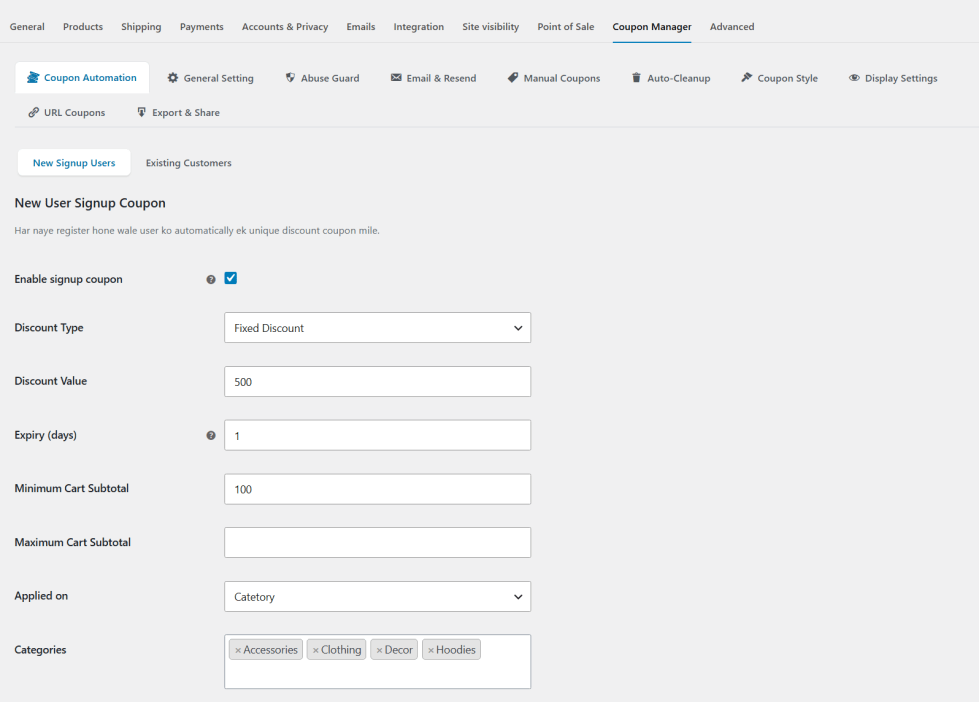
New User Signup Coupon
↑ Back to topAutomatically generates a unique discount coupon for every new customer the moment they register, and emails it to them right away. You control the discount type, amount, expiry, and which products or categories it applies to.
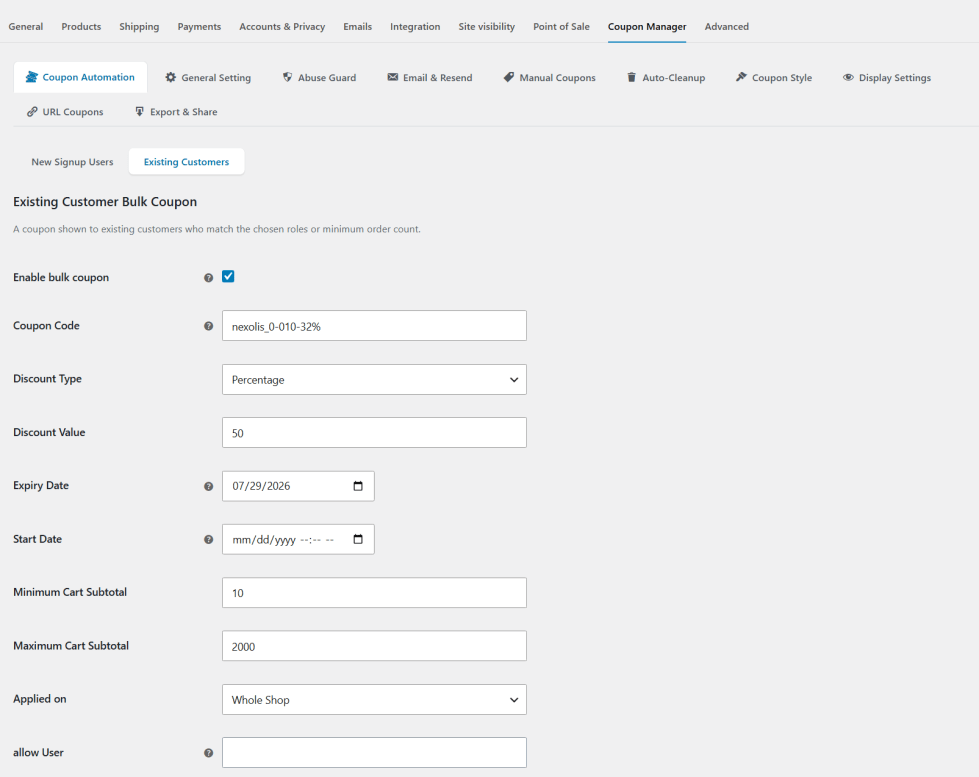
Existing Customer
↑ Back to topAutomatically shows a bulk coupon to existing customers who match the roles or order-count conditions you set — a simple way to reward loyal shoppers without creating individual codes by hand.
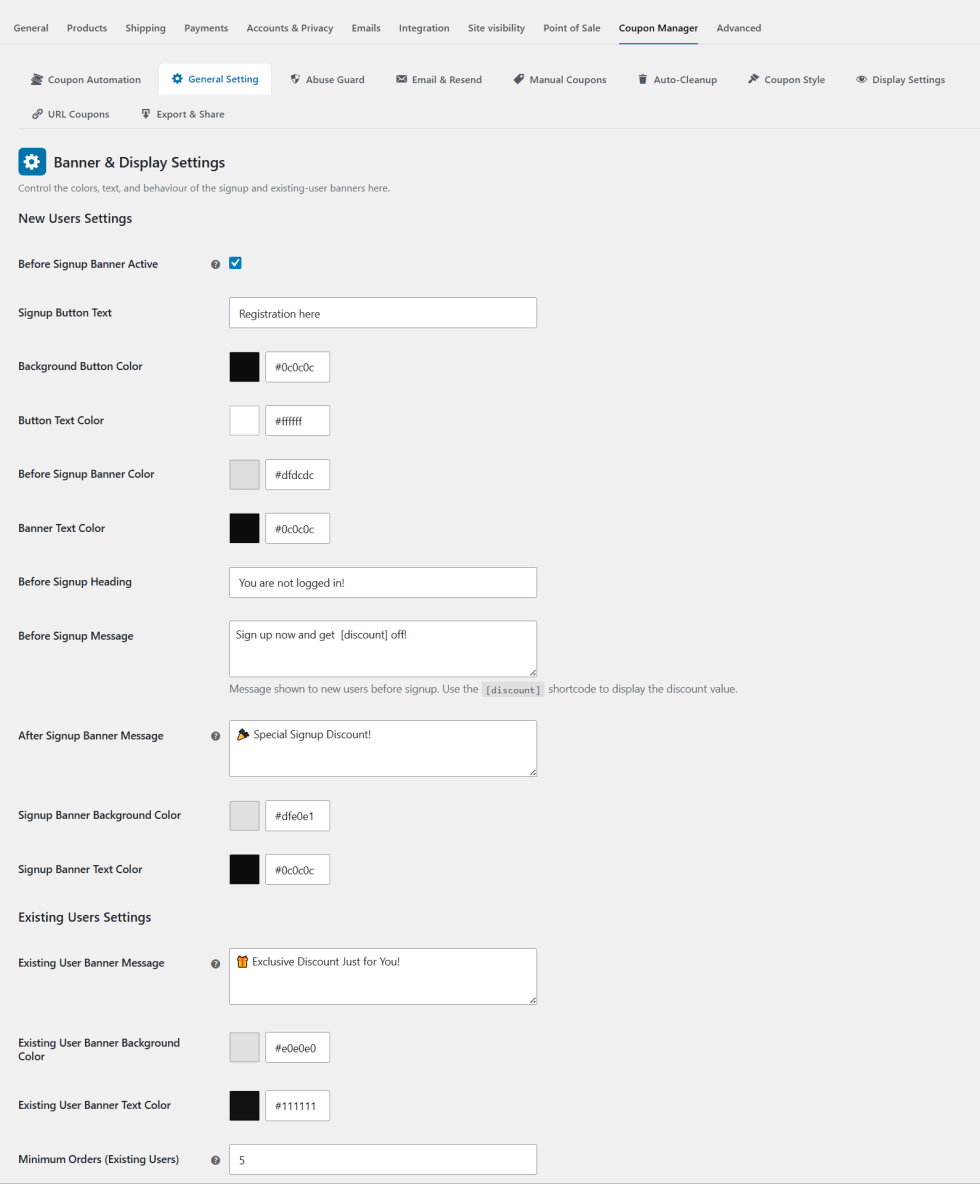
General Settings
↑ Back to topControls how and where your coupons appear on the you theme — whether the Available Coupons panel stays visible, opens by default, and shows each coupon’s description.
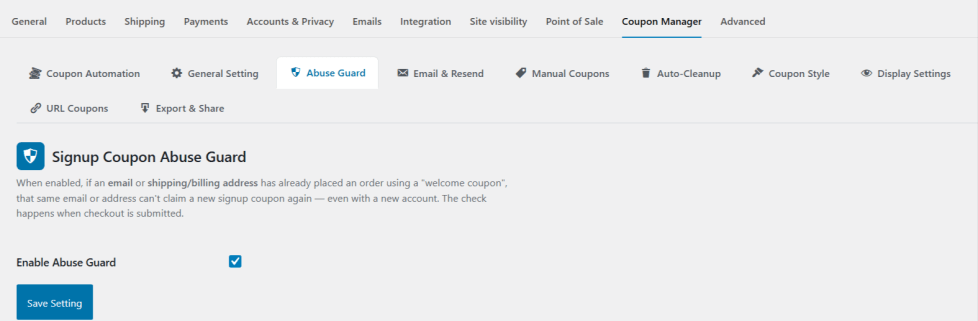
Signup Coupon Abuse Guard
↑ Back to topStops the same customer from claiming your welcome discount twice. It checks the customer’s email and shipping address against past orders, and blocks the coupon at checkout if either was already used.
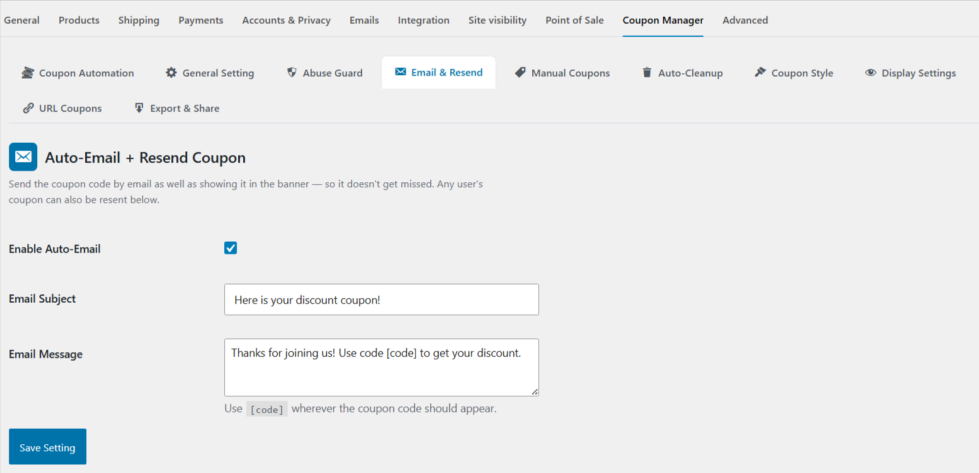
Auto-Email + Resend Coupon
↑ Back to topEmails every signup coupon automatically as soon as it’s created, so customers never miss it.
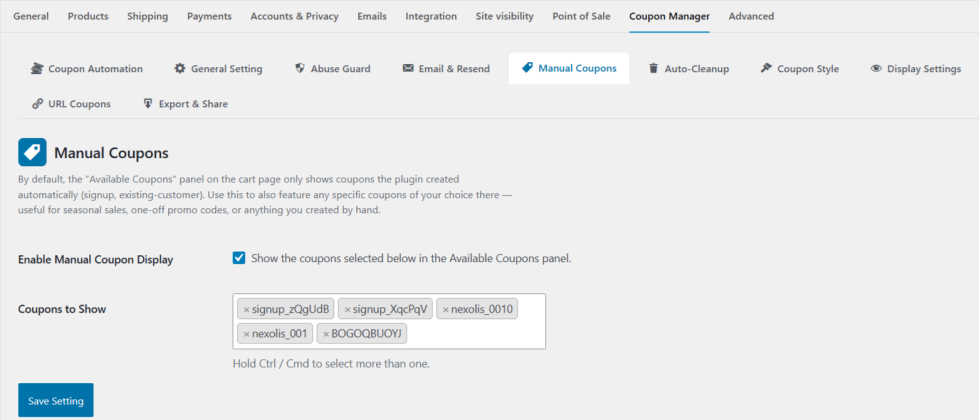
Manual Coupons
↑ Back to topLets you feature any coupon of your choice in the Available Coupons panel, alongside the ones the plugin generates automatically — great for seasonal sales or one-off promotions.
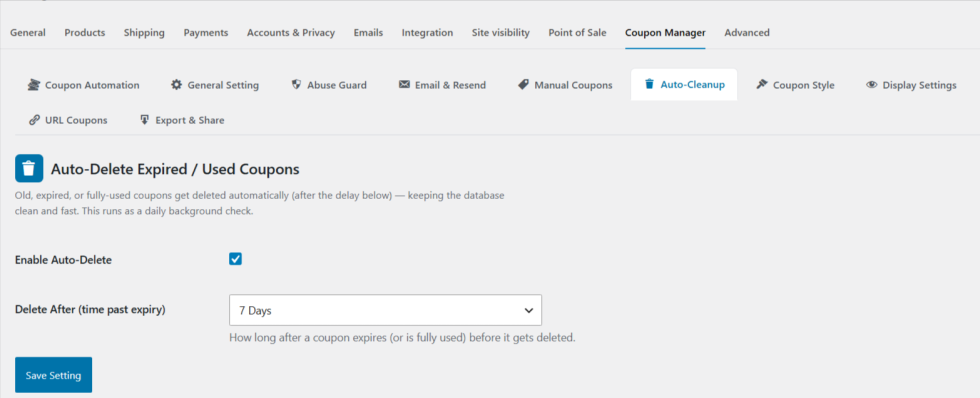
Auto-Delete Expired / Used Coupons
↑ Back to topAutomatically removes expired or fully-used coupons from your store on a schedule you choose, from 1 hour up to 6 months after expiry — keeping your coupons list clean without any manual work.
Coupon Style
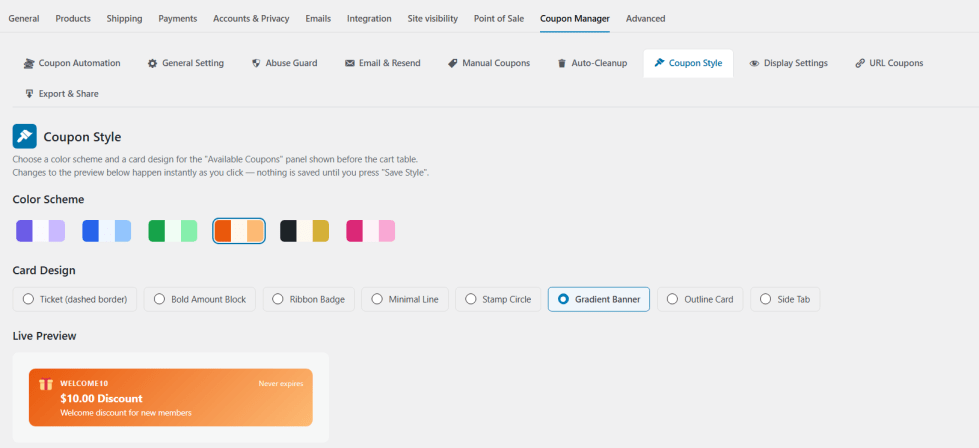
↑ Back to topCustomize how your coupons look with 8 card designs and 6 color palettes, previewed live as you make changes — no coding required to match your store’s branding.
Store Notice
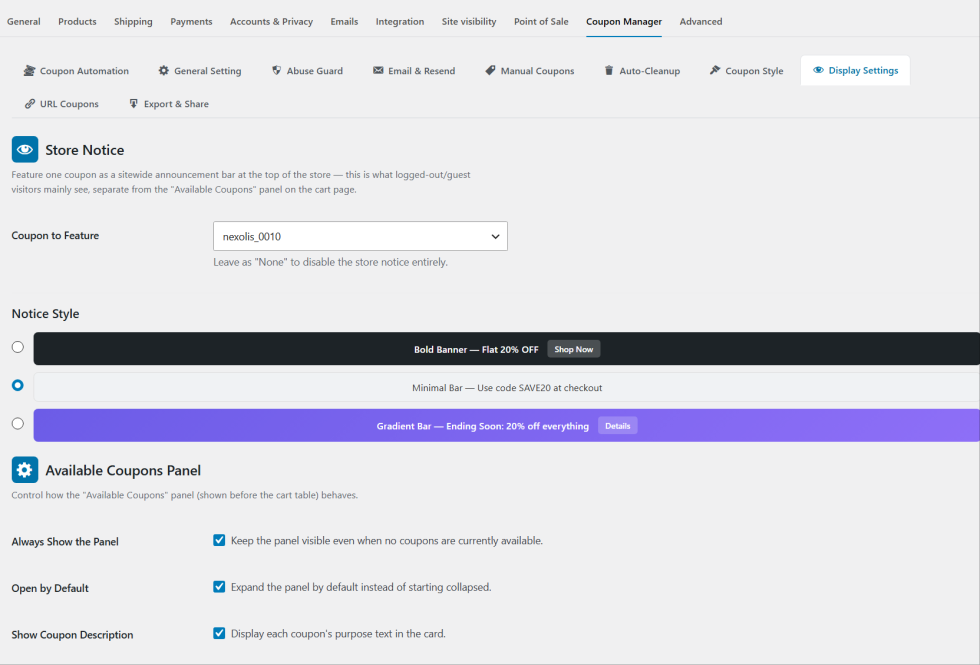
↑ Back to topDisplays a sitewide announcement bar at the top of every page, featuring a coupon of your choice — the main offer guests and logged-out visitors will see, with a one-click “Apply Now” button.
Create a URL Coupon Rule
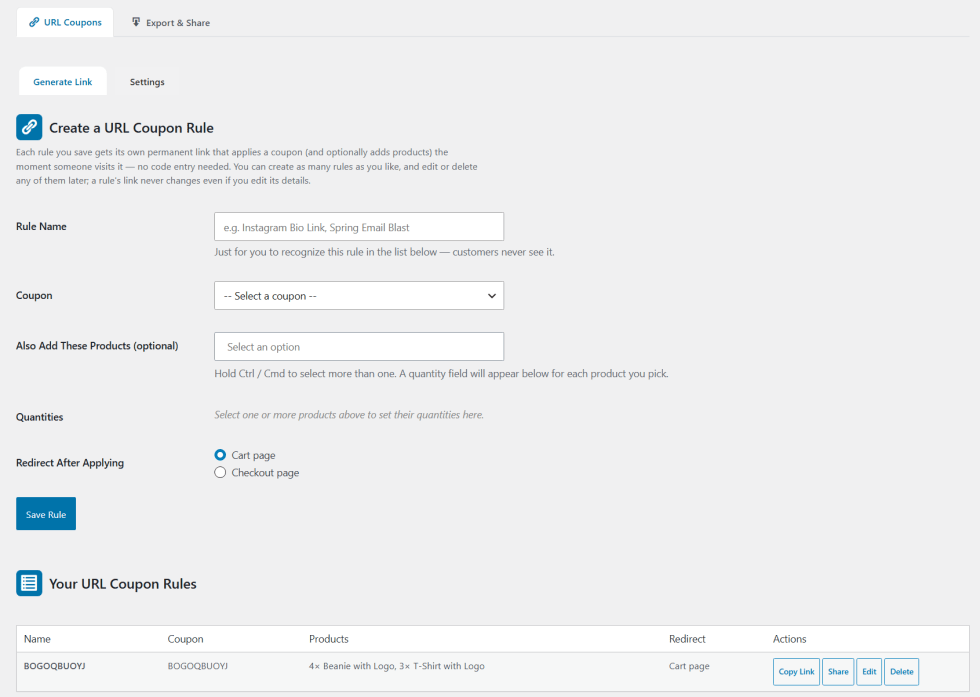
↑ Back to topTurns any coupon into a shareable link that applies itself automatically when visited, optionally adding specific products to the cart and redirecting the customer afterward — ideal for email and social media promotions.
URL Coupon Settings
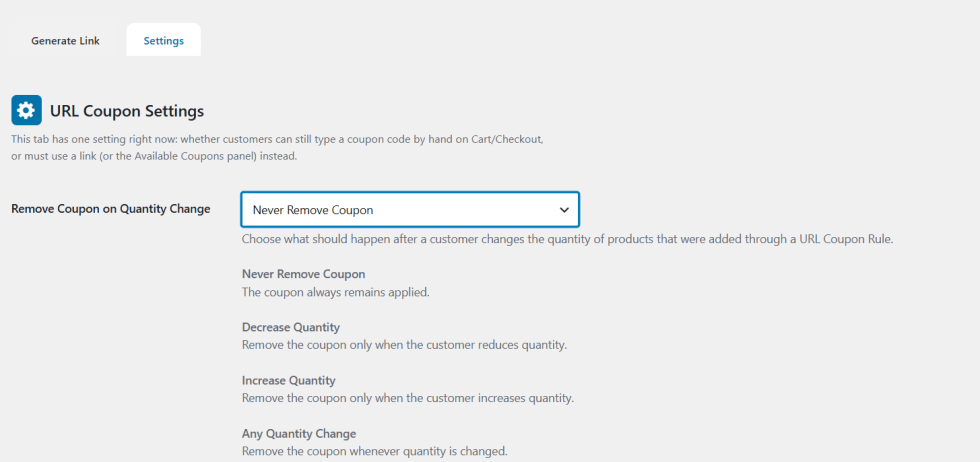
↑ Back to topOptionally hide the plain “Coupon code” box on Cart and Checkout so coupons can only be applied via a link or the Available Coupons panel, and choose whether a coupon should be removed if a customer changes the quantity of a product added through a URL Coupon Rule.
Export & Share Coupons
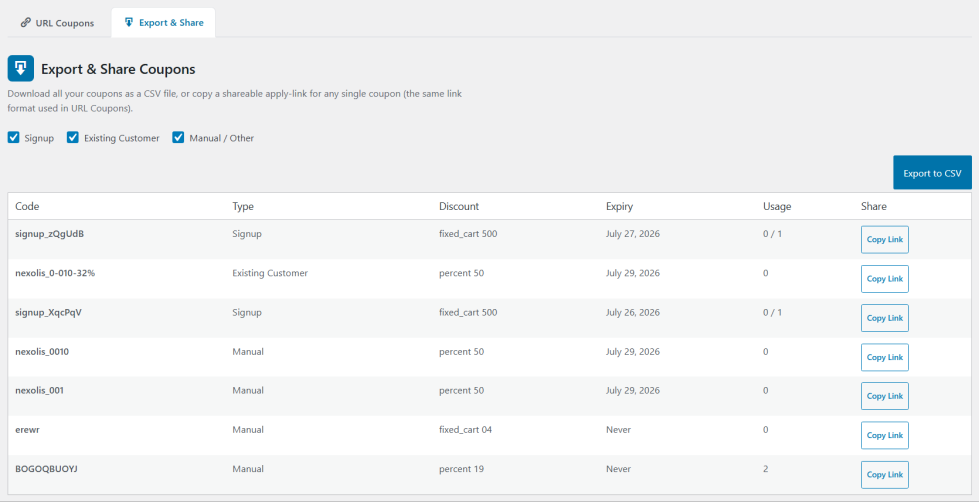
↑ Back to topExports your coupons to a CSV file, complete with discount details, expiry, usage stats, and a shareable link for each — and lets you copy an individual coupon’s link directly for quick sharing.
Use Cases
↑ Back to top- Automatically welcome new signups with a personalized discount, delivered by email and shown on the cart page.
- Reward returning customers with a bulk coupon shown automatically based on role or order history.
- Turn any coupon into a shareable link for email, WhatsApp, or social media that applies itself on click.
- Let customers apply coupons on the cart page with one click, no code typing required.
- Prevent the same customer from claiming a welcome discount twice using a different email or address.
- Match coupon design to your brand with customizable card styles and color palettes. Automatically delete expired or used-up coupons on a schedule you control.
- Export all coupons to CSV for reporting or sharing with a team.
Benefits
↑ Back to top- Saves time by automating coupon creation, delivery, and cleanup.
- Increases conversions by making coupons easier to discover and apply.
- Protects revenue by blocking repeat abuse of signup discounts.
- Gives your store a more professional, on-brand coupon experience.
- Extends marketing reach beyond email through shareable links and social sharing.
- Works seamlessly with both the classic WooCommerce cart and the new Cart block.
- Keeps your coupon list organized as your store scales.

