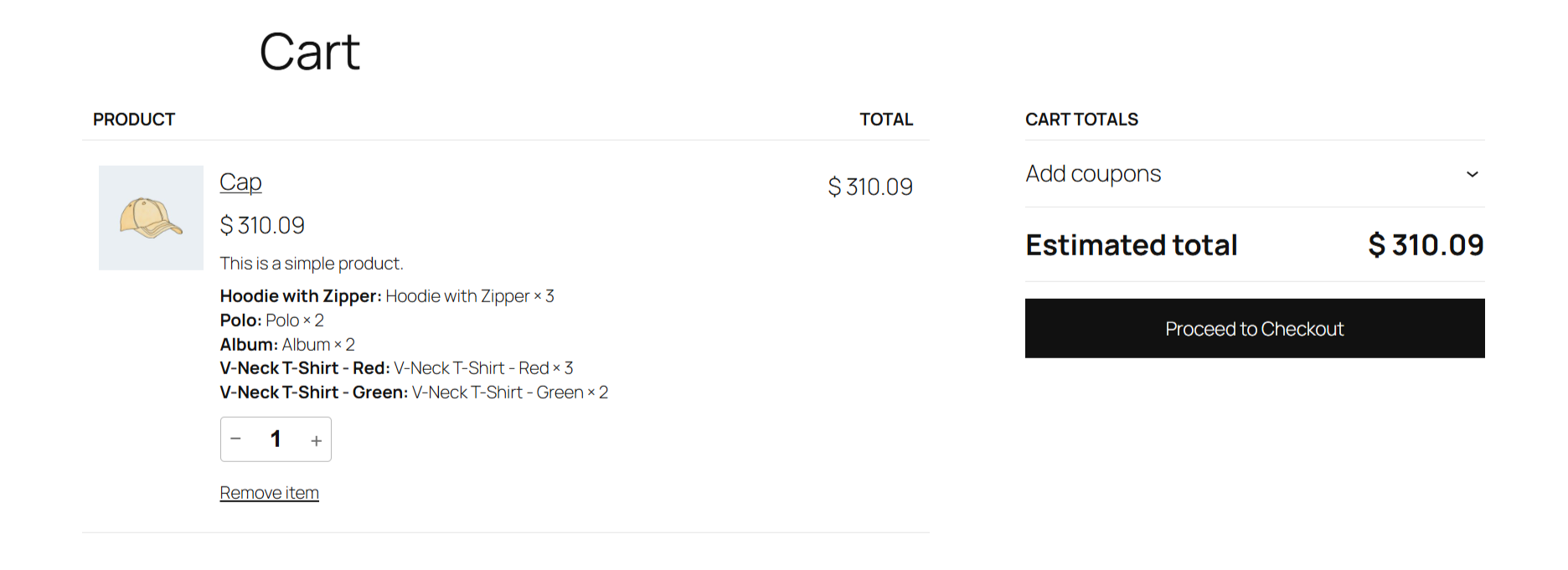
Ultimate Mix and Match Products allows you to create fully customizable product boxes, bundles, and build-your-own assortments. Customers can select items, choose quantities, mix variations, and build a personalized box directly from the product page.
This extension supports dynamic pricing, quantity-based discounts, flexible pack rules, and has full WooCommerce integration — making it perfect for gift sets, sampler packs, food assortments, beauty kits, and more.
Features
↑ Back to top- Create fully customizable product boxes
- Allow customers to mix simple products and variations
- Set minimum and maximum item limits
- Enable partial or full box requirements
- Offer base price, per-item price, or combined pricing
- Real-time price calculation while customers select items
- Built-in quantity-based discount system
- Smart inventory validation on all selected products
- Automatically disable out-of-stock items
- Grid or list layout product display
- Add multiple boxes to cart with full stock checks
- Works with block and classic WooCommerce themes
- Mobile-friendly and responsive builder interface
- Customizable templates using WooCommerce overrides
- Seamless cart, checkout, and order integration
- Beginner-friendly setup with clear options
- Fast, lightweight, and code-optimized
Installation
↑ Back to topTo start using a product from WooCommerce.com, you can use the “Add to store” functionality on the order confirmation page or the My subscriptions section in your account.
- Navigate to My subscriptions.
- Find the Add to store button next to the product you’re planning to install.
- Follow the instructions on the screen, and the product will be automatically added to your store.
Alternative options and more information at:
Managing WooCommerce.com subscriptions.

Setup and configuration
↑ Back to top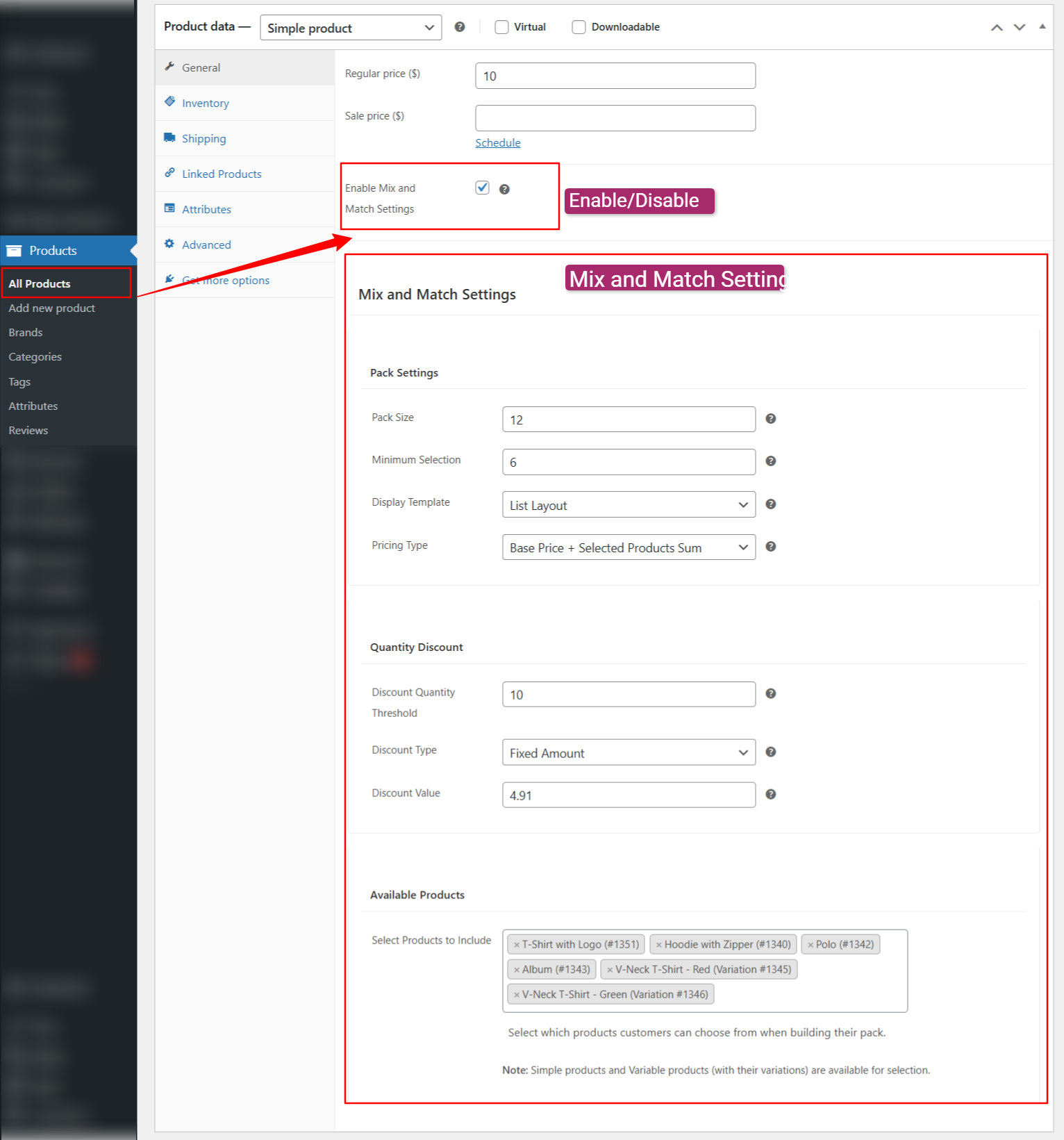
Getting started
↑ Back to top- Create and publish a product by navigating to Products > Add New (or edit an existing product)
- In the Product data meta box, click the General tab, then tick the Enable Mix and Match Settings checkbox.
- Under Mix and Match Settings, configure pack size, pricing, allowed products, and discounts.
Mix and match settings
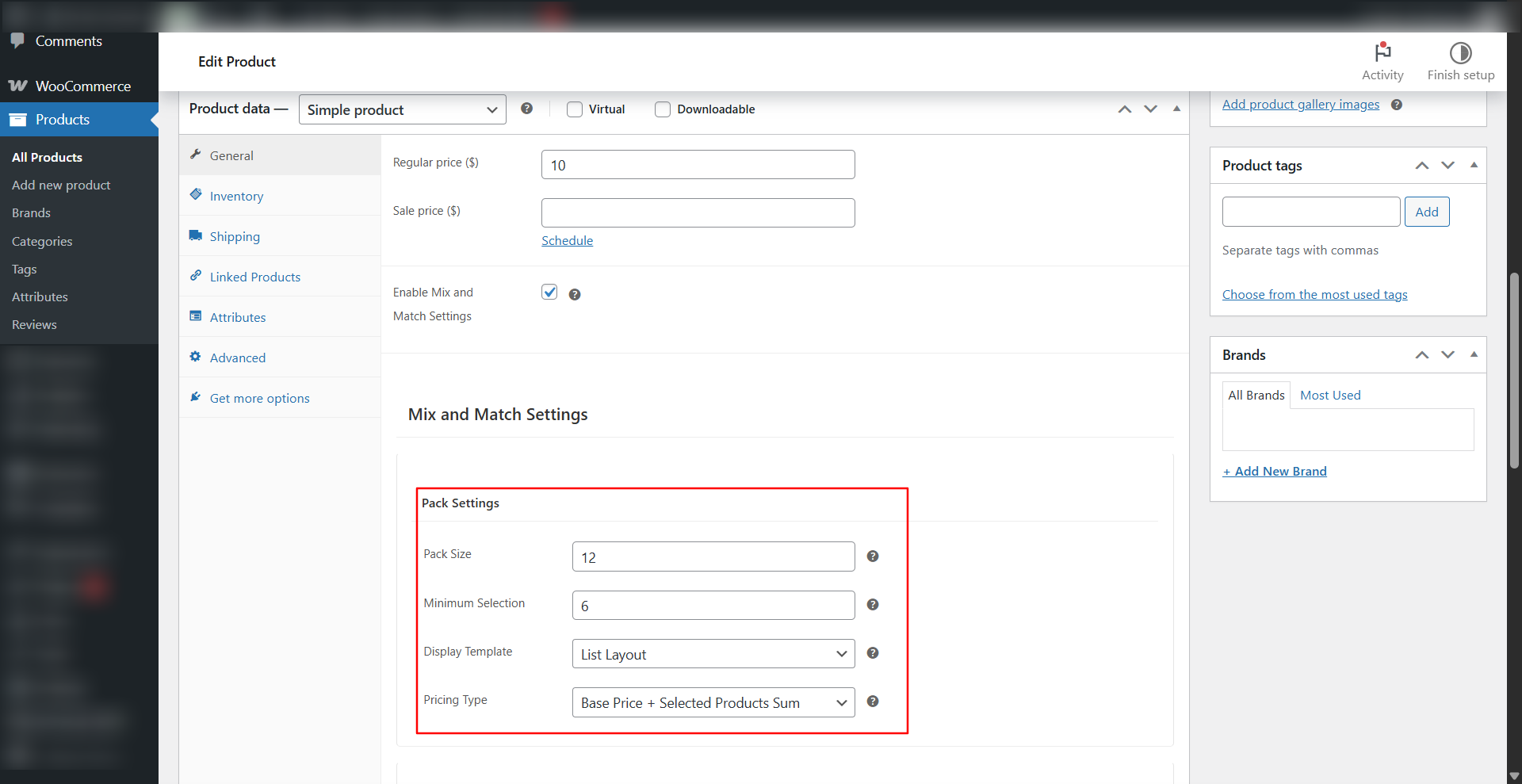
↑ Back to topPack configuration
↑ Back to top- Maximum pack size
- Minimum required items
- Allow or disallow partial boxes
Allowed products
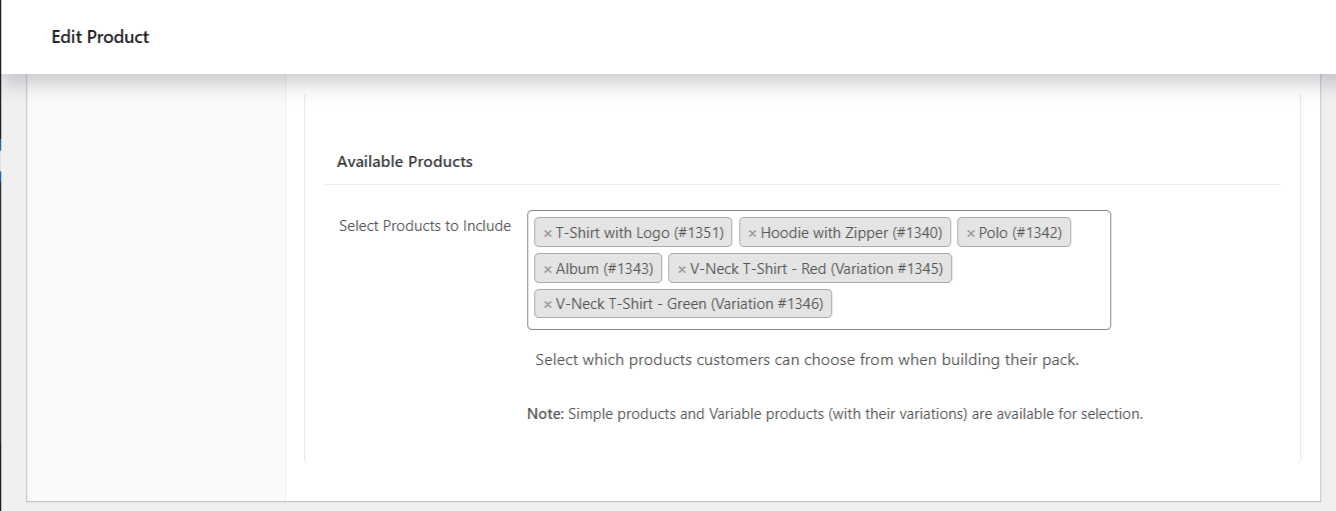
↑ Back to topSelect which items can appear in the builder:
- Simple products
- Variations
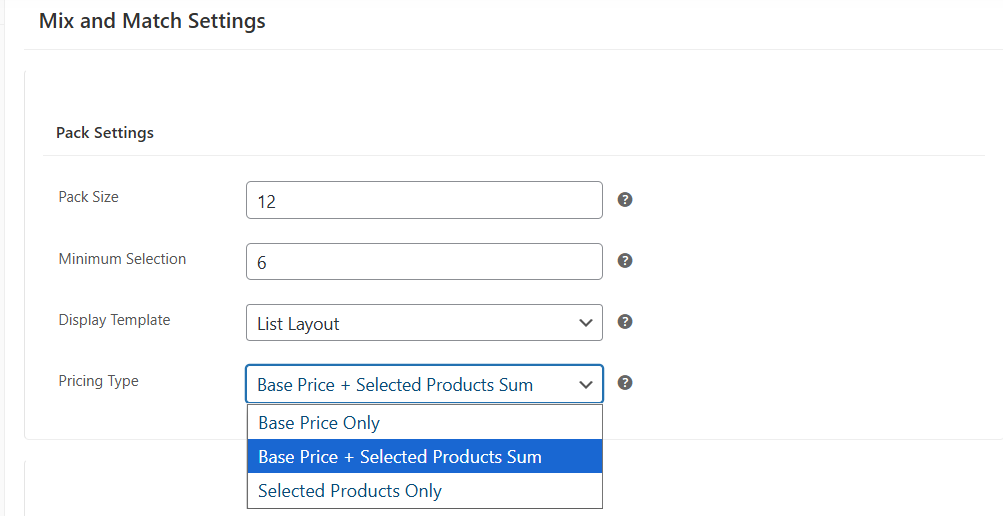
Pricing options
↑ Back to top- Base price only
- Per-item pricing
- Base + item pricing
Discount options
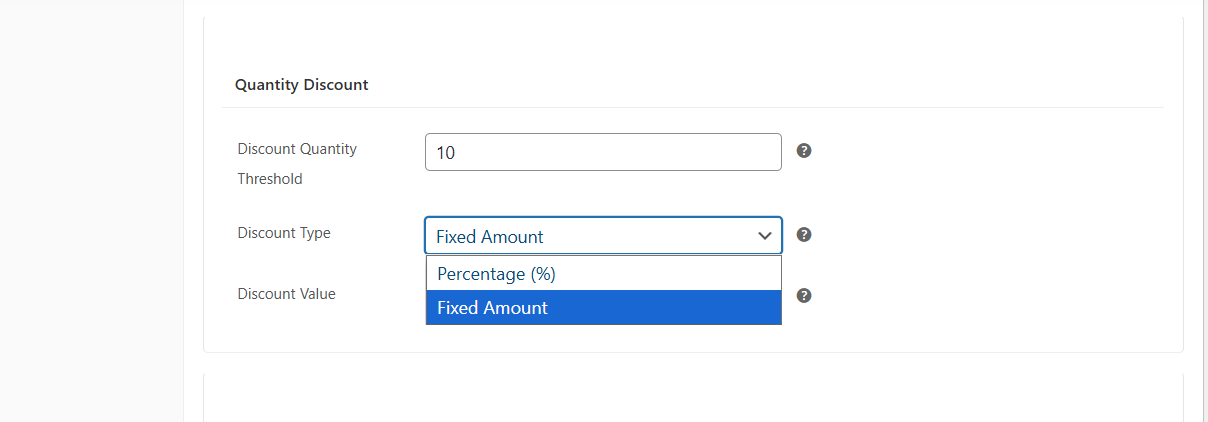
↑ Back to top- Percentage discounts
- Fixed amount discounts
- Tier-based discounts
Layout options
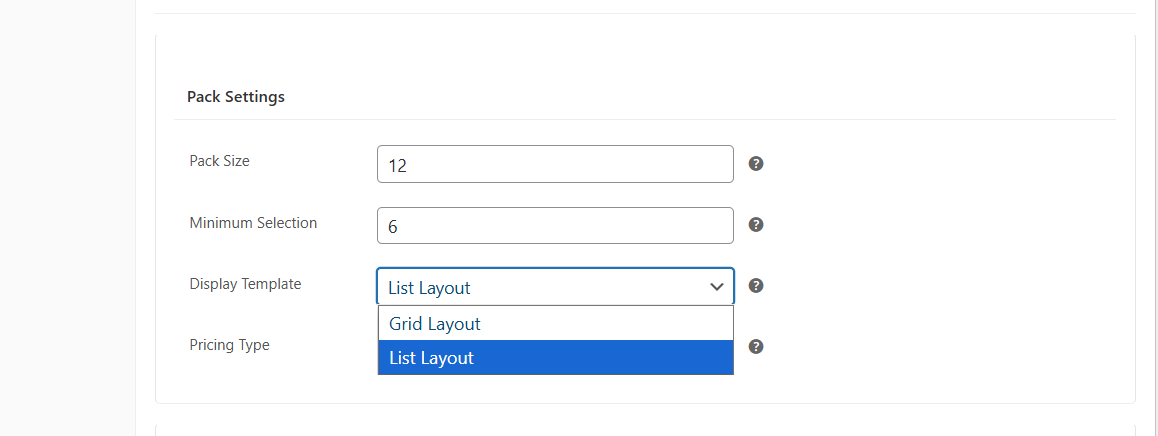
↑ Back to top- Grid or list view
- Customized product display elements
Front-end experience
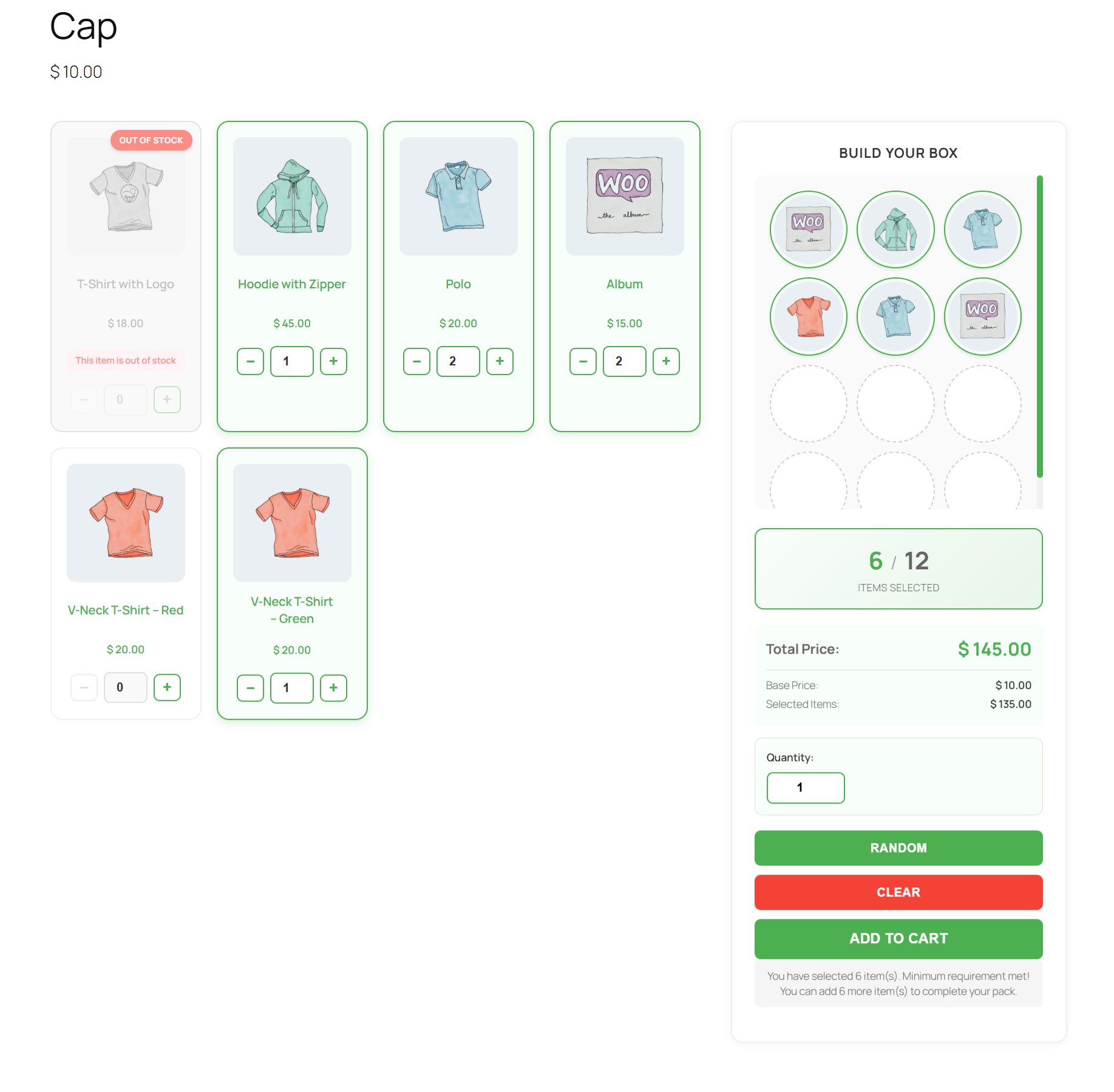
↑ Back to topCustomers see:
- A box quantity selector to add multiple boxes
- A product builder where they can add items
- Live price updates
- Quantity controls
- Stock indicators
- Clear minimum/maximum item validation
Cart and checkout
↑ Back to topThis extension ensures that:
- All selected items appear inside cart and order details
- Pricing and discounts are applied correctly
- Each box is preserved as a structured item