
The WooCommerce Name Your Price extension empowers you to offer flexible pricing for selected products. Perfect for user-determined donations, market testing, or innovative sales strategies, this extension allows customers to input the price they are willing to pay. You can suggest a price, enforce a minimum, or leave it entirely up to the customer, making it a versatile tool for engaging your audience and exploring dynamic pricing models.

Minimum Requirements
↑ Back to top- WordPress 6.2+
- WooCommerce 8.2+
- PHP 7.4+
Product Type Support
↑ Back to topName Your Price works with the following WooCommerce product types:
- Simple Products
- Variable Products – individual variations can be Name Your Price-enabled
- Subscriptions – Both simple and variable subscriptions are supported.
- Product Bundles – The entire bundle can be Name Your Price. Per-product pricing supports simple products that are Name Your Price-enabled. Note: The Bundle Sells feature does not support Name Your Price.
- Composite Products – same as Bundles
- Mix and Match Products – The entire package can be Name Your Price.
- WooCommerce Account Funds
- WooCommerce Deposits
Additionally, Name Your Price is also compatible with:
- WooCommerce Product Add-ons: Add-ons will detect the user-entered price and use it to calculate the product’s total price
- Gift Cards: Sell digital cards with customer-entered amounts.
- One Page Checkout: Product Table, Single Product, and Pricing Table templates
- PDF Product Vouchers – Sell customizable PDF site vouchers
- Bulk Shop – Display multiple products at once in a table for quick ordering
For more information about compatibility and integrations, please see here.
Download & Install
↑ Back to topDownloading
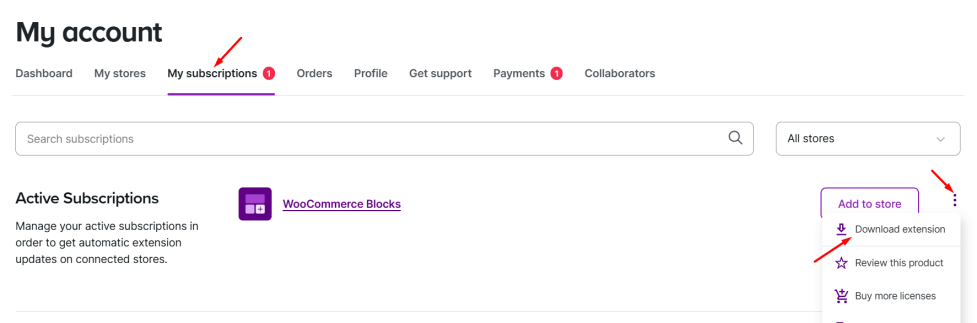
↑ Back to top- Go to your WooCommerce My Account > My Subscriptions dashboard.
- Locate the extension in the list.
- Click on the menu to the right of the extension, then select Download extension.
Installation
↑ Back to top- Log in to your site’s WordPress Administrative Dashboard.
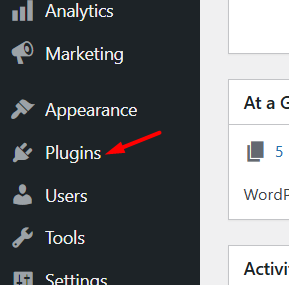
- Navigate to the Plugins Dashboard from the left sidebar.
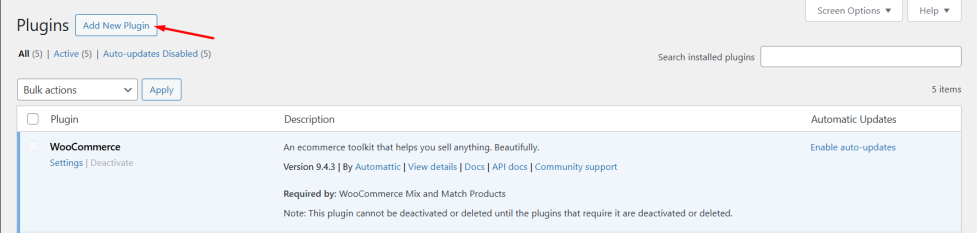
- Click on the Add New Plugin button.
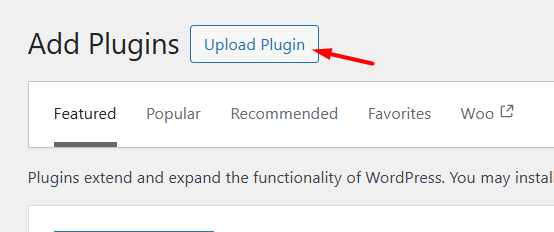
- Click on the Upload Plugin button.
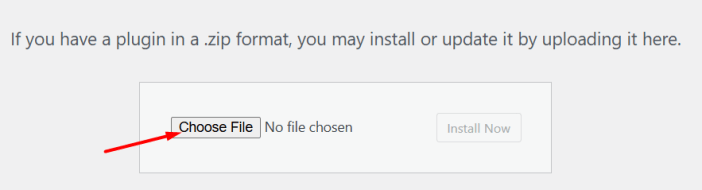
- Click on the Choose File button and select the extension file that was downloaded earlier.
- After the installation has completed, click on the Activate Plugin button.
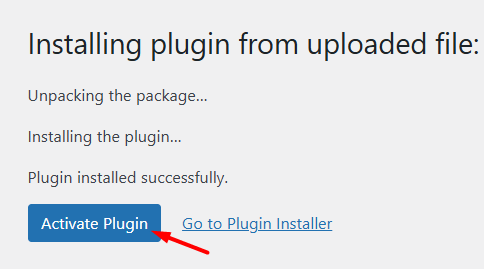
- Congratulations! The extension has been successfully installed, activated, and is ready for use!
Global Plugin Settings
↑ Back to topName Your Price’s store-wide settings live at WooCommerce > Settings > Name Your Price: the customer-facing text strings, two style options, and the Advanced Options group (Enable edit in cart and Enable strict sold-individually). Every setting, with its default value, is listed in the Name Your Price: Settings reference.
Guides
↑ Back to topEach guide covers one job, from enabling Name Your Price on a product to letting subscribers change their recurring amount:
| Guide | What it covers |
|---|---|
| Products | Enabling Name Your Price on simple and variable products, and how the suggested, minimum, and maximum prices behave |
| Subscriptions | Recurring amounts customers set themselves, and letting them change the amount later |
| Donations | Setting up a pay-what-you-want donation product, one-time or recurring |
| Settings reference | Every global setting: text strings, styles, and advanced options |
| Compatibility and integrations | Which extensions and gateways are supported, and how |
Questions & Support
↑ Back to topHave a question before you buy? Please fill out this pre-sales form.
Already purchased and need some assistance? Get in touch the developer via the Help Desk.
For additional guidance and answers to common questions, please visit our FAQ page. It’s a great resource for troubleshooting and tips!
Document Version: 1.3
Last Updated: September 27th, 2026
NYP Version Covered: 3.6.0+

