
A QR code turns an affiliate’s referral link into something they can print, display or show on a screen — on packaging, a market stall, a business card or a slide — and the scan is tracked exactly like a click. Affiliate and Referral Program for WooCommerce builds the code inside the affiliate’s own dashboard, so you never generate anything by hand. Part of the Affiliate and Referral for WooCommerce documentation.
Turn on QR codes
↑ Back to top- Go to: WooCommerce > Affiliate & Referral > Advanced Features > General.
- Turn on QR code for referral links.
- Save Changes.

The QR tools now appear for every affiliate. There is nothing to configure per affiliate.
How an affiliate creates one
↑ Back to topQR codes are made on the affiliate dashboard, on the link generator tab. Share these steps with your affiliates:
- Open the affiliate dashboard and choose Affiliate Tools > Generate Link.
- In Enter Url and generate your link, paste any page on the store — the home page, a product, or a category — and press Generate Link.
- Press Create QR code. The code for that exact link appears below.
- Press Download QR to save it as a PNG image.
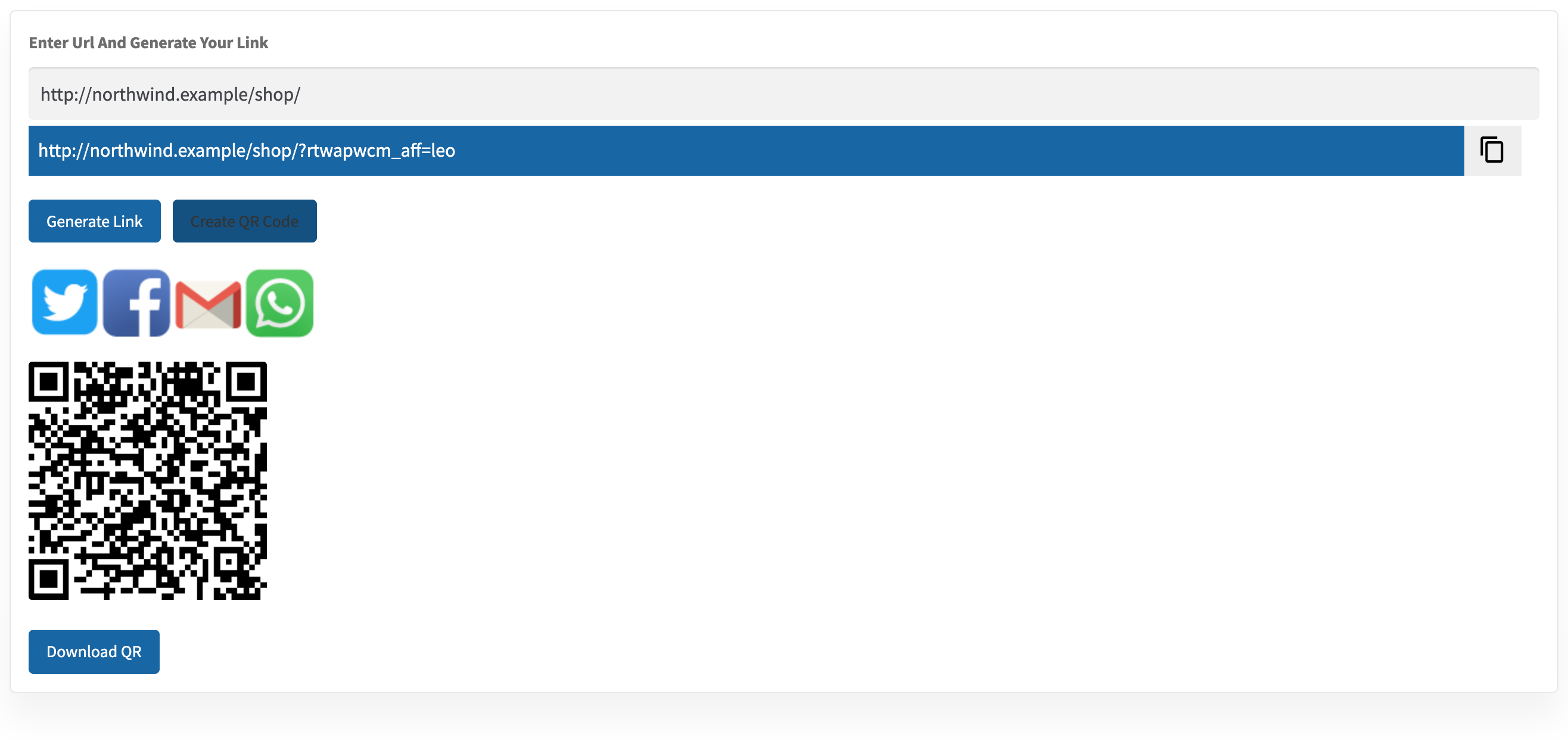
Because the code is built from whatever link the affiliate just generated, they can make a different code for every campaign — one for a product they are reviewing, one for a category, one for the home page.
The link has to be generated before the QR code can be created — the two buttons work in that order. The code is created fresh each time and is not stored, so an affiliate who reloads the dashboard simply generates it again.
How scans are tracked
↑ Back to topA scan opens the referral link in the visitor’s browser, so it is tracked and credited exactly like a click on the same link — same attribution, same cookie duration, same commission rules. Scans count as clicks on that link in the affiliate’s Report, under Extra. See How Referral Tracking and Attribution Work.
There is no separate scan counter: a QR scan and a tapped link are indistinguishable in the reports. If an affiliate wants to measure a printed campaign on its own, have them generate a code for a distinct landing page — for example a category page they only ever promote on that flyer — so its numbers stand apart in their link report.
Practical advice for print
↑ Back to top- The downloaded PNG is a fixed-size black-and-white code. Scale it in your design tool rather than expecting size or colour options.
- Keep a clear margin around the code and avoid printing it over artwork — quiet space is what makes a code scan reliably.
- Test the printed code with a phone before committing to a print run, especially at small sizes.
- Codes for short URLs scan more easily than codes for long ones — a home-page or category link is a better print target than a deep link with a long path.
FAQ
↑ Back to topCan an affiliate make a QR code for one product?
↑ Back to topYes — any page on your store. They paste the product address into Generate Link, generate the referral link, then create the code from it. See How to Create and Share Referral Links.
Do I have to approve or generate codes for my affiliates?
↑ Back to topNo. Turning the setting on is the only step you take; affiliates create their own codes whenever they need one.
Can I see how many people scanned a code?
↑ Back to topScans are counted with clicks on the same link rather than separately. Use a distinct landing page per printed campaign if you need to tell them apart.
Does a QR code expire?
↑ Back to topNo. The image does not expire, and neither does the link it contains. The usual referral rules still decide the commission when someone buys after scanning. More questions are answered in the Affiliate and Referral Program: FAQ.

