
Bonuses reward the affiliate work that is not a sale: bringing in signups, sending clicks, delivering leads and sharing products. Affiliate and Referral Program for WooCommerce sets these recurring rewards on the Bonus settings tab, and each one lands as a record for you to approve, like a commission. Part of the Affiliate and Referral for WooCommerce documentation.
Where bonus settings live
↑ Back to topGo to: WooCommerce > Affiliate & Referral > Bonuses and open the Bonus settings tab. Every bonus is a field on this tab — an amount of 0 leaves that bonus off, so you can run exactly the mix you want. Click Save Changes after editing.
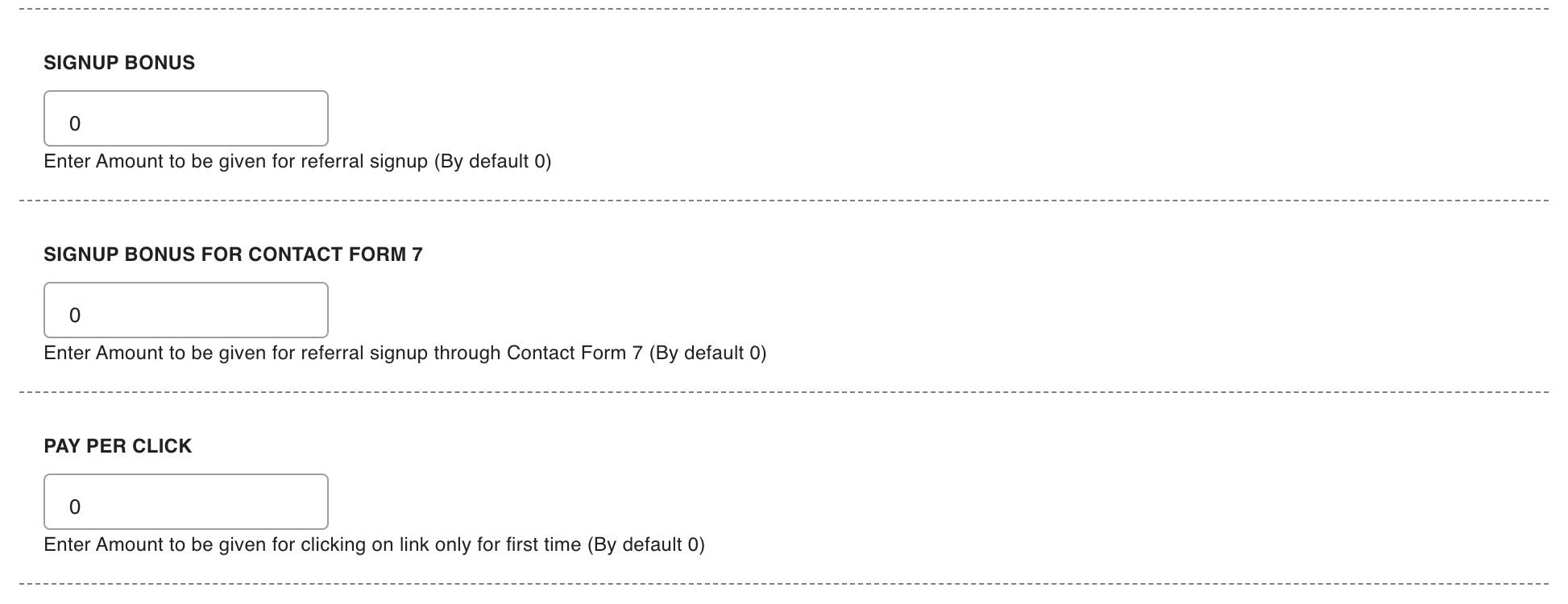
Approved bonuses are added to the affiliate’s wallet like commissions. One-time rewards for reaching a target are set on the other tab — see Performance Bonuses and Rank Rewards for Affiliates.
Signup bonus
↑ Back to topPays the referring affiliate when someone they sent joins the affiliate program. Set the amount in Signup Bonus. The companion setting Signup Bonus Type decides what counts as “sent by them”:
- Referral Link – the default: signups after clicking the affiliate’s link qualify.
- Referral Code – signups qualify by entering the affiliate’s code instead.
Signup Bonus Type decides how a referred signup is recognized — for the signup bonus and for placing the new affiliate in a multi-tier network. With Referral Code, only the code entered at registration counts, not a referral link. Commission on orders is not affected: links, coupons and checkout codes keep crediting affiliates, whatever the note beside the setting says.
Lead bonus from Contact Form 7
↑ Back to topIf your store runs the Contact Form 7 plugin, Signup Bonus for Contact Form 7 pays the referring affiliate when a visitor they sent submits one of your forms — a lead bonus for stores whose sales close off-site. The visitor must still carry the affiliate’s referral cookie when they submit, so the cookie lifetime decides how long a lead counts.
Pay per click
↑ Back to topPay per Click pays a small amount for the traffic itself. It counts a visitor’s first click only — repeat clicks from the same visitor do not add up — which keeps the bonus honest without any work from you. Keep the amount small: it is paid for visits, not sales.
Sharing bonus
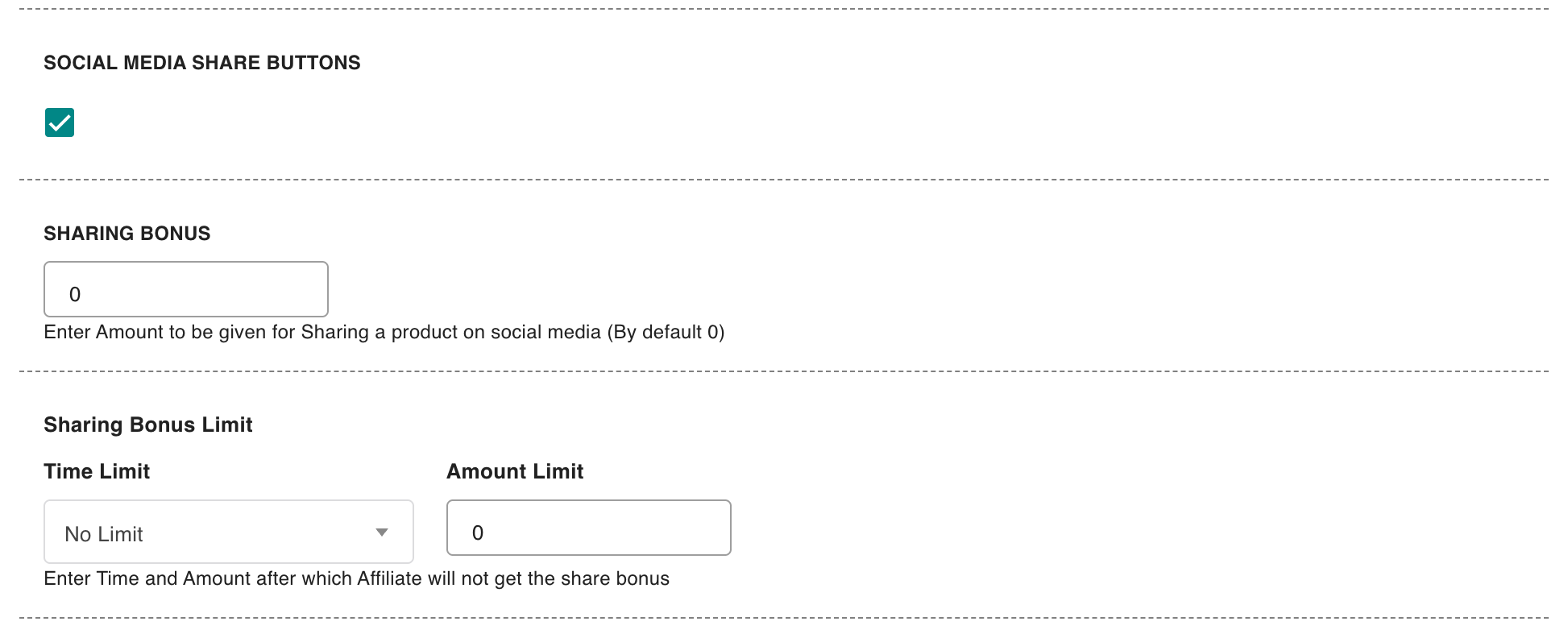
↑ Back to topTurn on Social Media Share Buttons and affiliates get sharing buttons for Twitter, Facebook, WhatsApp and email next to their referral links. Sharing Bonus then pays an amount when a purchase comes through a shared product link — sharing the link on its own earns nothing. Because shares are cheap to make, the Sharing Bonus Limit fields cap the bonus: choose a Time Limit — No Limit, Daily Limit, Weekly Limit or Monthly Limit — and the Amount Limit an affiliate can earn in that period.
The checkout referral field
↑ Back to topEnable checkout referral field, on the same tab, adds a field where customers can type an affiliate’s referral code at checkout. It is explained in How Referral Tracking and Attribution Work.
Approving bonuses
↑ Back to topEvery bonus is created as a pending record on the Manage Referrals screen — nothing reaches a wallet until you approve it. Bonuses are always approved by hand, even when commission on orders is approved automatically. The flow is covered in Approve, Reject and Manage Referrals.
FAQ
↑ Back to topCan I run several bonus types at once?
↑ Back to topYes. Each bonus is independent — set an amount on the ones you want and leave the rest at 0. An active affiliate can earn a signup bonus, click bonuses and a performance bonus side by side.
Where do affiliates see their bonuses?
↑ Back to topIn the Bonuses block on the Commissions tab of their dashboard, which explains each bonus and what earns it.
Do bonuses count toward the monthly commission cap?
↑ Back to topNo. The monthly cap applies to commission on orders; bonuses you approve are credited in full. Price your bonus amounts with that in mind. More questions are answered in the Affiliate and Referral Program: FAQ.

