
AutomateWoo can be used to “pause” WooCommerce subscription renewals for customers by giving them a few months for free.
Pausing monthly subscriptions
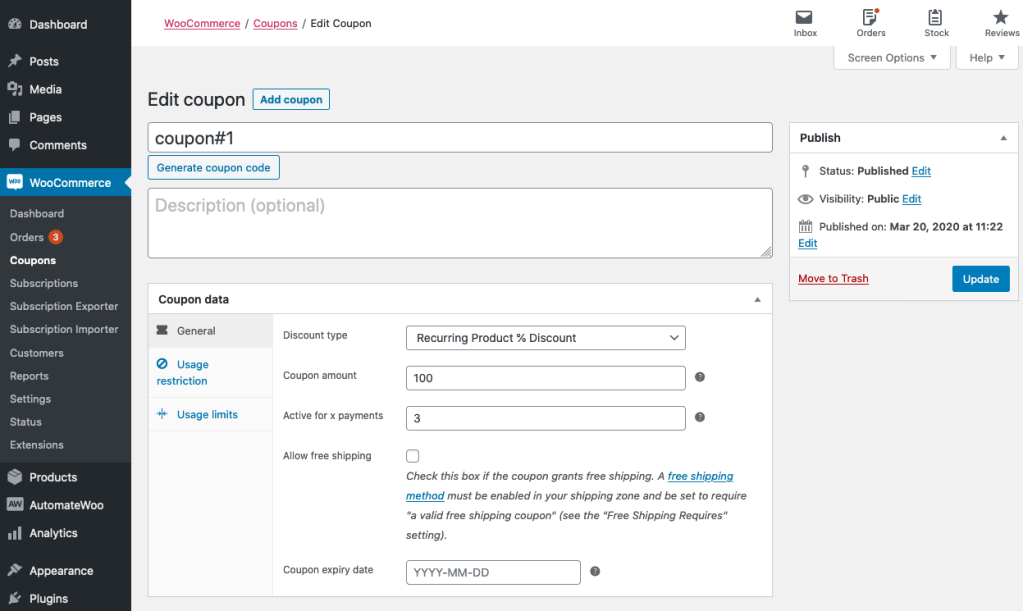
↑ Back to topIn order to do this, first create a subscription coupon at WooCommerce > Coupons > Add New.
- Choose “Recurring Product % Discount” as the type
- Add 100 as the Coupon amount
- Limit the coupon to be active for only 3 payments
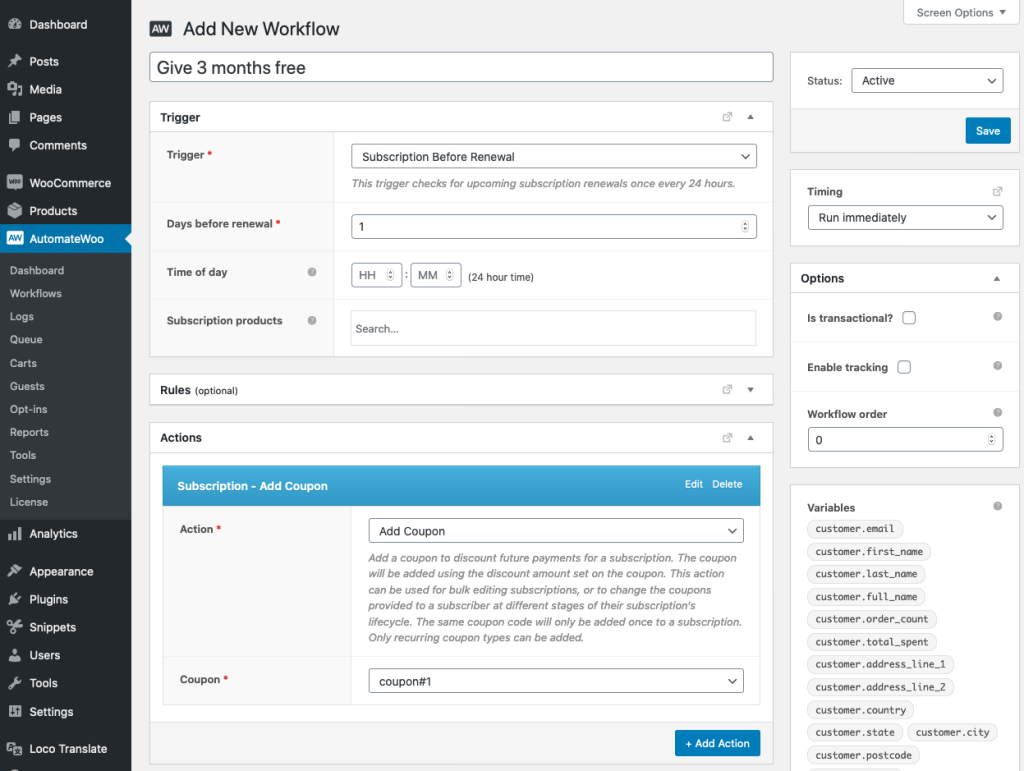
Next, create an AutomateWoo workflow at AutomateWoo > Workflows > Add Workflow.
- As the trigger,
- Choose “Subscription Before Renewal”
- Select 1 as “Days before renewal”
- For the action,
- Choose “Add Coupon” as the action type
- Select the name of the coupon you’ve just created
Finally, you must deactivate or delete this workflow after the coupon has been applied to all the subscriptions you would like to pause. If this workflow remains active the coupon will be added again after 3 payments.
Pausing yearly subscriptions
↑ Back to topPlease note: The coupon workflow above is for monthly subscriptions. For yearly subscriptions, use the Developer example for extending a subscription renewal date.

