
When a customer uses the Stripe extension to pay for their order, several unique Stripe object identifiers may be used to help keep track of the payment and other aspects of the order. You can use these identifiers in the Stripe dashboard to help you find orders, refunds, disputes, and so on.
Stripe object identifiers
↑ Back to topStripe assigns unique identifiers depending on what kind of information is being processed. The identifier will be a combination of three separate components:
- Two to three letters indicating the object being identified. For example:
- A charge will start with
ch. - A dispute will start with
du. - A refund will start with
re. - An event will start with
evt. - A Stripe account will start with
acct.
- A charge will start with
- An underscore (
_) separator. - A unique, case-sensitive identifier.
When combined, it will look something like this:
re_1ORe6HHKb07LG7yY68hujmkBWhere are identifiers used?
↑ Back to topThese identifiers will appear in two different places:
- The order details at the top of the page.
- The order notes metabox.
Identifiers in the order details
↑ Back to topWhen a payment is processed via the Stripe extension, an identifier will appear in the order details at the top of the page, alongside information about the payment method.
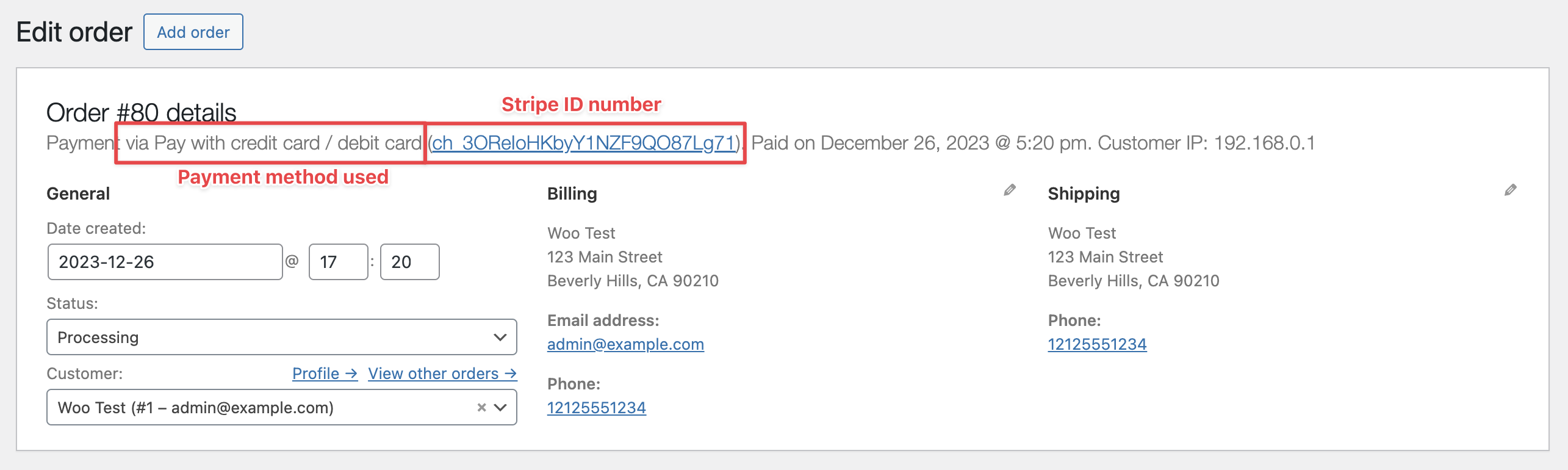
The identifier in this section is a link. Clicking it will take you to your Stripe dashboard so that you can find more information about the transaction.
Identifiers in the order notes
↑ Back to topWhen a payment is processed via the Stripe extension, an identifier will appear in the order notes as the order goes through its life cycle. Since payments go through several stages, it’s common for there to be different identifiers in the order notes.
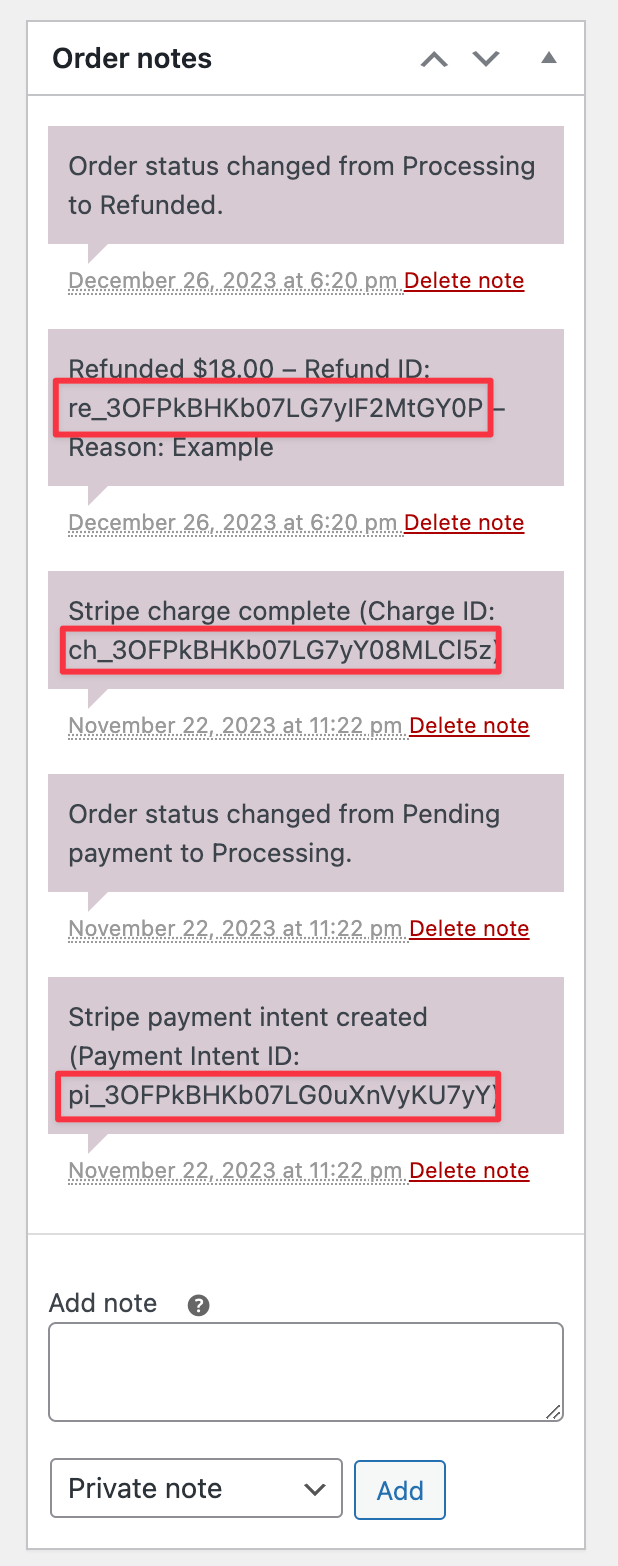
Note that identifiers appearing in the order notes depends on having webhooks set up.
Notes about unexpected charges
↑ Back to topSome payment methods only get confirmation of payment after the customer leaves the checkout (e.g. Stripe Link, cards that require 3DS, and a few others).
If a customer abandons their checkout with one of those methods and then pays for the order with a different method, Stripe may still complete the first charge. However, since order was already paid for via the second method, the original charge is a duplicate.
When this happens, the Stripe extension adds an order note like so:
Stripe captured a charge of $25.00 (PaymentIntent pi_XXXXXXXXXX, charge ch_XXXXXXXXXX) after this order was already paid by another gateway. This unexpected charge needs to be refunded manually from the Stripe dashboard.
Merchants should refund such charges using the Stripe dashboard rather than with WooCommerce. This is because the order records the other payment method as the one that paid for it, so the WooCommerce refund tools act on that payment instead of the duplicated Stripe charge.
The extension never refunds an unexpected charge for you. Stripe does not return processing fees when you issue a refund, so that decision is left to you. However, we do fire an action: wc_stripe_unexpected_charge_detected, which you can use in some custom code to trigger an email, an auto-refund, etc.

