
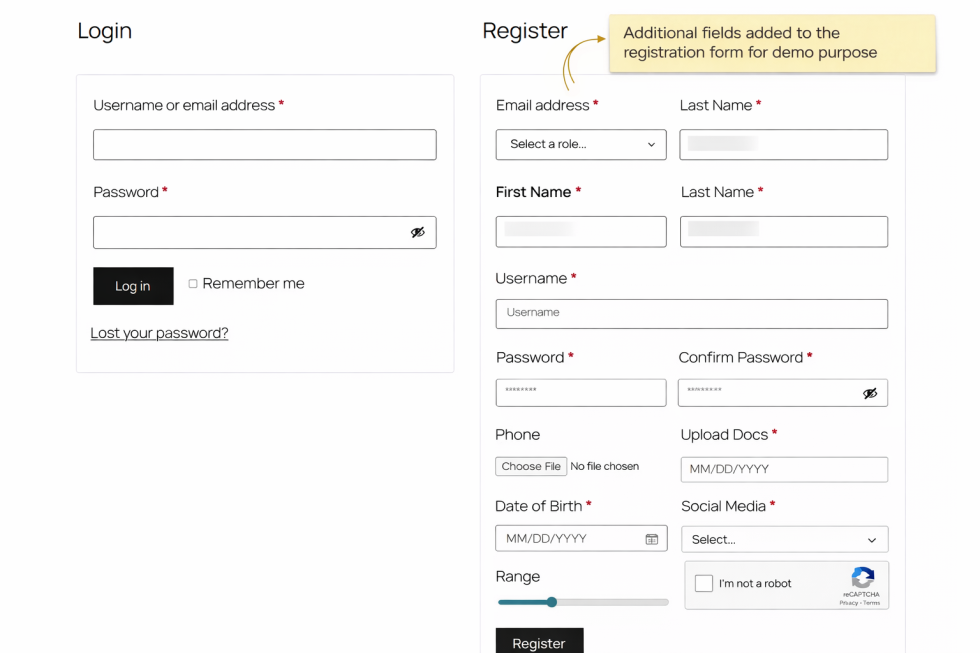
The Extended User Registration Fields for WooCommerce plugin extends WooCommerce’s registration form functionality, providing:
- Unlimited custom fields
- Conditional fields based on user input
- Role selection at registration
- Manual or automatic user approval
- Integration with WooCommerce orders and the My Account area
- Google reCAPTCHA spam protection
This plugin is ideal for marketplaces, B2B stores, membership websites, or any WooCommerce store requiring advanced user registration forms.
Features
↑ Back to top- Unlimited Custom Fields – Create as many fields as needed
- User Role Management – Allow users to select their role during registration
- Conditional Fields – Show/hide fields dynamically based on input
- User Approval System – Automatic or manual approvals per role
- Email Notifications – Notify admin and users about registration and approvals
- My Account Integration – Users can view and edit custom fields
- Order Integration – Display custom field data in order details and emails
- reCAPTCHA Support – Protect forms from spam with Google reCAPTCHA v2/v3
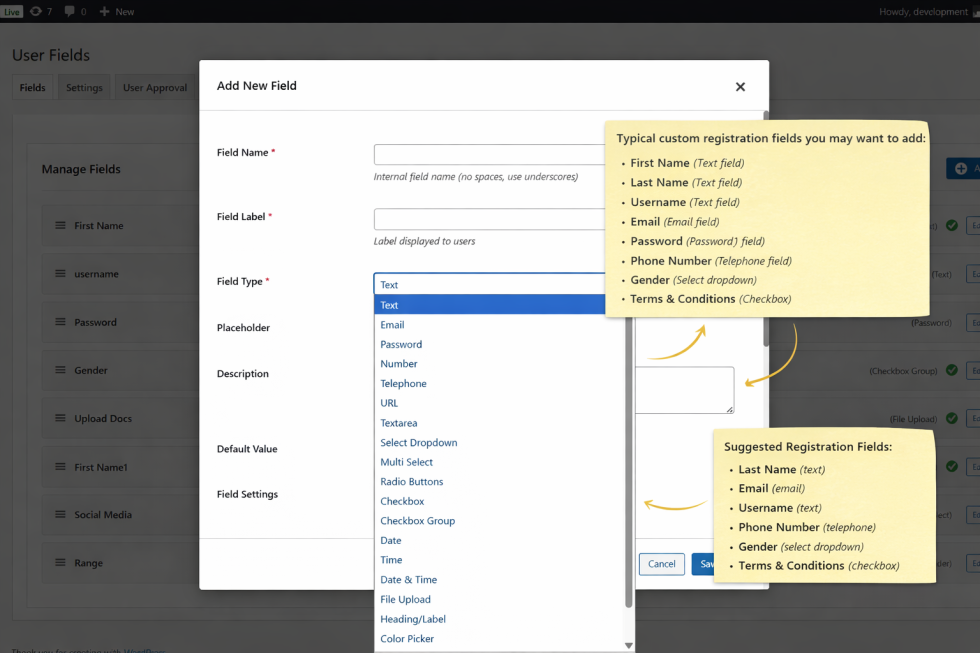
- Field Types – Text, Textarea, Select, Radio, Checkbox, File Upload, Email, Date, Number, Tel, URL, Password
- Field Validation – Required fields, email validation, and custom rules
- Drag & Drop Field Builder – Easy admin interface to create and organize fields
Setup and Configuration
↑ Back to top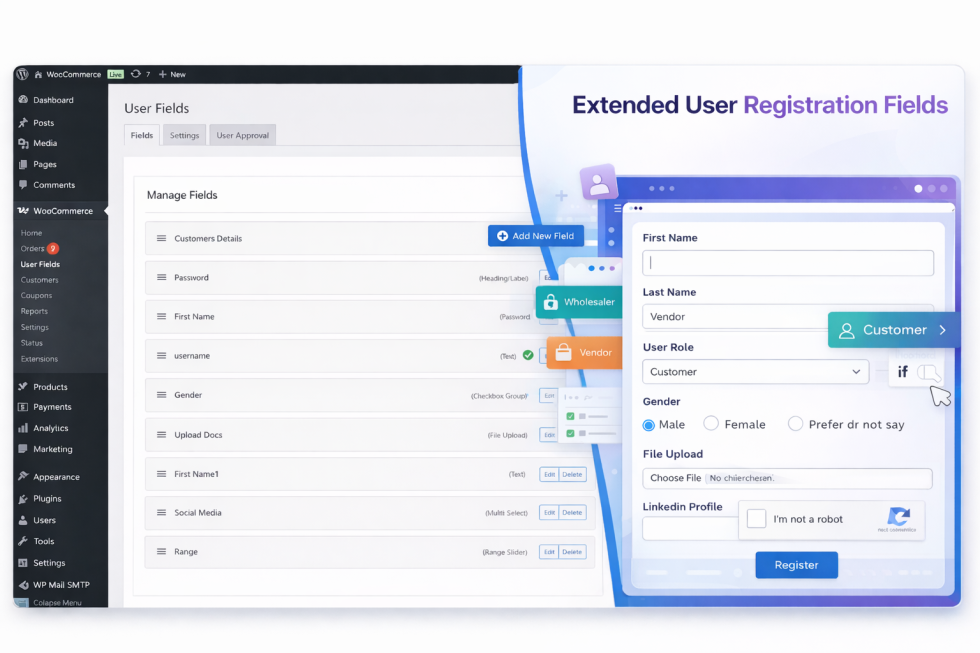
Installation
↑ Back to topTo start using a product from WooCommerce.com, you can use the “Add to store” functionality on the order confirmation page or the My subscriptions section in your account.
- Navigate to My subscriptions.
- Find the Add to store button next to the product you’re planning to install.
- Follow the instructions on the screen, and the product will be automatically added to your store.
Alternative options and more information at:
Managing WooCommerce.com subscriptions.

Setup & Configuration
↑ Back to topCreating Custom Fields
↑ Back to top- Navigate to WooCommerce → User Fields → Fields
- Click Add New Field
- Choose field type, label, placeholder, default value, and validation
- Drag & drop fields to reorder
- Save changes
Conditional Fields
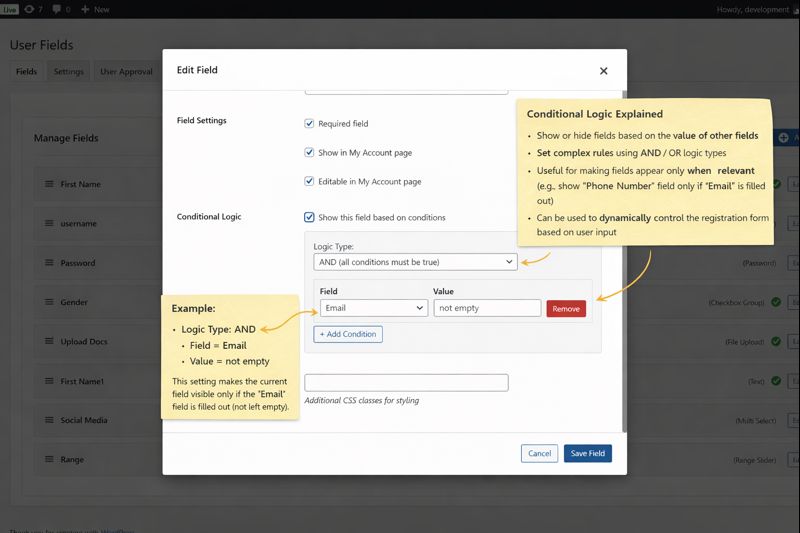
↑ Back to top- Enable Conditional Logic for any field
- Set conditions: Show/hide field based on another field’s value
- Example: Show “Company VAT Number” only if role = “Business”
User Role Management
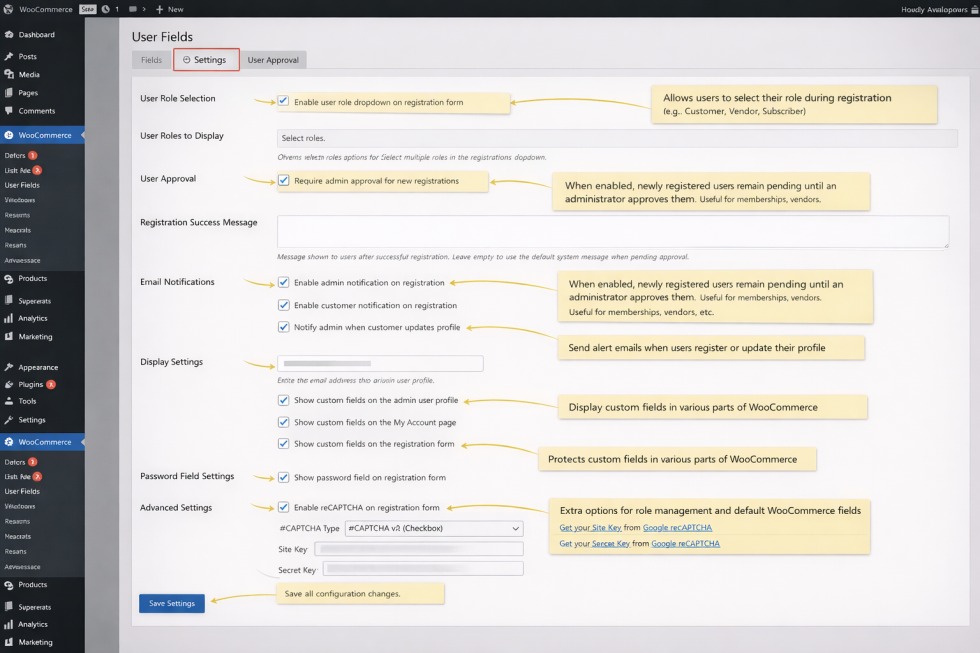
↑ Back to top- Go to WooCommerce → User Fields → Settings → Role Management
- Enable role selection at registration
- Choose which roles are selectable
- Set default role for users if no selection is made
User Approval System
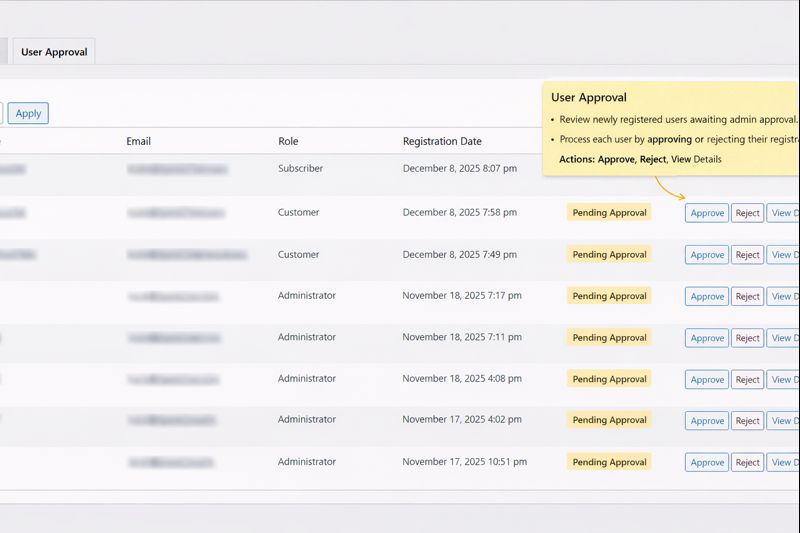
↑ Back to top- Navigate to User Approval Tab
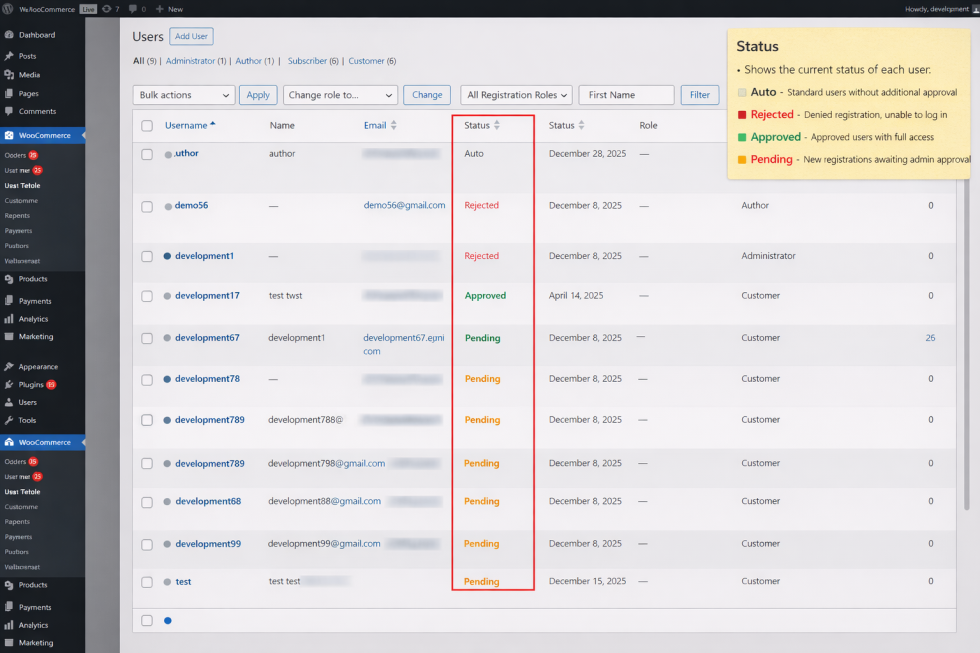
- Enable manual or automatic approval
- Configure email notifications for admin and users
- Example: Business users require manual approval, regular customers auto-approved
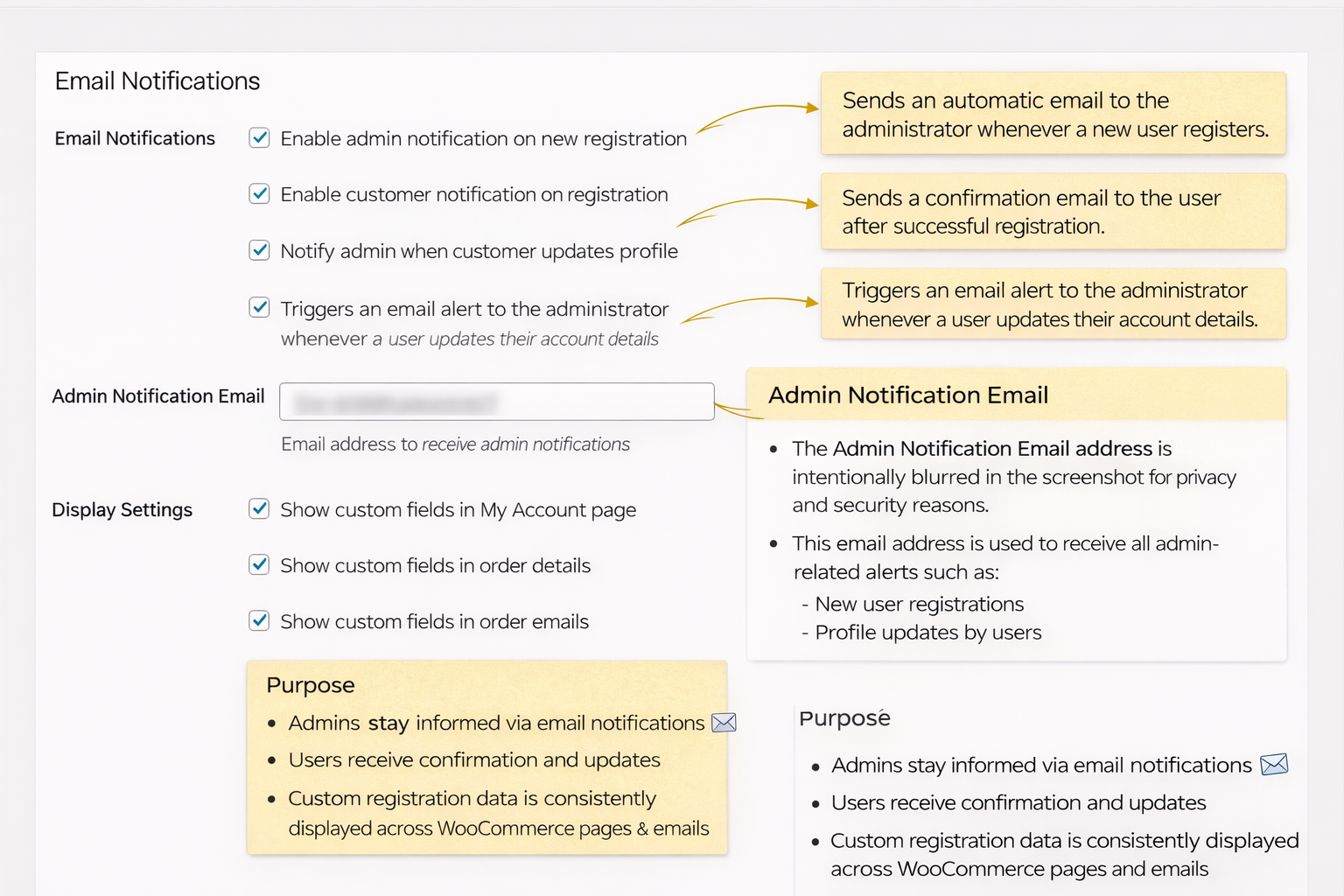
Email Notifications
↑ Back to top- Admin receives notifications for new registrations or pending approvals
- Users receive confirmation and approval emails
- Email templates are editable in WooCommerce → User Fields → Settings → Email Notifications
My Account Integration
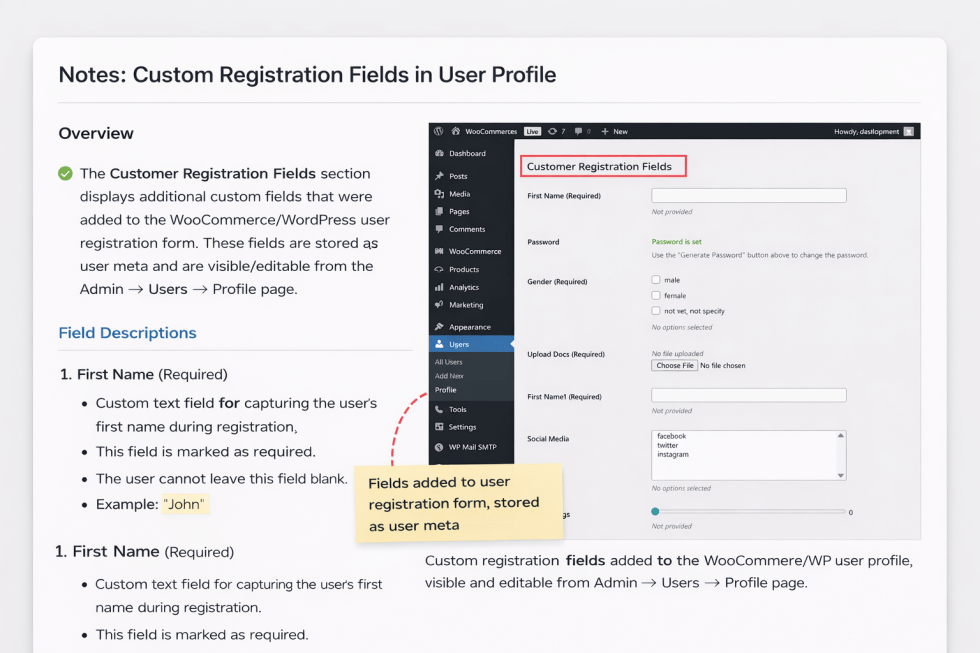
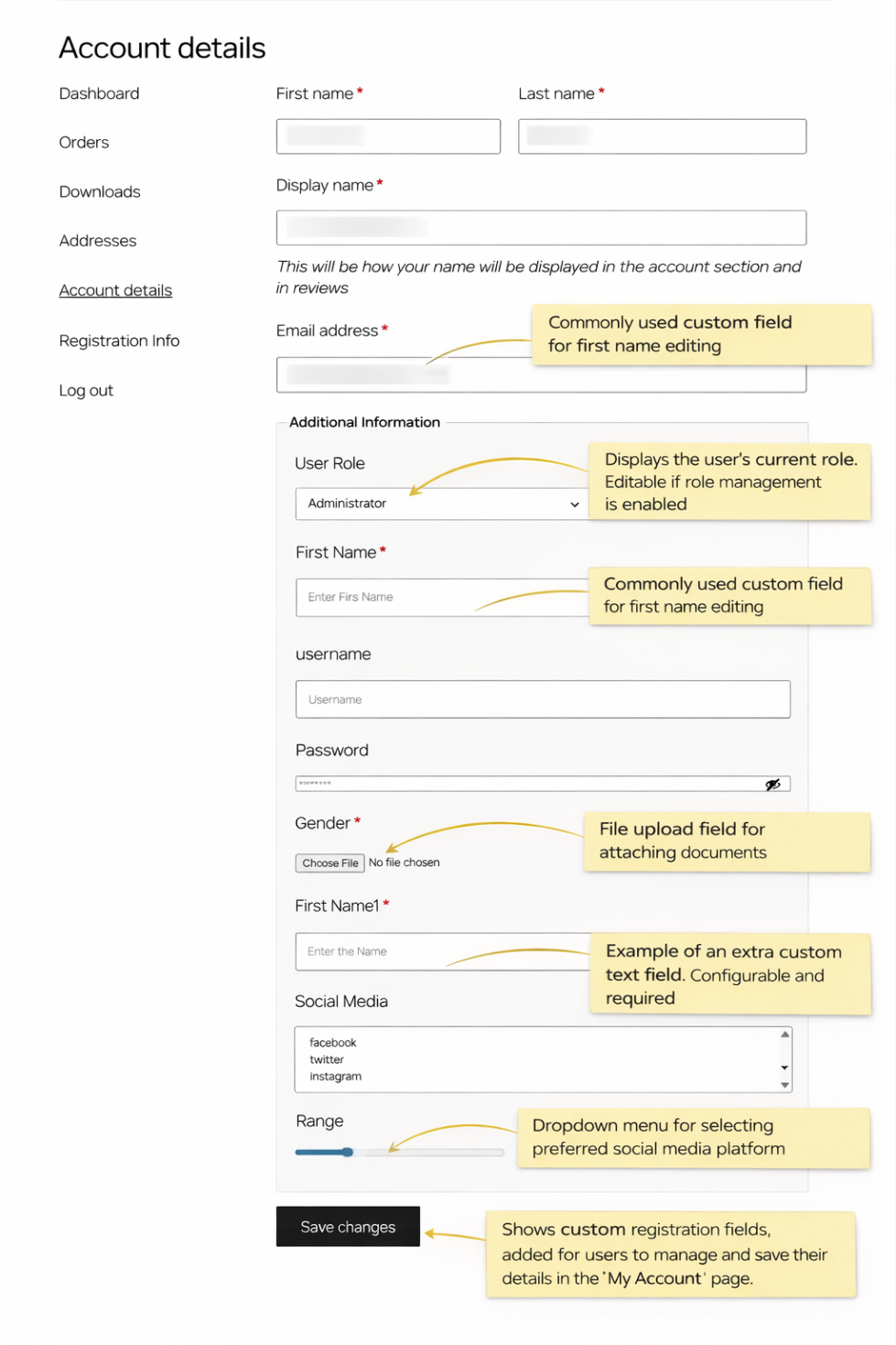
↑ Back to top- Custom fields can be displayed and edited in the My Account page
- Users can update their details after registration
Order Integration
↑ Back to top- Custom field data can appear in Order Details and Order Emails
- Useful for collecting billing-related or company information
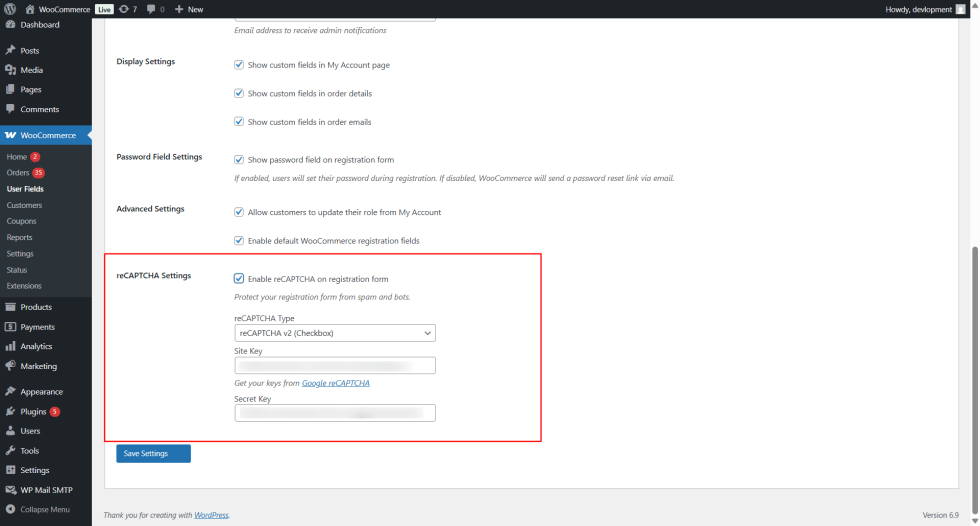
reCAPTCHA Setup
↑ Back to top- Go to WooCommerce → User Fields → Settings → reCAPTCHA
- Enter your Site Key and Secret Key from Google
- Enable v2 or v3
- Save settings to protect registration form from bots
Field Types & Validation
↑ Back to top| Field Type | Description | Validation |
|---|---|---|
| Text | Single-line input | Required, regex, max length |
| Textarea | Multi-line input | Required, max characters |
| Select | Dropdown options | Required |
| Checkbox | Single or multiple checkboxes | Optional/Required |
| Radio | Single choice | Required |
| File Upload | Upload documents/images | File type & size limit |
| Email input | Must be valid email | |
| Date | Date input | Optional/Required |
| Number | Numeric input | Min/Max validation |
| Tel | Telephone input | Optional/Required |
| URL | Website input | Valid URL required |
| Password | Password input | Required, min length, strong password |
Support & Resources
↑ Back to top- Support Email: infotechminer@gmail.com
- Google reCAPTCHA: https://www.google.com/recaptcha

