
Smart Coupons provide a powerful, “all-in-one” solution for gift cards, store credits, discount coupons, and vouchers, extending the core functionality of WooCommerce coupons.
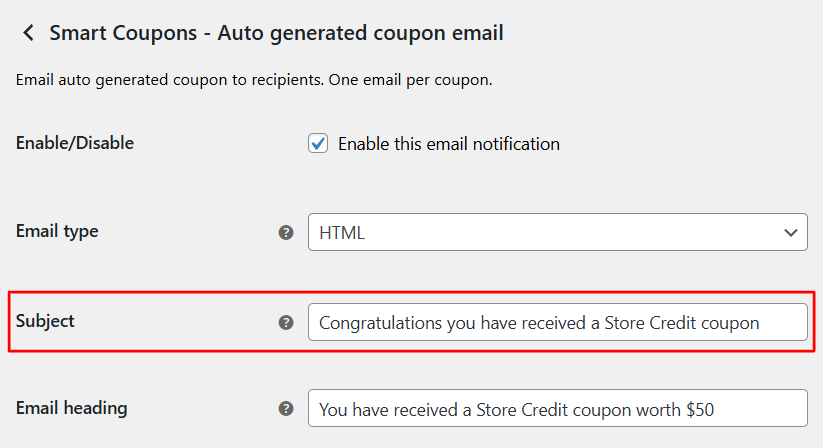
This doc article explains how to change or edit the subject line of an auto-generated coupon email.
Smart Coupons automatically sends emails to customers when coupons are generated. You may want to personalize the subject line of these emails to better match with your brand requirements.
Steps to edit the subject line
↑ Back to top- Log in to your WordPress dashboard.
- Navigate to WooCommerce > Settings.
- Click on the Emails tab.
- Scroll down to locate the section labeled Smart Coupons > Auto-generated coupon email.
- Click the Manage button for that email.
- In the settings, find the field labeled Subject.
- Enter your desired subject line text.
8. Click Save changes to apply the update.
That’s it!
Your customers will now see the updated subject line when receiving auto-generated coupon emails.

