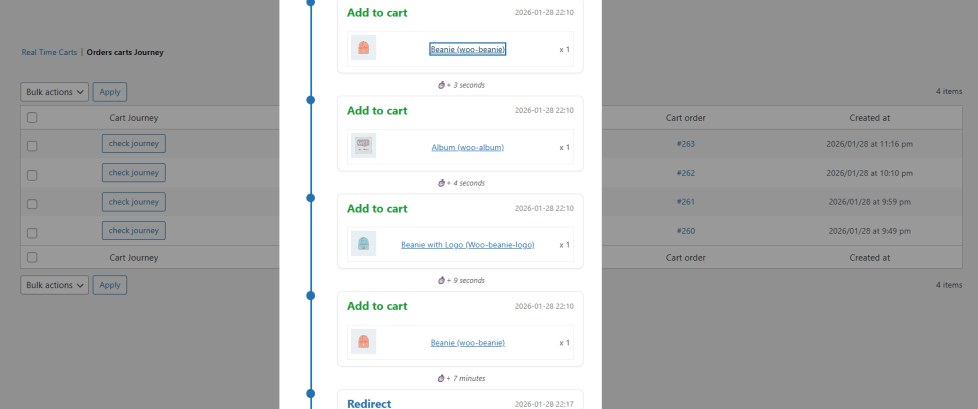
Real Time Cart Tracker allows store administrators to monitor and take actions on active shopping carts in real time.
The plugin provides:
- Live cart monitoring
- Full cart journey timeline tracking
- Browser notifications for new carts and orders
- Detailed cart visibility
- Direct cart interaction (notices and coupons)
This document explains how to configure and use the plugin.
Installation
↑ Back to topTo start using a product from WooCommerce.com, you can use the “Add to store” functionality on the order confirmation page or the My subscriptions section in your account.
- Navigate to My subscriptions.
- Find the Add to store button next to the product you’re planning to install.
- Follow the instructions on the screen, and the product will be automatically added to your store.
Alternative options and more information at:
Managing WooCommerce.com subscriptions.

Setup and configuration
↑ Back to topMain settings
↑ Back to topNavigate to WooCommerce → Settings → Real Time Carts
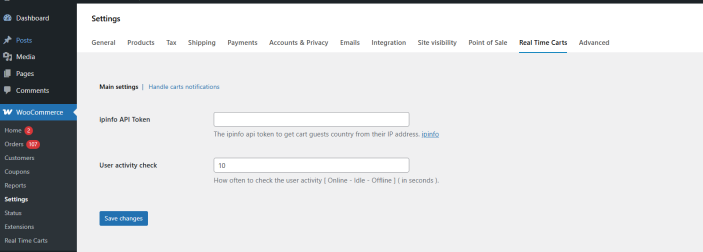
IP Geolocation (Optional)
You can enter your IPinfo API token to retrieve the customer’s country name based on their IP address.
If no token is added, country detection may be limited.
Activity check interval
You can define the interval (in seconds) used to check customer cart activity.
This controls how frequently the system checks if the customer is active on the website.
- Lower values = more frequent updates
- Higher values = reduced background activity
Cart notifications
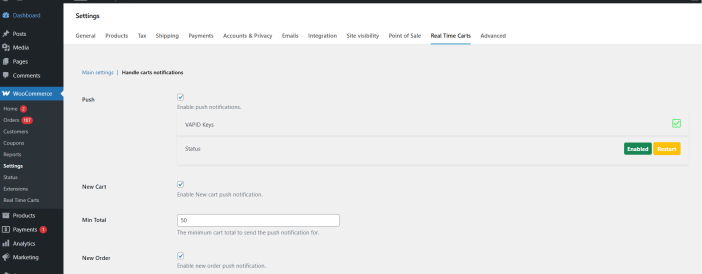
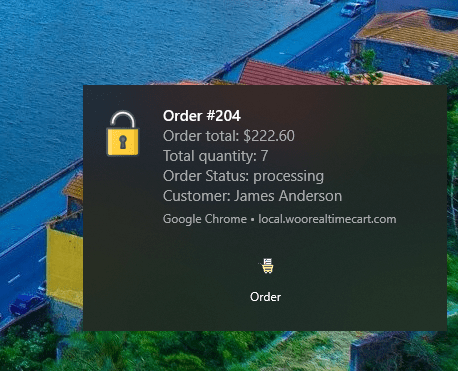
Enable Browser Notifications
You can subscribe to browser notifications to receive alerts for:
- New carts
- New orders
When prompted, allow notifications in your browser.
Minimum Total Filter
You can define a minimum cart total amount for:
- Cart notifications
- Order notifications
Notifications are only triggered when the cart or order total meets the defined threshold.
Usage
↑ Back to topReal Time Carts
↑ Back to top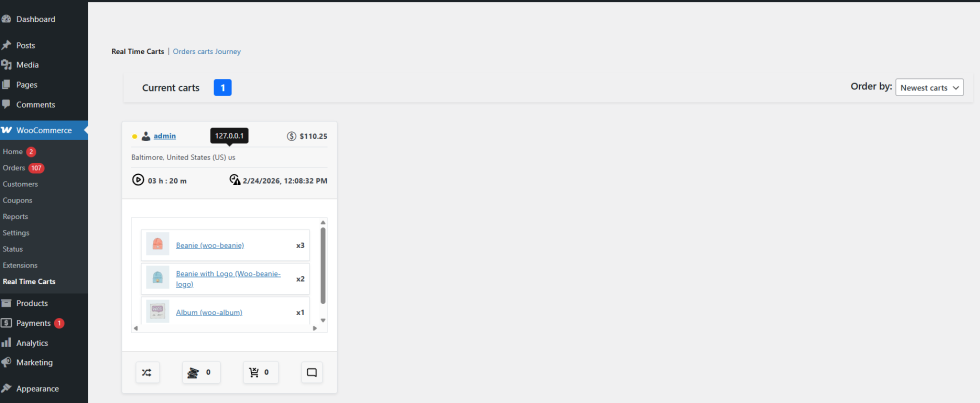
The Real Time Carts screen displays all currently active shopping carts.
For each cart, you can view:
- Customer type (guest or logged-in)
- Customer country (based on IP)
- Products in cart
- Quantities
- Cart total
- Cart start time
- Session expiration time
Cart data updates automatically as customers interact with their carts.
Supported real-time actions include:
- Add to cart
- Remove from cart
- Quantity updates
- Coupon additions
Interacting with active carts
↑ Back to topThe plugin allows administrators to interact directly with active carts.
From the cart actions column, you can:
- Add custom notices
- View cart journey
- View removed items
- View and add coupons
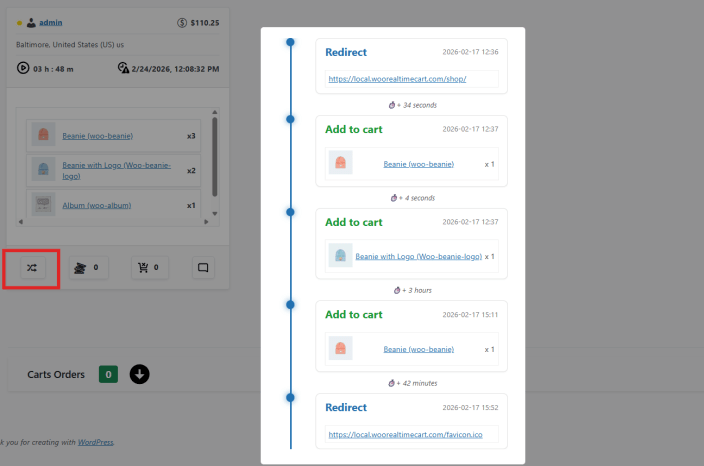
Cart journey
The Cart Journey view shows a complete timeline of customer actions.
This includes:
- Page visits
- Cart creation
- Product additions
- Quantity changes
- Item removals
- Coupon additions
Each action includes a timestamp and the time difference between events.
This helps you understand customer behavior before purchase.
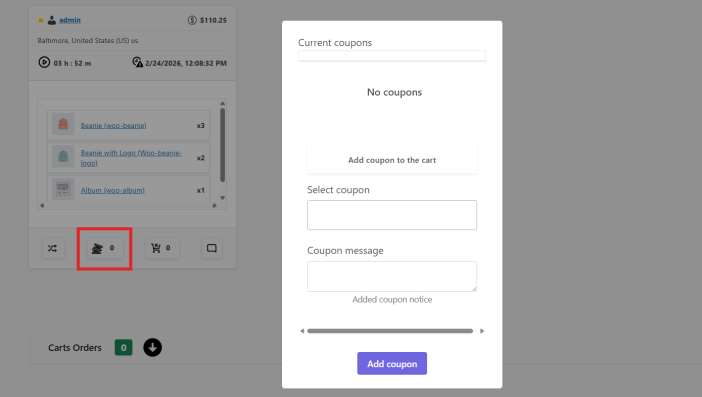
Cart coupons
- View all coupons currently applied to the cart
- Apply valid coupon codes directly to the cart
Changes are reflected immediately during the customer session.
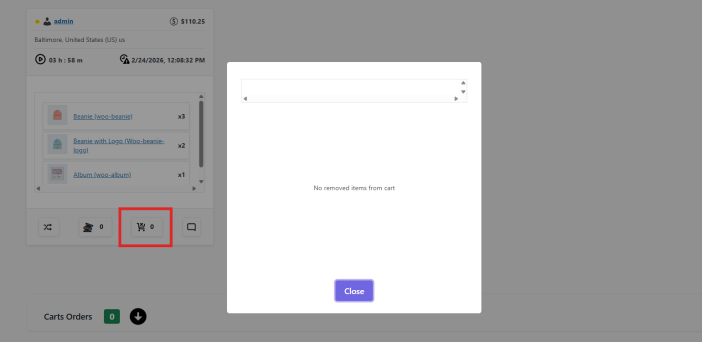
Removed items
You can view products that were removed from the cart during the session.
This provides insight into customer hesitation or product comparison behavior.
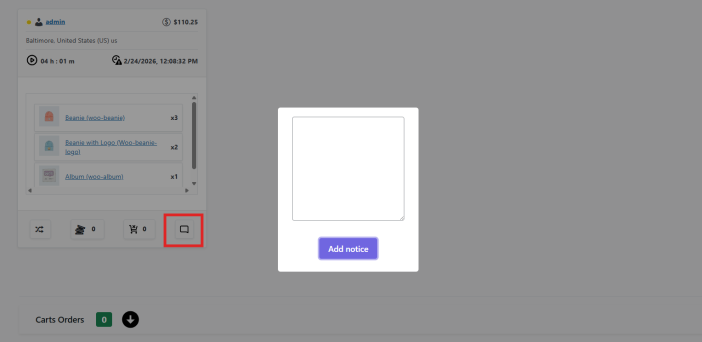
Custom notices
You can add a custom notice to any active cart.
The notice appears to the customer on the frontend during their session.
This allows real-time communication without modifying the checkout flow.
Orders carts journey
↑ Back to topThe Orders Cart Journey page displays carts that successfully converted into orders.
For each order, you can review:
- Full pre-order cart timeline
- Customer actions leading to checkout
- Behavioral steps before purchase
This provides visibility into conversion behavior.