
About the Helio Pay plugin for Woo
↑ Back to top- Accept crypto payments the easy way
- Set up in minutes & get paid instantly with real-time payouts
- Sell in USDC, Solana, Bitcoin, Ethereum & 100s of digital currencies
- Eliminate expensive chargebacks
- Low fees of 1%
- On / off ramp crypto earnings to your bank account
Helio set-up requirements
↑ Back to top- Log-in to the dashboard, select CREATE PAYMENT -> select “Woo” from the predefined templates
- Enter a name; choose the blockchains you’d like to enable for your payments; click ‘NEXT
- ‘Click ‘CREATE’ (with or without selecting any other advanced options)Copy the Pay Link ID (e.g. 6569c1b26f81049171f37213) and save this somewhere locally
- Go to Settings -> API to generate an API and secret key and save this locally
Configuration
↑ Back to topAdd the plugin to your WooCommerce site
↑ Back to topDownload and configure the plugin in the following easy steps:
- Go to https://wordpress.org/plugins/helio/ and download the latest plugin
- Log into your WordPress site as the administrator and go to the ‘Plugins’ section
- Click ‘Upload Plugin’ at the top of the page
- Select the latest Helio Pay plugin file you downloaded
- Click the ‘Install Now’ button and the plugin will upload and install
- Click the ‘Activate Plugin’ button to activate the plugin
- The plugin is now installed. Keep the WordPress admin site open
Configure the Helio WooCommerce plugin
↑ Back to topWe can now configure the plugin to use the Pay Link & API key we created earlier:
- Select WooCommerce | Settings to get to the settings options
- Click on the ‘Payments’ tab along the top options
- The Helio plugin will be listed as ‘Helio’ – click the ‘Finish set up’ button
- Tick the Enable ‘Enable Helio Pay
- ‘Enter the previously saved Pay Link ID into the ‘Pay link request ID’ field
- Generate an API and secret key from the Helio dashboard -> Settings -> API and paste them into the relevant fields. You’re only required to do this for Mainnet. Configuring this for devnet is optional and for testing purposes only
- Save changes
Learn more about the integration here
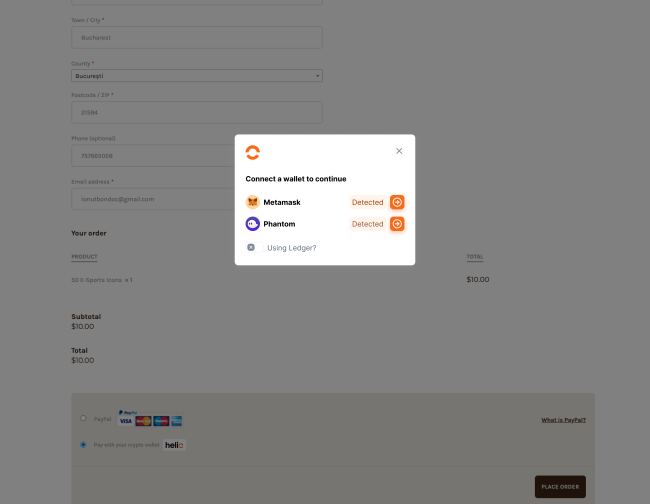
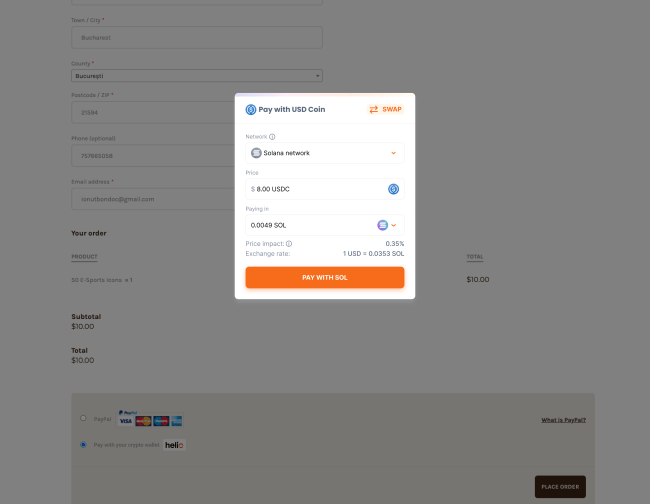
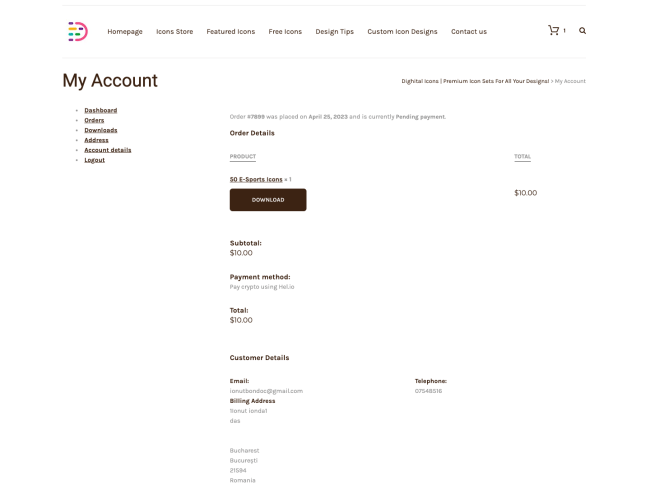
The Plugin & Product Images
↑ Back to top

Join our community to learn more
↑ Back to topWebsite: learn more about Helio solutions ⚡️
Discord: get help and connect with our community 🔥
Twitter: join our growing community 🧡
Medium: blog covering product development 📣
Join us: check out our job board and apply if you love our mission 🤛
LinkedIn: follow us 😎
E-mail: say hi@hel.io 🤝

