
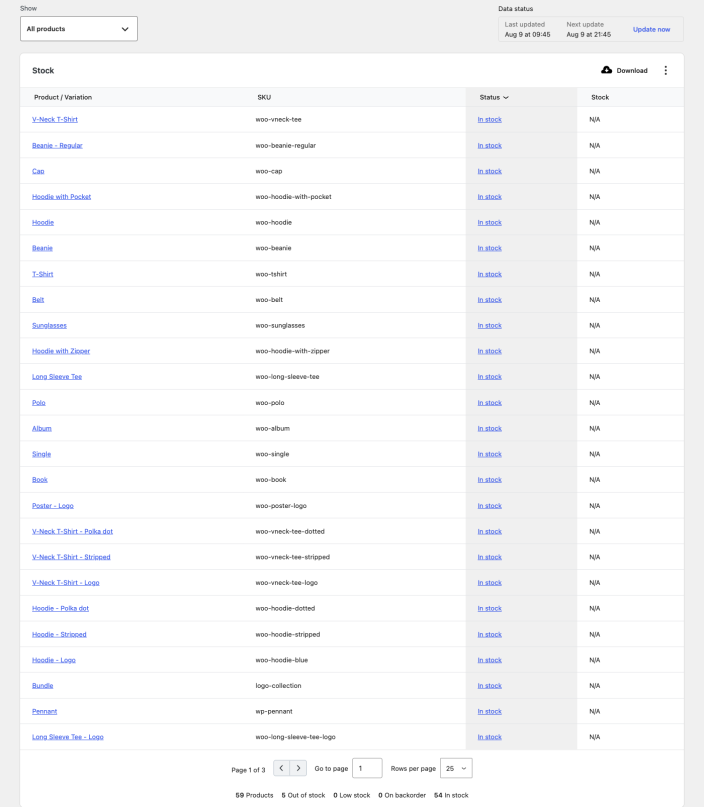
The Stock report shows the current stock status and inventory quantity for your products and variations. Go to Analytics > Stock to open it.
Filter by stock status
↑ Back to topOpen the Show menu to display all products or only products that are:
- Out of stock
- Low stock
- In stock
- On backorder
The summary beneath the table shows the number of products in each stock status. Products that do not track inventory can still appear in the report. Their stock quantity is shown as N/A, while their stock status reflects the setting on the product.
Read the stock table
↑ Back to topThe table contains these columns:
- Product or variation
- SKU
- Status
- Stock
Select a column heading to sort the table. Select a product or variation name to open the Products analytics report filtered to that item. Select its stock status to edit the product.